
Free QR Code Menu (Built with AI)
Our AI reads your menu and builds your page automatically — no typing required. Get a free online menu and QR code in 60 seconds.
Built by POSUSA — trusted by thousands of restaurant owners
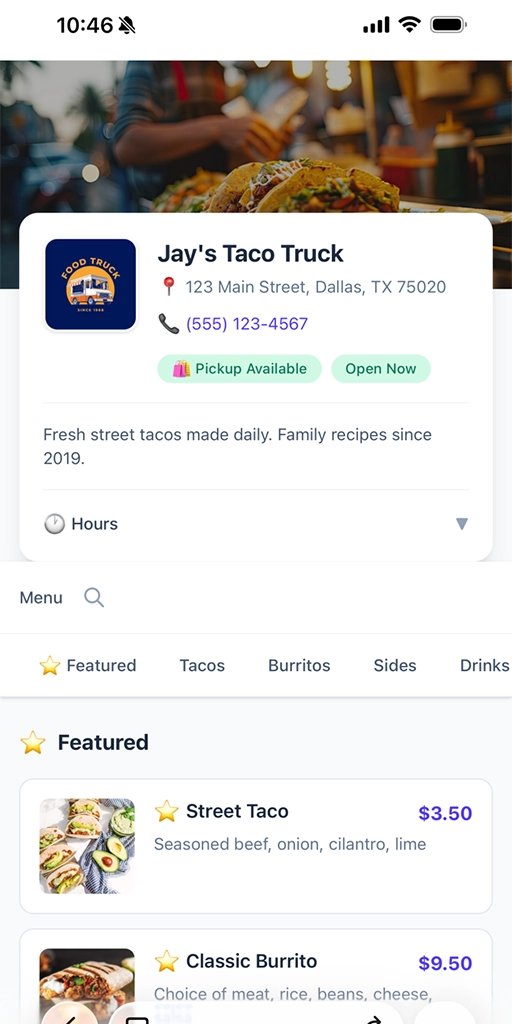
The Problem
Printed menus are a hassle.
You update prices, add seasonal items, or 86 something — and your printed menus are instantly outdated.
Reprinting costs money. Stickers look unprofessional.
Customers already expect to scan a QR code. It's just how things work now.
The Solution
Upload your menu. AI does the rest.
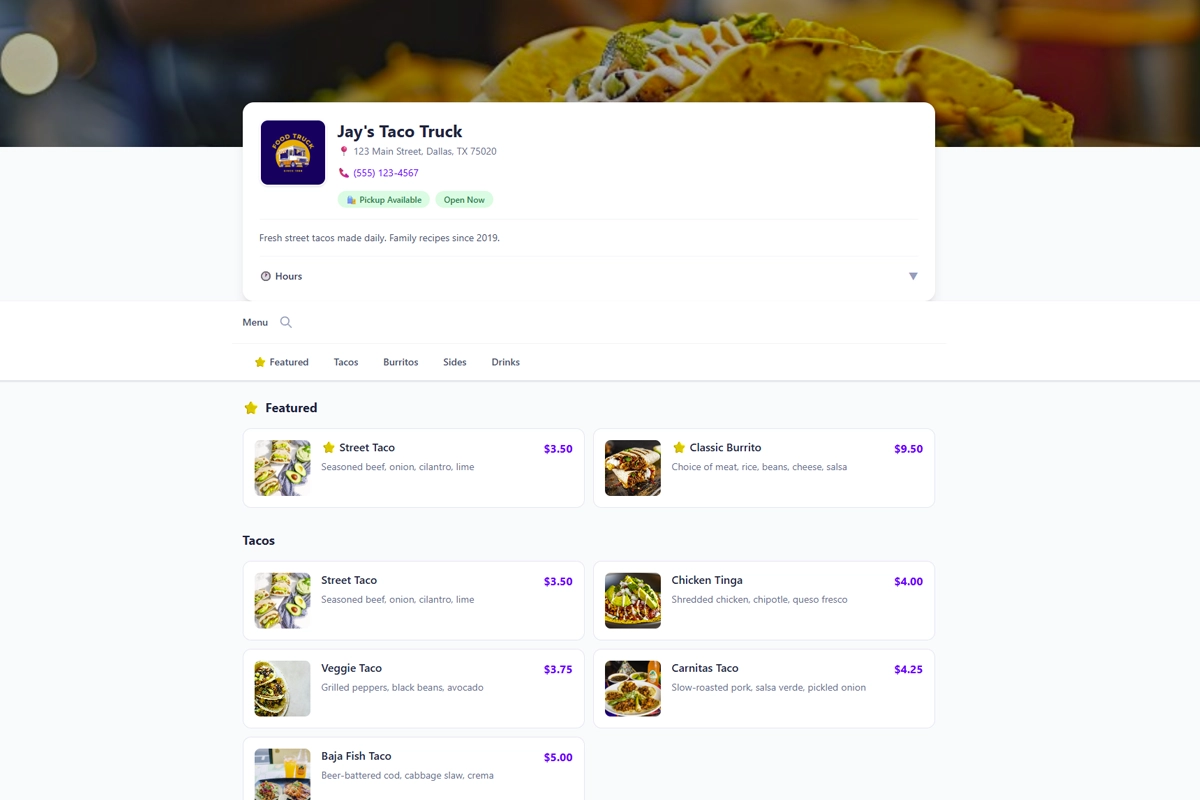
Snap a photo or upload a PDF. Our AI extracts your items, prices, and descriptions automatically. You'll have a mobile-friendly menu website and QR code in 60 seconds.
No subscriptions. No software demos. No sales calls.
What You Get — All Free
AI-Powered Menu Builder
Upload a photo or PDF of your menu. Our AI reads it and builds your digital menu automatically — no typing.
SEO-Optimized Menu Page
Help customers find your restaurant online. Your menu is indexed by search engines so people discover you.
QR Code for Any Device
Works on iPhone and Android. Customers scan with their camera — no app needed.
Update Anytime
Change prices, add items, remove what's unavailable. Your QR code stays the same.
No Monthly Fees
This isn't a free trial. It's actually free. No credit card required.
No Contracts
Use it as long as you want. Stop anytime. No strings attached.
How It Works
Upload Your Menu
Snap a photo or upload a PDF. Our AI extracts your items, descriptions, and prices automatically.
Get Your QR Code
Download your QR code as an image. Print it however you want.
Customers Scan & View
They point their camera at the code, tap the link, and your menu appears.

Why We Built This
POSUSA works with restaurant owners every day. We review POS systems, write buyer guides, and build tools that help real hospitality businesses make better decisions.
The Insight
Not everyone needs a full website or a fancy digital ordering platform. Sometimes you just need a clean online menu that customers can actually find and read on their phones.
The Problem
Most "free" menu tools either plaster ads on your page, harvest customer data, or push you into paid plans. We didn't want to build that.
Our Philosophy
This QR menu generator is free because it should be. A simple tool for restaurants that want a contactless menu option without getting locked into something complicated.
Who This Is For
If you serve food or drinks and want customers to view your menu on their phones, this works.
- Full-service restaurants
- Food trucks
- Cafés and coffee shops
- Bars and breweries
- Pop-ups and seasonal concepts
- Quick-service and fast casual
- Catering menus
- Hotel dining and room service
Frequently Asked Questions
Ready to Create Your Menu?
Upload your menu and let AI do the work. You'll have a live QR code menu in 60 seconds.

POSUSA is a point of sale company serving restaurants, retailers, and small businesses. Since 2011, we've sold, installed, and reviewed thousands of POS systems — and now we build our own. Whether you need our free POS or help finding the right fit, we're here to help.

