
Shift4 Dine
$29.99
 Jason Feemster
Shift4 Dine POS Review (Formerly SkyTab): Pricing, Features & Pros vs Cons
Updated October 2026
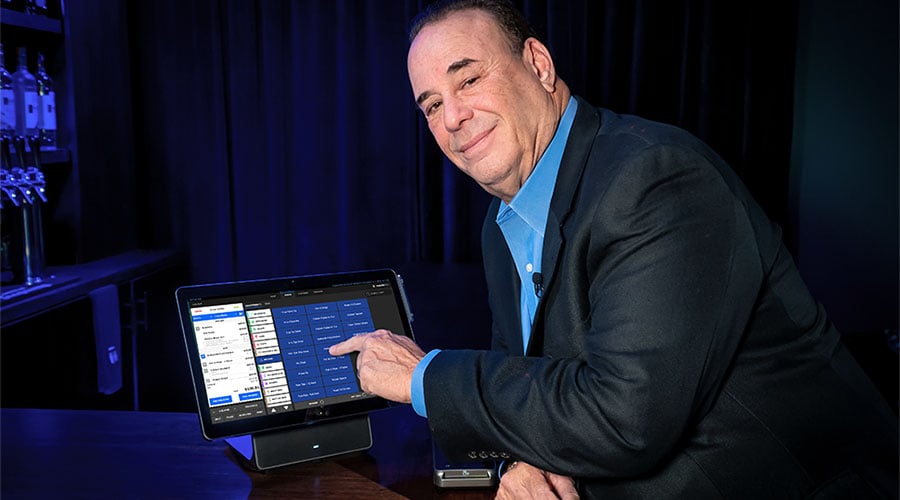
Shift4 Dine, formerly SkyTab, is Shift4’s restaurant POS system. At $29.99/mo with free hardware, it’s honestly one of the best deals out there for restaurants that don’t want to drop thousands upfront. I’ve been working with this platform since the Harbortouch days and have helped hundreds of restaurants get set up on it.
It’s also the POS system officially endorsed by Jon Taffer of Bar Rescue, more on that partnership below.
So. Is it right for your restaurant? Let’s get into it.
Shift4 Dine Overview
Here’s a quick walkthrough of what you’re getting with Shift4 Dine (formerly SkyTab):
Pros & Cons
- Free hardware, no upfront cost
- Low monthly price, hard to beat
- Advantage Program offsets processing fees
- Optional online ordering add-on
- Loyalty & reservations built in
- 24/7 U.S.-based support
- Lifetime hardware warranty
- Assisted install & training
- Shift4 processing required
- Multi-year commitment
- One annual fee, billed in August
- Rates not posted publicly
- Clunky modifier setup
Shift4 Dine Pricing
$29.99/mo per terminal. No upfront hardware cost. That’s the headline.
But how does that actually stack up? Here’s what you’d pay elsewhere:
| System | Monthly Cost | Hardware |
|---|---|---|
| Shift4 Dine (SkyTab) | $29.99/mo | Included free |
| Toast | $69/mo | Purchased, financed, or $0 upfront (Starter Kit) |
| TouchBistro | $69/mo | Your own iPads, or included in the $119/mo Essentials Bundle |
| Square for Restaurants | $0/mo | $0 (Tap to Pay) to $899 (Register) |

What’s Included
The monthly fee gets you more than most competitors include at twice the price:
- POS hardware (workstation, cash drawer, receipt printer)
- Software and cloud back office
- Marketing & loyalty tools
- Reservations & waitlist
- Assisted installation and training
- 24/7 support
- Lifetime hardware warranty
That last one matters more than people realize. Hardware breaks. It just does. And when your terminal dies during a Saturday dinner rush, you don’t want to be arguing with someone about whether it’s covered.
Online ordering isn’t part of the monthly fee. It’s a paid add-on at $34.99/mo for new accounts, and you can opt out if you won’t use it.
Payment Processing
Here’s the tradeoff: Shift4 Dine requires Shift4 for payment processing. You can’t bring your own processor.
Standard rate is 2.75% + 15¢ (negotiable) per transaction, and that rate is negotiable. Don’t just accept the first offer. Ask for interchange-plus pricing. Worst they can say is no.
The Advantage Program (Cash Discount / Dual Pricing)
This is a big one. The Advantage Program lets you offset most of your credit card processing fees.
Here’s how it works. You choose one of three options:
- Dual Pricing: Display two prices on your menu, a cash price and a card price. Customers see both and choose.
- Cash Discount: List your card price, then apply a discount at checkout when someone pays cash.
- Supplemental Fee: Add a small fee to all transactions to cover processing costs.
A 3% non-cash adjustment works out to about 2.9% of the card total (3 divided by 103), so it roughly offsets what you pay to process the card. It doesn’t cover your other monthly fees, so get every monthly fee in writing before you sign.
It’s fully compliant with Visa and Mastercard rules when set up correctly. Shift4 Dine sends you all the required signage, and the POS handles the calculations automatically.
Not every restaurant wants to do this. Some worry about customer perception. But for those who do, it can make a real difference. I’ve seen owners save thousands per year.
Total Cost of Ownership
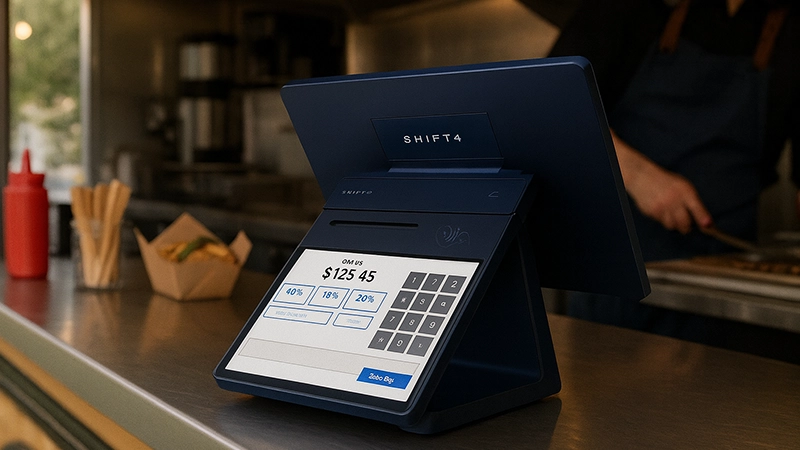
The monthly fee isn’t the whole bill.
Shift4 also charges an annual fee for every device on your account, about $440 each. It hits in August.
One terminal, about $440. Four terminals, about $1,760.
| Devices | Software (12 mo) | Annual Fee (approx.) | Year One Total (before processing) |
|---|---|---|---|
| 1 | $360 | About $440 | About $800 |
| 2 | $720 | About $880 | About $1,600 |
| 4 | $1,440 | About $1,760 | About $3,200 |
Still competitive. Toast’s Point of Sale plan alone runs $69/mo before hardware.
The difference is timing. Toast spreads its cost across the year. Shift4 puts part of it in August.
Before you sign:
- Get the exact annual fee for your device count in writing.
- Make sure you’re not paying for a terminal you don’t need.
One more clause worth knowing: after year one, Shift4 can raise prices every year. Up to 7% on processing and 4% on the POS side, or more if inflation runs high.
Agreement Terms
Shift4 Dine gives you a 30-day trial period under its POS System Service Agreement. It isn’t free: all fees apply during the trial, and if you cancel, you pay the return shipping.
Still, it’s plenty of time to run it through some busy shifts and make sure it actually works for your operation.
After that, the Merchant Processing Agreement runs 36 months. It then renews automatically one year at a time unless you give 90 days’ written notice before the term ends.
Before you panic: multi-year terms are common with free-hardware POS. Toast’s contracts typically run 2-3 years too. The reason Shift4 Dine can include the hardware with no upfront cost is that they’re betting you’ll stick around.
If you’re confident this is your long-term solution, the multi-year term isn’t a big deal. If you like to switch systems every year or two, this probably isn’t the right fit.
Leaving early means liquidated damages: a base monthly fee of $100 to $750, set by your processing volume tier, multiplied by your number of devices and by the months left in the term.
For example, a restaurant with 2 devices processing $25,000 a month, with 24 months left, would owe $250 × 2 × 24 = $12,000. Take the trial period seriously.
My advice: Read the full Merchant Processing Agreement before you sign. Know what you’re agreeing to. Ask questions if something’s unclear.
Jon Taffer Partnership: The Official Bar Rescue POS
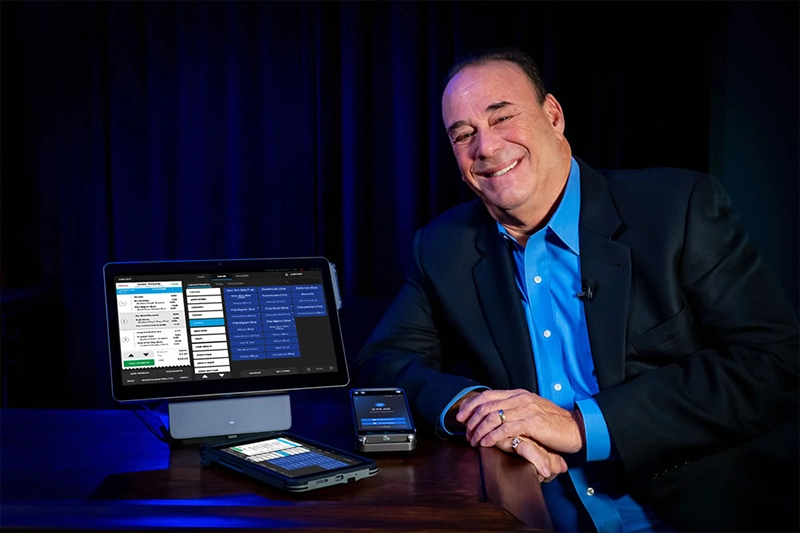
If you’ve watched Bar Rescue, you’ve probably seen Shift4 Dine (formerly SkyTab) in action. Jon Taffer has officially endorsed the system and has been a long-time partner with Shift4.
This isn’t just a celebrity endorsement deal. Taffer and the SkyTab team collaborated on developing “smart POS” features, revenue-generating tools built directly into the system based on Taffer’s decades of bar and restaurant consulting experience. The partnership dates back to when SkyTab was still called Harbortouch.
More recently, Shift4 and Taffer have run the SkyTab Rescue Mission contest, awarding struggling restaurants with $20,000 grants, one-on-one consulting sessions with Taffer, and complete SkyTab POS systems. They later expanded the program to five winners and $100,000 in total prize money.
Why does this matter for you? A few reasons:
- Industry credibility. Taffer has consulted for major brands like TGI Fridays, Buffalo Wild Wings, and Ritz-Carlton. If he’s putting his name behind this platform, that carries weight.
- Bar-focused features. The system has strong tab management, pre-authorization, and inventory tools, partly because of this partnership.
- Ongoing development. The collaboration isn’t a one-time deal. The platform continues to add features informed by real-world hospitality expertise.
If you’re running a bar or nightclub specifically, the Taffer connection is worth considering. The system was built with that environment in mind.
Who Shift4 Dine Works Best For
I’ve set up Shift4 Dine (and SkyTab before it) in everything from small quick-service spots to fine dining. But there’s definitely a sweet spot.
✅ Works great for:
- Full-service restaurants, tableside ordering, coursing, split checks all work well
- Quick-service & fast casual, fast, simple, gets out of the way
- Bars & nightclubs, tab management and pre-auth are solid
- Pizzerias, delivery management, plus online ordering as a paid add-on
- Multi-location operators, centralized reporting across all your spots
✅ Good fit if you:
- Want predictable monthly costs without a huge upfront investment
- Don’t need to use a specific payment processor
- Plan to stick with your POS for a few years
- Want someone to call at 2am when something breaks
❌ Maybe look elsewhere if you:
- Absolutely need to use your current processor (Shift4 Dine won’t work for you)
- Want month-to-month with no commitment, check out Square
- Run retail, you need a retail POS system
Shift4 Dine Hardware

The hardware is commercial-grade. Built for grease, spills, and the general chaos of a restaurant. Your kit includes:
- SkyTab Workstation, 15″ touchscreen terminal
- Card reader, EMV chip, contactless (Apple Pay, Google Pay), magstripe
- Thermal receipt printer
- Cash drawer
- Router
All covered by a lifetime replacement warranty. Something dies, they replace it. Simple as that.
You can add SkyTab Mobile (handheld for tableside) and Kitchen Display Systems if you need them. Extra monthly cost for those.
In my experience, most restaurants go live within about 3 weeks from signing, and it can happen sooner with remote installs. That includes Shift4 approval, scheduling, installation, menu programming, and training. Not instant, but not bad either.
How installation works: Every Shift4 Dine setup includes a Shift4 specialist. It’s not self-install.
- 1 workstation: Assisted Remote Installation. A Shift4 specialist works one-on-one with you to set up and go live.
- 2–3 workstations: Choose Assisted Remote or onsite installation. Onsite is free if you process more than $30,000 in any of your first three months after go-live. Otherwise, a $599 installation fee appears on your fourth-month statement.
- 4+ workstations: Free onsite installation.
Shift4 reviews every account, and can switch to onsite if your setup needs it.
Features
✅ What actually works well:
- The interface. Clean. Intuitive. Most staff pick it up in one training session. I’ve seen servers who’ve never used a POS before get comfortable within a shift or two.
- Tableside ordering. SkyTab Mobile speeds things up and cuts down on order mistakes. Servers love it once they get used to it.
- Online ordering. A paid add-on at $34.99/month for new accounts, billed for availability, and you can opt out if you won’t use it. Still cheaper than a third-party platform. No DoorDash commissions eating your margins. Orders flow right to the kitchen.
- Reporting. Lighthouse (the back office) gives you sales, labor, inventory, the works. And the InCharge app lets you check in from your phone when you’re not there.
- Reservations. Built-in reservation and waitlist management. No OpenTable fees.
- Integrations. QuickBooks, Xero, DoorDash, 7shifts, and a bunch more.
❌ What could be better:
- Modifier setup. If you’ve got a complex menu with tons of modifications, this can get tedious. It works, but it’s not the smoothest part of the system.
- Occasional glitches. Software updates sometimes introduce small bugs. They fix them pretty quick, but it happens.
- Support response times. Varies. Simple stuff gets resolved fast. Complex issues can take longer than you’d like. Not a dealbreaker, but worth knowing.
Customer Reviews
Shift4 Dine, under the SkyTab name, holds a 4.5/5 rating on Trustpilot. That’s well above average for a POS company. This industry isn’t exactly known for happy customers.
See for yourself: SkyTab on Trustpilot
What people like: ease of use, the value, responsive support, free hardware.
What people complain about: processing fees going up over time, occasional billing confusion. Pretty typical stuff for merchant services.
FAQ
What happened to SkyTab POS?
SkyTab POS officially rebranded as Shift4 Dine as part of Shift4’s brand consolidation. Same product, same pricing, same hardware, just under the Shift4 master brand. Before SkyTab, the same system was Harbortouch, renamed when Shift4 took over. This review covers all three names.
How much does SkyTab actually cost?
$29.99/mo per terminal. Hardware’s included. Processing fees (2.75% + 15¢ (negotiable) standard) are separate. There’s also one annual fee, billed each August, that covers the hardware program and compliance. It’s charged per device, about $440 each ($250 program fee plus $189.99 compliance fee), so a single terminal is about $440 a year and a four-terminal restaurant about $1,760. Ask for your exact figure in writing before you sign. If you’re ever billed the annual fee twice in the same year, call Shift4, because that’s a double charge.
Can I use my own payment processor?
No. Shift4 Dine requires Shift4 processing. That’s the tradeoff for getting free hardware.
What's the contract length?
There’s a 30-day trial, but it isn’t free: all fees apply during the trial, and you pay return shipping if you cancel. After that, it’s a 36 months agreement that renews automatically each year unless you give 90 days’ written notice. That’s pretty standard for restaurant POS systems that include free hardware. Read the full terms before signing.
Does SkyTab work if the internet goes down?
Yes. Core POS functions work offline. Transactions queue up and process when you’re back online.
Is SkyTab online ordering free?
Not for new accounts. Shift4 bills $34.99 per month for online ordering on new U.S. merchant accounts. It’s billed for availability, not usage, so if you don’t plan to use it, opt out and you won’t be charged. Existing accounts weren’t included in that change. It’s still well under what most third-party ordering platforms cost, with no per-order commission.
How does Shift4 Dine compare to Toast?
Shift4 Dine runs $29.99/mo per terminal with hardware included; Toast’s Point of Sale plan is $69/mo with hardware purchased, financed, or $0 upfront on Toast’s Starter Kit. Both require multi-year processing commitments. Toast has the deeper restaurant feature set for complex operations; Shift4 Dine wins on included hardware. See our Toast review.
Final Verdict
Here’s the honest take. Shift4 Dine isn’t perfect. No POS is. But for restaurants that want solid features without dropping thousands upfront, it’s really hard to beat.
The $29.99/mo price is real. The free hardware is real. The 24/7 support is real. And the feature set holds its own against systems that cost twice as much.
The tradeoff? Commitment. You’re signing up with Shift4 for processing, and you’re agreeing to a multi-year term. For a lot of restaurants, that’s totally fine. You’re not planning to switch POS systems every year anyway. But if flexibility is your top priority, this isn’t the system for you.
My recommendation: Take the 30-day trial seriously. Get it installed. Train your people. Run it through a few Friday nights. If it works, great, you’ve got a system that’ll serve you well for years. If it doesn’t click, you can walk away before you’re committed (you’ll still owe the fees for the trial period and the return shipping).
Worth noting: SkyTab officially rebranded as Shift4 Dine. Same system, same pricing, same hardware, just unified under the Shift4 master brand. Whether you call it SkyTab or Shift4 Dine, you’re buying into the same platform.
Expert Rating: ⭐ 9/10
Shift4 Dine earns its score on value and feature depth. The $29.99/mo price with free hardware, optional online ordering, and 24/7 support is tough to match, and the multi-year processing commitment is the main thing holding it back from a higher mark.

Jason Feemster
POS systems expert and founder of POSUSA.com, a trusted industry resource since 2011. With over a decade of hands-on experience testing and reviewing point-of-sale systems, he helps business owners choose solutions that actually fit their needs.
Specification: Shift4 Dine
|
Videos: Shift4 Dine

User Reviews
Be the first to review “Shift4 Dine”








There are no reviews yet.