
Best POS Systems for Bars in 2026 (Expert Ranked)
We tested and ranked the top bar POS systems based on speed, tab management, and total cost.
How many POS terminals do you need?
Compare quotes in 30 seconds — free, no obligation.
Home → Bar POS Systems → Best POS Systems for Bars
By Jason Feemster, POS Industry Expert | Last Updated: January 2026
Disclosure: POSUSA may earn a referral fee when you visit a vendor through links on this page. This does not affect our rankings. Our recommendations are based on fit, total cost, real-world operator feedback, and how systems perform under pressure.
Bar POS systems need to do things restaurant systems don’t — fast tab management, pre-authorization holds, speed screens for high-volume nights, and pour cost tracking. The wrong system turns your Friday rush into a nightmare of slow checkouts and lost tabs.
I’ve spent 14 years helping bar owners find the right POS, and the landscape has shifted significantly. Cloud systems now dominate, processing fees matter more than ever, and the “free hardware” offers come with tradeoffs worth understanding. This guide cuts through the noise to help you find the right fit for your bar, pub, or nightclub.
Quick Takeaways
- Best overall value: SkyTab — $29.99/month with free hardware, strong tab management
- Best all-in-one platform: Toast — industry standard with purpose-built bar features
- Best for new/small bars: Square — free plan, no contracts, quick setup
- Best for craft cocktail bars: Lightspeed — deep inventory and recipe costing
- Pre-authorization is essential — systems without it lose you money on walkouts
- Processing fees on bar volume add up fast — a 0.3% difference on $80K/month = $2,880/year
- Always get total cost in writing before signing any contract
Top 3 Bar POS Picks for 2026

- Free hardware included
- $29.99/month flat
- Strong tab management

- Free starter kit available
- Bar-proof hardware
- Pre-auth & speed screens

- Free plan available
- No contracts
- Same-day setup
The 8 Best POS Systems for Bars in 2026
Below are our complete rankings. If you’re in a hurry, the top 3 above will steer you right for most situations.
- SkyTab — Best Overall Value for Bars
- Toast — Best for High-Volume Bars & Nightclubs
- Square for Restaurants — Best for Small Bars & Breweries
- Lightspeed Restaurant — Best for Craft Cocktail Bars
- TouchBistro — Best iPad POS for Bars
- SpotOn — Best for Lower Processing Rates
- Arryved — Best for Breweries & Taprooms
- Clover — Best Plug-and-Play Option
Table of Contents
- 1 Top 3 Bar POS Picks for 2026
- 2 The 8 Best POS Systems for Bars in 2026
- 3 SkyTab POS
- 4 Toast POS
- 5 Square for Restaurants
- 6 Lightspeed Restaurant
- 7 TouchBistro
- 8 SpotOn Restaurant
- 9 Arryved
- 10 Clover POS
- 11 Best Bar POS Systems by Use Case
- 12 Why Bar-Specific POS Features Matter
- 13 How We Evaluated These Systems
- 14 Frequently Asked Questions
- 15 The Bottom Line
- 16 Our #1 Recommendation
- 17 Need Help Deciding?
SkyTab POS
SkyTab has become my go-to recommendation for independent bars in 2026. The math is simple: free hardware (terminals, handhelds, KDS), $29.99/month flat, and a feature set that handles everything from quick beer pours to complex cocktail tabs. For bars watching their margins — which should be all of them — this value proposition is hard to ignore.
SkyTab is also endorsed by Jon Taffer of Bar Rescue. Say what you will about reality TV, but Taffer has seen more failing bars than most of us ever will — and bad POS choices are a recurring theme. His endorsement carries weight in this industry.
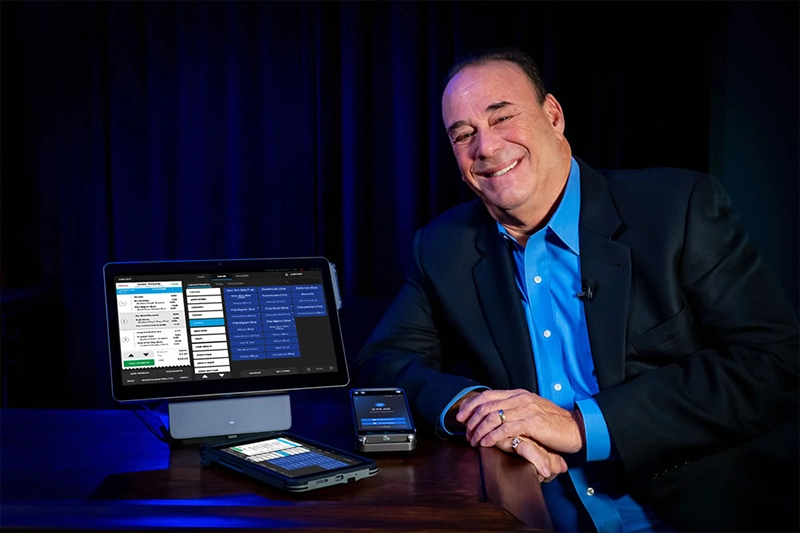
The platform handles the bar-specific stuff well: pre-authorization on cards (essential for tabs), quick reorder for regulars, and a handheld option that lets bartenders close tabs anywhere. The guest feedback feature catches problems before they become Yelp reviews.
Why Choose SkyTab for Your Bar?
The total cost of ownership makes SkyTab compelling. At $29.99/month with free hardware, you’re looking at roughly $360/year in software costs. Compare that to Toast at $69+/month ($828+/year) or systems requiring hardware purchases, and the savings fund themselves.
Processing rates through Shift4 are competitive, though not published — you’ll need to get a quote. For bars wanting to eliminate processing costs entirely, SkyTab’s Advantage Program passes a small service fee to guests, a model that’s becoming increasingly common.
The tradeoff: you’re locked into Shift4 for payment processing. For most bars, this is fine. But if you have an existing processor relationship with exceptional rates, factor that into your decision.
→ Read our full SkyTab review | Current SkyTab promotion: $5,000 bonus
Toast POS
Toast remains the benchmark for high-volume bar operations. When you’re doing 500+ covers on a Saturday night, you need hardware that won’t quit and software that keeps pace. Toast delivers on both fronts with spill-resistant terminals and a system architecture built for speed.
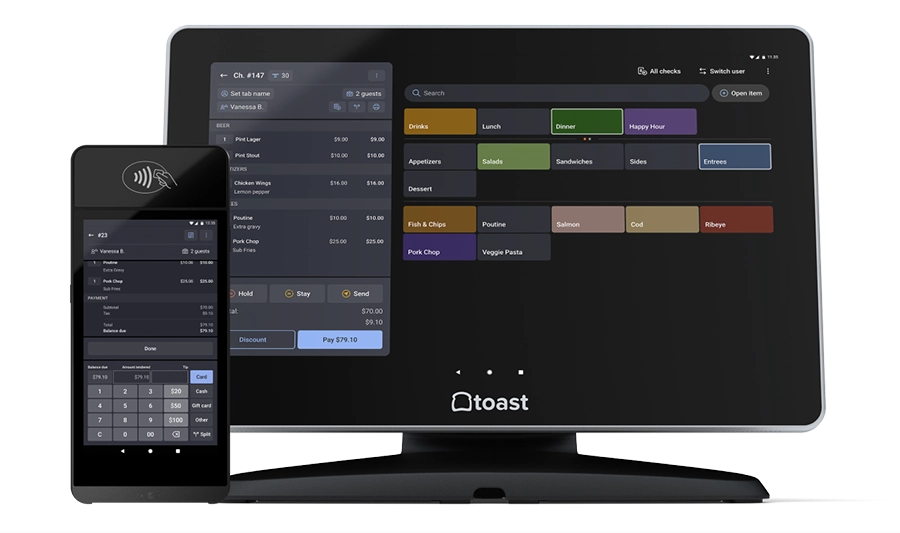
The Toast Go handhelds are particularly valuable for bars — bartenders can open tabs, take orders, and close checks without returning to a fixed terminal. On a packed Friday night, that mobility translates directly to faster service and higher tips.
Why Choose Toast for Your Bar?
Toast’s bar-specific features justify the higher price for many operators. Pre-authorization is seamless, speed screens let bartenders punch in common drinks with one tap, and the tip management handles complex pooling arrangements automatically. The reporting goes deep enough to track pour costs by shift, bartender, or time period.
The free starter kit through Pay-as-You-Go (3.09% + 15¢ processing) works for lower-volume bars. Higher-volume spots should run the numbers on the standard plan at $69/month with 2.49% + 15¢ processing — the lower rate often saves money despite the monthly fee.
The downside: 2-year contracts are standard, you’re locked into Toast Payments, and the add-on modules (online ordering, loyalty, marketing) push costs higher quickly. Budget the total, not just the base.
→ Read our full Toast review | Toast pricing breakdown | Current Toast promotions
Square for Restaurants
Square removes the risk from getting started. If you’re opening a small bar, testing a brewery taproom concept, or just need something that works without a long-term commitment, Square’s free plan delivers genuine functionality without the contract anxiety.
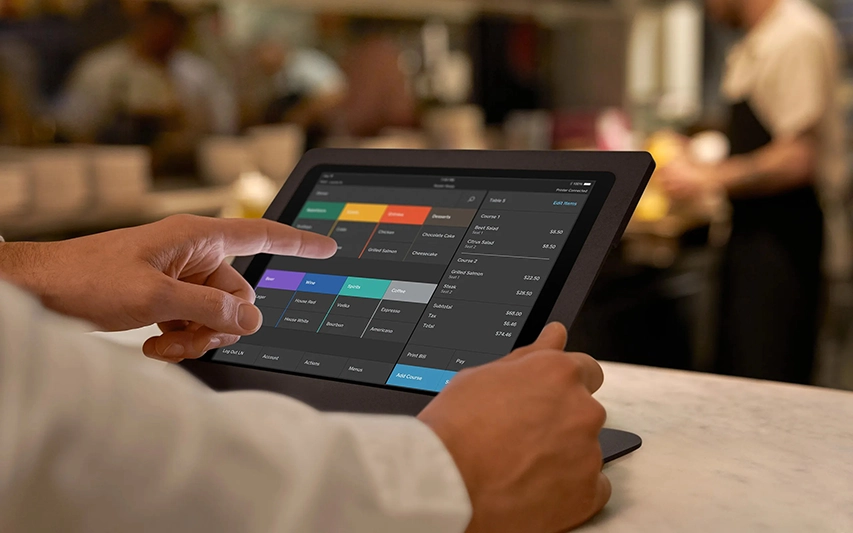
The system handles basic bar operations well: tabs, split checks, tipping, and basic inventory. It’s not going to compete with Toast on high-volume Saturday nights, but for a neighborhood pub doing steady business, it’s more than capable.
Why Choose Square for Your Bar?
Square’s free plan is genuinely usable — not a crippled demo. Processing runs 2.6% + 15¢ per transaction. The Plus plan at $49/month adds coursing, advanced reporting, and drops processing to 2.5% + 15¢. Hardware ranges from $0 (use your own iPad) to $799 for the full Square Register.
The catch for bars: Square doesn’t support pre-authorization on the free plan, which means potential walkout liability. The Plus plan adds this, but at that point you’re paying monthly and should compare against the full market.
Square works best for lower-volume bars, breweries with taproom service, and owners who want flexibility over features. If you outgrow it, you can switch without penalty — a luxury most competitors don’t offer.
→ Read our full Square for Restaurants review | Current Square promotions
Lightspeed Restaurant
Lightspeed isn’t the cheapest option, but for craft cocktail bars obsessing over pour costs and recipe margins, it’s worth the investment. The inventory management goes deeper than most competitors — tracking ingredients at the ounce level and calculating theoretical vs. actual usage to identify waste or theft.
If you’re running a serious cocktail program with $14 drinks and $18 worth of ingredients behind the bar, you need this level of visibility. Guessing at pour costs is leaving money on the table.
Why Choose Lightspeed for Your Bar?
Lightspeed Restaurant pricing starts at $69/month (Starter), with Essential at $189/month and Premium at $399/month. The real bar features — advanced inventory, recipe costing, multi-location management — live in the higher tiers. Annual contracts are required.
The platform handles tab management well, with pre-authorization and the ability to split checks by seat, item, or custom amount. Floor plan management lets you track which seats belong to which tab — useful for bars with table service alongside the main bar.
For multi-location bar groups, Lightspeed’s centralized menu management and cross-location reporting justify the premium pricing. You can push menu changes to all locations simultaneously and compare performance across sites.
→ Read our full Lightspeed Restaurant review | Current promotions
TouchBistro

TouchBistro built its reputation on one thing: reliability when the internet goes down. Unlike cloud-dependent systems that panic during outages, TouchBistro runs locally on your iPad. When your ISP fails at 11pm on a Saturday — and it will eventually — you keep taking orders and processing payments.
For bars in areas with spotty connectivity, or operators who’ve been burned by cloud outages during peak service, this matters more than any feature list.
Why Choose TouchBistro for Your Bar?
TouchBistro starts at $69/month for base software. Add-ons like online ordering, reservations, and loyalty push costs higher — the à la carte pricing means you only pay for what you need, but budget carefully if you want the full suite.
The interface is genuinely intuitive. Staff training takes hours, not days. Menu management handles happy hour pricing, time-based specials, and modifier logic without excessive complexity. Tab management includes pre-auth and easy transfers between bartenders.
A key advantage for bars: TouchBistro offers payment processor flexibility. You’re not locked into a single provider, which gives you negotiating leverage on rates — something most cloud POS systems don’t offer.
→ Read our full TouchBistro review
SpotOn Restaurant

SpotOn doesn’t have Toast’s brand recognition, but it has something more valuable for many bar owners: lower processing rates. On $80K/month in card sales — not unusual for a busy bar — even a modest rate difference translates to thousands annually.
The company was founded by former hospitality operators, which shows in the product. They understand that bars aren’t restaurants, and the workflows reflect that understanding.
Why Choose SpotOn for Your Bar?
SpotOn’s pricing structure offers flexibility. The Quick Start plan is $0/month with processing at 2.89% + 25¢ (hardware included). POS Essentials runs $55/month with a lower rate of 1.99% + 25¢. Counter-Service is $99/month, and Full-Service is $135/month.
Run the math on your monthly volume. At $60K/month in card sales, the difference between 2.89% and 1.99% is $540/month — far exceeding the $55 software fee. Higher-volume bars should always model the total cost, not just the headline rate.
SpotOn handles bar operations competently: pre-auth, tab management, speed screens, and tip pooling all work as expected. The interface isn’t quite as polished as Toast, but the fundamentals are solid. Month-to-month options give you flexibility that contract-heavy competitors don’t offer.
→ Read our full SpotOn Restaurant review
Arryved

Arryved (pronounced “arrived”) was literally designed on a barstool by brewery operators frustrated with generic POS systems. That origin story shows — this is the most brewery-focused POS on the market, built around the unique workflows of taprooms rather than adapted from restaurant software.
The mobile-first approach means your staff isn’t tied to fixed terminals. They can open tabs, take orders, and close checks anywhere in your space — crucial for taprooms where guests wander between the bar, patio, and games area.
Why Choose Arryved for Your Brewery?
Arryved’s pricing isn’t publicly posted — you’ll need to request a quote. From conversations with users, expect around $99–$149/month depending on features and terminal count. Processing is bundled through their platform.
The standout feature is to-the-ounce pour tracking. For breweries managing multiple tap lines with different pour costs, this granularity identifies exactly where you’re losing money. You can track theoretical vs. actual yields and spot problems before they drain your margins.
Arryved consistently wins awards for customer support — they were named best customer service in the restaurant POS space by G2 for multiple years. When you need help at 8pm on a Saturday, responsive support matters more than any feature comparison.
The offline mode keeps you running during internet outages, and the card-on-file feature makes tab management seamless for regulars.
Clover POS

Clover takes a different approach than bar-specialized systems: start simple, add what you need. The hardware is undeniably attractive — clean design that looks good on any bar — and the app marketplace lets you bolt on specific functionality as your needs evolve.
For neighborhood bars that don’t need enterprise features, Clover’s simplicity is actually an advantage. Staff can learn it in an afternoon, and you’re not paying for capabilities you’ll never use.
Why Choose Clover for Your Bar?
Clover pricing starts at $14.95/month for the Essentials plan, with Standard at $49.95/month and Advanced at $69.90/month. Hardware ranges from the portable Clover Flex ($599) to the full Clover Station Duo ($1,799). A 60-day trial period gives you time to test before committing.
One critical warning: buy directly from Clover or Fiserv, not third-party resellers. The Clover reseller market is plagued by predatory contracts, hidden fees, and equipment leases that cost 3-4x retail. I’ve seen too many bar owners trapped in terrible deals because they didn’t purchase directly.
The app marketplace adds bar-specific functionality: inventory management, loyalty programs, time-based happy hour pricing, and more. Processing rates through Fiserv are competitive, and you have some flexibility in choosing processors — something locked-down systems don’t offer.
→ Read our full Clover review | Current promotions
Best Bar POS Systems by Use Case
Different bars have different needs. A high-volume nightclub has almost nothing in common with a neighborhood pub. Here’s how our top picks match up to specific situations:
| Bar Type | Top Pick | Runner-Up | Why |
|---|---|---|---|
| High-Volume Nightclub | Toast | SkyTab | Speed screens, durable hardware, handles chaos |
| Full-Service Bar | SkyTab | Toast | Best value with complete feature set |
| Craft Cocktail Bar | Lightspeed | Toast | Recipe costing, deep inventory tracking |
| Brewery / Taproom | Arryved | Square | Built for breweries, to-the-ounce tracking |
| Small / New Bar | Square | SkyTab | Free plan vs. free hardware, low risk |
| Multi-Location Group | Lightspeed | Toast | Centralized management, cross-location analytics |
| Unreliable Internet | TouchBistro | Toast | Local operation, true offline mode |
| Budget-Conscious | SkyTab | Square | Free hardware + low monthly vs. free software |
For most full-service bars, the decision comes down to SkyTab vs. Toast. SkyTab wins on value — free hardware and $29.99/month is tough to beat. Toast wins on polish, ecosystem, and high-volume reliability. If budget is tight, start with SkyTab. If you need the industry standard with every bell and whistle, Toast delivers.
Why Bar-Specific POS Features Matter
Generic POS systems can technically run a bar, but they’ll cost you money and sanity. Here’s what bar-specific features actually mean for your operation:
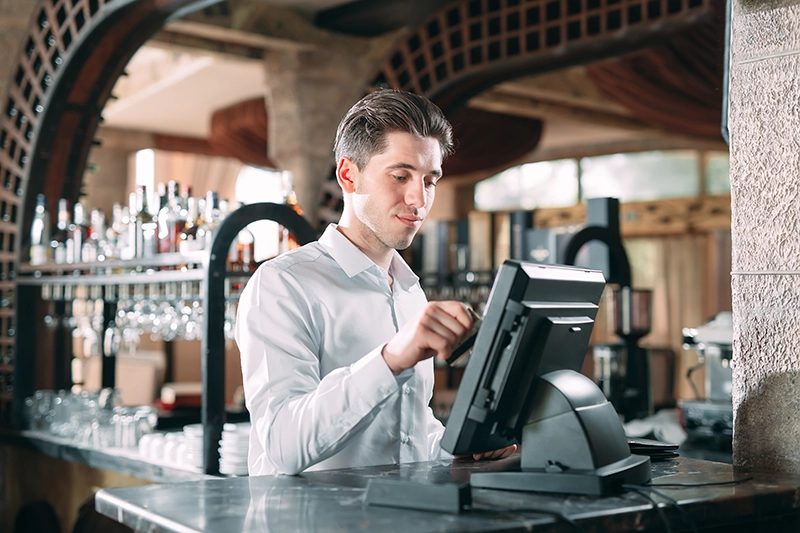
Pre-Authorization
When a customer opens a tab, pre-auth places a hold on their card (typically $1 or a set amount). If they walk out, you can still charge the tab. Without pre-auth, walkouts are pure loss. On a busy night with even 2-3 walkouts averaging $40 each, that’s $120+ gone — every weekend.
Speed Screens
When you’re four-deep at the bar, hunting through nested menus for “Tito’s Soda” kills your throughput. Speed screens put your 20 most common orders one tap away. The difference between 3 seconds and 8 seconds per order compounds across hundreds of transactions nightly.
Pour Cost Tracking
If you don’t know your actual pour cost by product, you’re guessing at profitability. Better systems track theoretical vs. actual usage, identifying exactly where you’re losing money — whether it’s over-pouring, theft, or breakage.
Tip Management
Complex tip pools — splitting between bartenders, barbacks, and servers based on hours, sales, or custom rules — become accounting nightmares without automation. Proper tip management calculates distributions automatically and generates the reporting you need for payroll.
How We Evaluated These Systems
These rankings aren’t based on who pays us the most (though we do earn referral fees from some vendors — disclosed above). They’re based on 14 years of helping bar owners find the right fit and watching which systems actually perform in real environments.
Our evaluation criteria:
- Total cost of ownership: Not just monthly fees, but hardware, processing, add-ons, and contract terms. A “$0/month” system with 3.5% processing costs more than a $100/month system with 2.3% at any reasonable volume.
- Bar-specific functionality: Pre-authorization, tab management, speed screens, tip pooling — the features that distinguish a bar POS from a generic retail system.
- Reliability under pressure: How the system performs at 1am on a packed Saturday, not in a demo environment.
- Real operator feedback: Reviews from actual bar owners, not curated testimonials. We weight G2, Capterra, and direct conversations heavily.
- Contract flexibility: Month-to-month options, early termination fees, equipment ownership vs. leasing.
- Support quality: Response times, availability, and actual problem resolution — not just whether they have a phone number.
Frequently Asked Questions
What's the best POS system for bars in 2026?
SkyTab offers the best overall value with free hardware and $29.99/month pricing. Toast is the industry standard for high-volume operations but costs more. Square is the lowest-risk option for new or small bars with its free plan.
How much does a bar POS system cost?
Monthly software fees range from $0 (Square free plan) to $135+ (SpotOn Full-Service). Hardware runs $0 (SkyTab free) to $1,799+ (Clover Station Duo). Processing fees typically range from 1.99% to 3.09% + per-transaction fees. Total first-year cost for a single-terminal setup ranges from roughly $1,000 (Square free + basic hardware) to $5,000+ (Toast with full add-ons).
What POS does Bar Rescue recommend?
Jon Taffer of Bar Rescue endorses SkyTab (formerly Harbortouch). He’s featured it on the show and actively promotes it. While reality TV endorsements should be weighed carefully, SkyTab genuinely offers strong value for bars — it’s not just a paid placement.
Yes, for any bar running tabs. Pre-auth places a hold on the customer’s card when opening a tab. If they walk out, you can still charge. Without it, walkouts are pure loss. At $40-50 per walkout and even 2-3 per weekend, you’re losing $4,000-7,000 annually.
What's the best free POS for bars?
Square for Restaurants offers the most functional free plan. It includes basic tab management, tipping, split checks, and inventory — enough to run a small bar. The main limitation: no pre-authorization on the free plan, which means walkout risk. The paid Plus plan ($49/month) adds pre-auth.
Should I use an iPad or Android POS for my bar?
Both work fine. Toast runs on Android with purpose-built, spill-resistant hardware — ideal for wet bar environments. TouchBistro and Lightspeed run on iPads with cases. SkyTab uses proprietary Android terminals. The operating system matters less than the software features and hardware durability.
The Bottom Line
After evaluating dozens of systems and helping hundreds of bar owners make this decision, here’s my honest take:
SkyTab is the best choice for most independent bars in 2026. The combination of free hardware, $29.99/month pricing, and legitimate bar-focused features makes it hard to beat on pure value. It’s not the flashiest system, but it handles everything a typical bar needs without the bloated costs of competitors.
Toast is the right choice if you need the industry standard — a high-volume nightclub, multiple locations, or a bar that needs every possible feature. You’ll pay more, but you’re getting a platform built specifically for hospitality at scale.
Square is the right choice if you’re just starting out or running a small operation where flexibility matters more than specialization. Zero upfront cost, no contracts, and you can switch later without penalty.
Whatever you choose, get total cost in writing before signing anything. Monthly fees are just the start — processing rates, hardware costs, add-on modules, and contract terms determine what you’ll actually pay.
Our #1 Recommendation
$29.99/month flat pricing
Pre-auth, tab management, handhelds
Endorsed by Jon Taffer of Bar Rescue
Need Help Deciding?
Still not sure which system fits your situation? I’ve been helping bar owners navigate this decision since 2011. Use our free comparison tool to get personalized recommendations, or reach out directly if you have specific questions.
Questions about a specific system? Drop a comment below — I read and respond to every one.
Ready to find your bar’s POS?
Compare quotes from top providers in 30 seconds — free, no obligation.

Jason Feemster, President of POS USA, brings over 20 years of experience in the point of sale and information technology industries. He has helped thousands of businesses, from small startups to large enterprises, find tailored POS solutions that enhance efficiency and drive growth. Jason’s insights have been featured in leading industry publications such as Inc.com, Business.com, and Restaurant Business Online. Through POS USA, Jason continues to guide business owners toward making informed decisions that drive their success.
Related Guides
- Best POS Systems for Restaurants (2026)
- Best POS Systems for Small Business
- Restaurant POS Systems (Complete Guide)



I am looking at eposnow system for our Elks Lodge in Lakeport Ca. We have a small bar and our POS system we had for the last 16 years has gone down for good. I am curious what you think of EposNow? They have a nice system that will work well for our lodge.
Appreciate the question, Lou! Epos Now can definitely work for a smaller bar setup like yours, but keep in mind some of their plans come with longer contracts and feedback from other bar owners online suggests support can be inconsistent.
Toast is another one to look at since they offer a free starter kit, which is great for lowering upfront costs, though the trade-off is higher processing fees on those pay-as-you-go plans. Square stays really popular with bars because it’s contract-free and super flexible. And SkyTab is also worth a look — they provide free hardware and the software is only $29.95 a month, which is hard to beat for an all-in-one setup.
You can see how all these stack up in the comparison above 👆 — hopefully helps you find what works best for the lodge!