
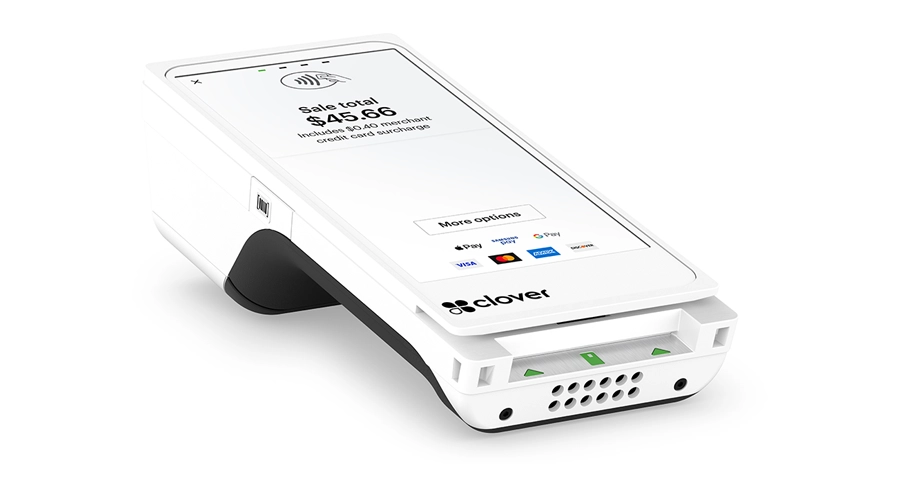
Clover Flex
$749.00
 Jason Feemster
Clover Flex: Pricing, Specs & What to Know
Updated October 2026
The Clover Flex is a handheld POS terminal with a 5.99″ touchscreen, built-in receipt printer, and at least 8 hours of battery for typical small business use. It costs $749 upfront or $40/mo on a 36-month plan. Unlike Clover’s countertop devices, it goes wherever the payment happens: tableside, curbside, in line, or out on a job.
The current model is the Flex 4, and it’s the most modern hardware Clover sells. It runs Android 13 with 4 GB of RAM and 64 GB of storage, which is a generation ahead of the Station Duo and Station Solo. The cheapest full-featured device in the lineup is also the newest one, which is unusual and worth knowing before you spend $1,899 on a countertop station.
This page covers the device itself: what it costs, how it differs from the Flex Pocket, the specs that matter, and who it fits. For Clover’s software plans in depth, processing details, contract terms, and company reputation, see our full Clover POS review.
Pros & Cons
- Newest hardware in Clover’s lineup
- Android 13, 4 GB RAM, 64 GB storage
- Built-in receipt printer
- 8+ hours of battery per shift
- Wireless charging cradle included
- Built-in LTE, no WiFi required
- Cheapest full-featured Clover device
- 5MP camera scans 1D/2D barcodes
- No cash drawer support
- 5.99″ screen limits complex orders
- Processing rate depends on plan tier
- Hardware locked to your processor
- Receipt paper rolls are small
- Needs a charging routine to stay usable
How Much Does Clover Flex Cost?
Clover Flex costs $749 upfront or $40/mo on a 36-month plan. Three software plans are available, and the plan you choose changes your processing rate as well as your monthly fee. Starter runs 2.6% + 10¢ per in-person transaction, Essentials 2.5% + 10¢, and Services Growth 2.3% + 10¢. Keyed-in payments are 3.5% + 10¢ on every plan.
| Plan | Bundled (36 mo.) | Buy Hardware Upfront | Processing Rate |
|---|---|---|---|
| Starter | $40/mo | $749 | 2.6% + 10¢ |
| Essentials | $70/mo | $749 + $29.95/mo | 2.5% + 10¢ |
| Services Growth | $125/mo | $749 + $84.95/mo | 2.3% + 10¢ |
Notice that Starter carries no monthly software fee at all. The monthly payment is hardware financing, and over 36 months it comes to $1,440 against a $749 purchase price. Paying for the device upfront saves nearly $700 on that tier alone.
When the Higher Tiers Pay for Themselves
The rate difference between Starter and Services Growth is 0.3%, which sounds small until you run it against volume. On $20,000 a month in card sales, that’s $60 saved, against $84.95 in additional software cost. On $40,000 a month it’s $120 saved against the same $84.95, so the upgrade starts paying for itself somewhere around $28,000 in monthly card volume. Below that, Starter is cheaper even though the rate is worse.
That math is specific to the plan tiers on this device. For the full software lineup, fees that don’t appear on the price card, and how Clover’s rates compare across processors, see the Clover POS review.
Clover’s published prices apply on Clover.com. Authorized dealers set their own terms, and a good one can often beat Clover’s published rates; just get the rate, contract length, and any early termination fee in writing. POSUSA is an authorized Clover dealer, and you can get a Clover dealer quote to compare against the table above.
Clover Flex vs. Flex Pocket: Which One Do You Need?
Get the Flex if you ever need to hand someone a printed receipt. That’s the whole decision. The Flex 4 and the Flex Pocket run identical internals, the same 5.99″ screen, the same processor, the same 4 GB of RAM, and accept the same payment types. The Flex has a built-in thermal printer and the Pocket doesn’t, and that gap costs $50.
| Clover Flex 4 | Clover Flex Pocket | |
|---|---|---|
| Upfront | $749 | $699 |
| Financed | $40/mo | $35/mo |
| Receipt printer | Built-in thermal | None |
| Charging | Wireless cradle and USB-C | USB-C only |
| Display | 5.99″ IPS LCD | 5.99″ IPS LCD |
| Processor | Qualcomm quad-core | Qualcomm quad-core |
| Memory | 4 GB RAM, 64 GB Flash | 4 GB RAM, 64 GB Flash |
| Payments | Chip, tap, swipe | Chip, tap, swipe |
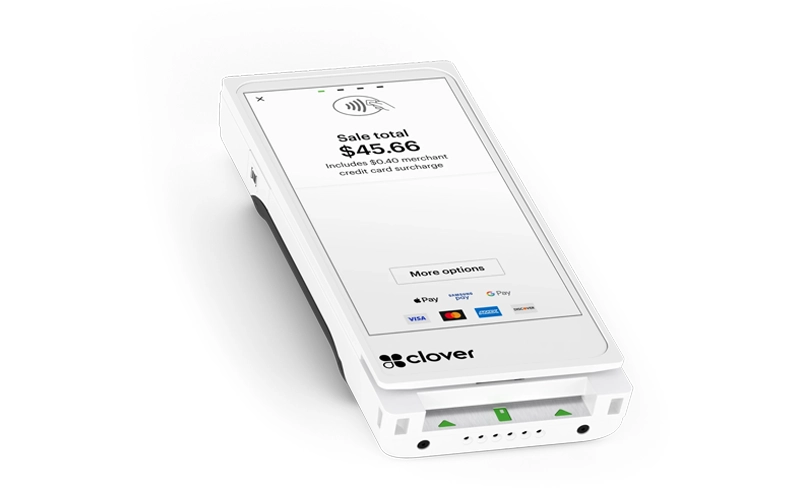
Clover Flex Pocket
The charging difference deserves more attention than it gets. The Flex sits in a wireless cradle between uses, so it tops up every time a server sets it down. The Pocket charges over USB-C only, which means someone has to remember to plug it in. In a restaurant, a device that requires a charging habit is a device that dies during dinner service.
Choose the Flex 4 if you’re in food service, retail, or anywhere a customer might ask for a paper receipt, or if the device gets passed between staff during a shift.
Choose the Flex Pocket if you’re doing mobile services, delivery, or event sales where digital receipts are the norm and slim size actually matters. Field technicians and delivery drivers are the clearest fit.
For most businesses, the $50 is worth spending. Running out of a receipt option in front of a customer who wants one is a worse problem than $50.
Clover Flex Specs
| Spec | Detail |
|---|---|
| Operating system | Clover-hardened Android 13 (API level 33) |
| Processor | Qualcomm 64-bit ARM Cortex-A53 quad-core |
| Memory | 4 GB RAM, 64 GB Flash |
| Display | 5.99″ IPS LCD, 1440 x 720, capacitive multi-touch |
| Battery | At least 8 hours of typical small business use |
| Camera | 5MP, 1D/2D barcode scanning |
| Payments | EMV chip, EMV contactless, magstripe |
| Connectivity | 4G/LTE, WiFi, Bluetooth |
| Printer | Internal thermal receipt printer |
| Charging | Wireless charging cradle, USB Type-C |
| Audio | 3.5mm stereo jack, mic input, mono speaker |
Source: Clover Developer Documentation
Why the Flex Has Better Internals Than the Station Duo
This is the detail that surprises people. The Flex 4 runs Android 13 with 4 GB of RAM and 64 GB of storage. The Clover Station Duo, which costs $1,899, runs Android 10 with 2 GB of RAM and 16 GB of storage on a chipset that dates to 2017.
The Flex is simply the newer product. Clover refreshed the handheld line more recently than the countertop stations, so the least expensive full-featured device in the range is also the most current. That has practical consequences: the Flex handles marketplace apps more comfortably, has more storage headroom, and sits on an OS that will stay supported longer.
None of that makes the Flex a replacement for a countertop station. You still can’t run a cash drawer off it, and a 5.99″ screen is cramped for building a complex ticket. But if you were assuming the expensive device must have better hardware inside, that isn’t the case here.
Battery Life and Daily Use
Clover rates the Flex at a minimum of 8 hours for typical small business use, which covers a standard shift. Real-world results move with how you use it: constant LTE, heavy barcode scanning, and steady receipt printing all pull harder than a device that mostly sits idle between transactions.
The wireless cradle is what makes 8 hours workable in practice. Servers set the device down between tables and it charges without anyone thinking about it, so the battery rarely gets close to empty. Businesses that run a Flex through a full double shift usually buy a second cradle rather than a second device, and swap the unit between stations.
Two things worth planning for. Receipt paper rolls on a handheld are small, so a busy Flex goes through them faster than you’d expect and someone needs to carry spares. And in a building with weak WiFi, the device falls back to LTE, which drains the battery noticeably faster than a strong wireless connection.
How Clover Flex Compares to Other Clover Devices
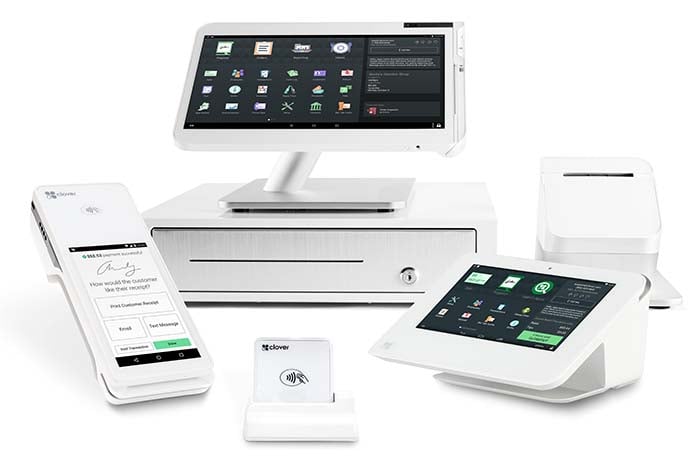
The Flex is the only portable device in Clover’s lineup (alongside the printer-free Flex Pocket and the Clover Go reader). Everything else is a countertop unit that stays where you put it. Here’s how the range compares.
| Flex | Mini | Station Solo | Station Duo | |
|---|---|---|---|---|
| Upfront | $749 | $849 | $1,799 | $1,899 |
| Financed | $40/mo | $45/mo | $174/mo | $180/mo |
| Screen | 5.99″ | 8″ | 14″ | 14″ + 8″ |
| Portable | Yes | No | No | No |
| Receipt printer | Built in | Built in | Built in | Built in |
| Cash drawer | No | Optional add-on | Included | Included |
| Best for | Tableside, curbside, mobile | Small counter, tight space | Back office, low interaction | Counter service, high volume |
A common setup for small restaurants is a Mini on the counter and a Flex for the floor. Together they cost less than a single Station Duo, and you get a fixed position and a mobile one instead of one large station.
Clover Flex vs. Square Terminal
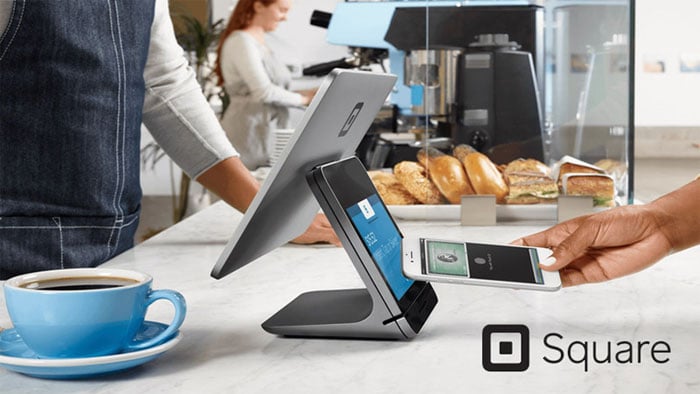
Square Terminal is the closest competitor: a handheld with a built-in receipt printer aimed at the same tableside use cases. It costs $299 against the Flex’s $749, which is a real gap. The catch is connectivity. Square Terminal runs on WiFi, or Ethernet with a separately sold Hub accessory. It has no cellular radio at all. The Clover Flex has 4G/LTE built in.
| Clover Flex | Square Terminal | |
|---|---|---|
| Hardware cost | $749 | $299 |
| Screen | 5.99″ | 5.5″ |
| Receipt printer | Built in | Built in |
| Cellular (LTE) | Yes, built in | No |
| Connectivity | 4G/LTE, WiFi, Bluetooth | WiFi, Ethernet via optional Hub |
| Contract | 36 months if financed | None |
| Monthly software | $0–$84.95 | $0 on the free plan |
| Processing | 2.3%–2.6% + 10¢ | 2.6% + 15¢ |
| Choose your processor | No | No |
That difference decides the comparison for a lot of businesses. A food truck, a farmers market booth, a mobile groomer, a repair tech at a customer’s house, a caterer at an event venue: none of those can count on WiFi, and Square Terminal has no answer for it. If payment happens away from a building you control, the Flex is the only one of the two that works.
Inside four walls with reliable WiFi, the calculation flips. Square Terminal does the same job for about $450 less with no contract, and Square’s flat 2.6% + 15¢ is close enough to Clover’s rates that the hardware savings dominate for most small operations.
Pick the Clover Flex if you need cellular connectivity, you want the app marketplace, or you’re already running other Clover devices.
Pick Square Terminal if your WiFi is solid, you want no contract, and you’d rather put the difference somewhere else. Our Square POS review covers the full platform.
Who Should Buy the Clover Flex?
✅ Good fit for
- Full-service restaurants running tableside ordering and payment, where turning tables faster is worth more than the device costs
- Coffee shops and quick-service spots that need to bust lines during a rush without adding a permanent register
- Curbside and takeout operations where payment happens at a car window rather than a counter
- Mobile service businesses like landscapers, mobile groomers, and repair techs who collect payment at the job site
- Food trucks, farmers market vendors, and pop-ups that need LTE connectivity and a printed receipt without any fixed infrastructure
- Salons and barber shops where checkout happens at the chair instead of a front desk
If you’re comparing options across brands, our roundup of POS systems for small business covers the alternatives in this range.
❌ Not ideal for
- Businesses that need a cash drawer. The Flex can’t drive one. The Clover Mini takes an optional drawer, and the Stations include one.
- High-volume counter service with a fixed checkout point, where the Station Duo and its customer-facing screen move a line faster
- Complex ticket building. A 5.99″ screen gets tight when orders have many modifiers and course timing.
- Anyone likely to switch processors, since Clover hardware doesn’t transfer between them
- Businesses that want no contract at all, where Square Terminal is the simpler path
Frequently Asked Questions
How much does Clover Flex cost?
Clover Flex costs $749 upfront or $40/mo on a 36-month plan. Three software tiers are available: Starter with no monthly software fee, Essentials at $29.95 per month, and Services Growth at $84.95 per month. Processing runs 2.6% + 10¢ on Starter, 2.5% + 10¢ on Essentials, and 2.3% + 10¢ on Services Growth.
What's the difference between Clover Flex and Flex Pocket?
The Clover Flex has a built-in thermal receipt printer and a wireless charging cradle. The Flex Pocket has neither and charges over USB-C only. Everything else is the same: both run Android 13 on a Qualcomm quad-core processor with 4 GB of RAM, both have a 5.99″ screen, and both accept chip, tap, and swipe payments. Flex costs $749, Flex Pocket costs $699.
How long does the Clover Flex battery last?
Clover rates the Flex at a minimum of 8 hours for typical small business use, enough for a standard shift. Heavy LTE use, constant barcode scanning, and frequent receipt printing shorten that. The included wireless charging cradle keeps the device topped up between transactions, which is how most businesses get through a full day without a swap.
Does the Clover Flex print receipts?
Yes. The Clover Flex has an internal thermal receipt printer built into the device, so no separate printer is needed. The Flex Pocket does not have one and relies on emailed or texted receipts. This is the main difference between the two models.
Can Clover Flex work with a cash drawer?
No. The Flex is a handheld device with no cash drawer connection. If you take cash regularly and need a drawer that opens on a sale, look at the Clover Mini, which takes a cash drawer as an optional add-on, or a Station, which includes one.
Does Clover Flex work without WiFi?
Yes. The Flex has built-in 4G/LTE alongside WiFi and Bluetooth, so it can process payments anywhere with cell coverage. That makes it workable for food trucks, farmers markets, curbside pickup, and mobile service calls. It’s also the main hardware difference against Square Terminal, which has no cellular radio and needs WiFi or a wired Hub accessory. Running on LTE drains the Flex battery faster than a strong WiFi connection.
Is Clover Flex better than Clover Station Duo?
It depends on where payment happens. The Flex is portable and has newer internals: Android 13, 4 GB of RAM, and 64 GB of storage against the Station Duo’s Android 10, 2 GB, and 16 GB. The Duo has a 14″ merchant screen, an 8″ customer display, and an included cash drawer, which the Flex can’t match for fixed counter service. Buy the Flex for mobility, the Duo for a busy fixed checkout.
Is there a Clover promo for the Flex?
Clover regularly runs new-merchant offers that include the Flex and Flex Pocket, and the terms change. See our Clover promo page for the current offer and its requirements.
Can I use a Clover Flex with a different payment processor?
No. Clover hardware is provisioned for Fiserv or your dealer’s processor and cannot be reprogrammed for another one. Switching processors means buying new hardware, which is also why secondhand Clover devices usually can’t be activated by a new owner.
Can Clover Flex scan barcodes?
Yes. The Flex has a 5MP integrated camera that scans 1D and 2D barcodes using Zebra scan decoding software. That covers retail inventory lookups, QR codes, and product scanning without a separate accessory.
Our Verdict
The Clover Flex is the best value in Clover’s hardware range, and it isn’t close. At $749 you get the newest internals Clover ships, a built-in receipt printer, LTE, barcode scanning, and a wireless charging cradle in a device that goes wherever the transaction happens. For restaurants running tableside service or any business collecting payment away from a counter, it does the job well.
The limits are the ones you’d expect from a handheld. No cash drawer, and a 5.99″ screen that gets cramped when a ticket has a lot of modifiers. Neither is a flaw so much as a definition of what the device is for. Where it gets interesting is against the countertop stations, since the Flex runs Android 13 with 4 GB of RAM while the $1,899 Station Duo runs Android 10 with 2 GB. Spending more on Clover hardware does not get you newer hardware.
If you take cash regularly or run a high-volume fixed counter, pair the Flex with a Mini or a Station rather than trying to make it the whole system. And if you finance, know that 36 monthly payments add up to nearly double the upfront price. Buying outright is the better deal on every tier.
Expert Rating: ⭐ 9.0/10. The most modern hardware Clover makes at the lowest price in the lineup, with a printer and LTE built in. The score covers the device. Clover’s contract terms, software costs, and support reputation are evaluated in our Clover POS review.

Jason Feemster
POS systems expert and founder of POSUSA.com, a trusted industry resource since 2011. With over a decade of hands-on experience testing and reviewing point-of-sale systems, he helps business owners choose solutions that actually fit their needs.
User Reviews
Be the first to review “Clover Flex”











There are no reviews yet.