
Best POS Systems for Small Business (2026 Buyer’s Guide)
We tested and ranked the top small business POS systems based on value, ease of use, and total cost.
How many POS terminals do you need?
Compare quotes in 30 seconds — free, no obligation.
Home → Small Business POS Systems → Best POS Systems for Small Business
By Jason Feemster, POS Industry Expert | Last Updated: January 2026
Disclosure: POSUSA may earn a referral fee when you visit a vendor through links on this page. This does not affect our rankings. Our recommendations are based on fit, total cost, real-world operator feedback, and how systems perform under pressure. Additional disclosure: POSUSA Free POS (#3 on this list) is our own product — we’ll be transparent about what it’s good for and when competitors are the better fit.
Finding the right POS system for a small business shouldn’t require a finance degree and three weeks of research. But that’s exactly what most business owners face — dozens of providers, confusing pricing structures, and sales reps who promise the moon while burying the real costs in fine print.
I’ve spent 14 years helping small business owners cut through this mess. Since 2011, POSUSA has helped thousands of retailers, cafés, service businesses, and startups find POS systems that actually fit their needs and budgets. This guide reflects what we’ve learned: which systems deliver real value, which ones nickel-and-dime you, and how to avoid the expensive mistakes we see business owners make every week.
The market has shifted dramatically in the past few years. Free plans are now genuinely usable. Hardware costs have dropped. But processing fees still eat into margins, and contract traps haven’t gone anywhere. Let’s break down what actually matters for small businesses in 2026.
Quick Takeaways
- Best overall for most small businesses: Square — free plan, no contracts, massive ecosystem
- Best value with hardware included: SkyTab — $29.99/month with free terminals and handhelds
- Best for zero upfront cost: POSUSA Free POS — $0 monthly, $0 processing with cash discount program
- Best for small restaurants: Toast — free starter kit, purpose-built for food service
- Best for inventory-heavy retail: Lightspeed — handles complex SKUs better than anyone
- Processing fees usually cost more than software fees — a 0.5% rate difference on $25K/month = $1,500/year
- Always get total cost in writing before signing (software + processing + hardware + add-ons)
- “Free” often has strings attached — higher processing rates, contracts, or limited features
Top 3 Small Business POS Picks for 2026

- Free plan available
- No contracts
- Same-day setup

- Free hardware included
- $29.99/month flat
- Full-featured POS

- $0 monthly fees
- $0 processing (cash discount)
- 5-minute setup
The 8 Best POS Systems for Small Business in 2026
Below are our complete rankings. If you’re pressed for time, the top 3 above will point you in the right direction for most situations.
- Square POS — Best Overall for Small Business
- SkyTab — Best Value with Free Hardware
- POSUSA Free POS — Best for Zero-Cost Startup
- Toast POS — Best for Small Restaurants & Cafés
- Lightspeed POS — Best for Inventory-Heavy Retail
- Clover POS — Best All-in-One Hardware Bundle
- Shopify POS — Best for eCommerce-First Businesses
- SpotOn — Best for Lower Processing Rates
Table of Contents
- 1 Top 3 Small Business POS Picks for 2026
- 2 The 8 Best POS Systems for Small Business in 2026
- 3 Square POS
- 4 SkyTab POS
- 5 POSUSA Free POS
- 6 Toast POS
- 7 Lightspeed POS
- 8 Clover POS
- 9 Shopify POS
- 10 SpotOn
- 11 Best Small Business POS by Use Case
- 12 How We Chose the Best Small Business POS Systems
- 13 Frequently Asked Questions
- 13.1 How much does a small business POS system cost?
- 13.2 What's the difference between Square's free plan and POSUSA Free POS?
- 13.3 Do I really need a POS system or can I just use a card reader?
- 13.4 Can I switch POS systems later if I choose wrong?
- 13.5 What's a cash discount program and is it legal?
- 13.6 Should I buy Clover from my bank or directly from Clover?
- 13.7 What processing rate should I expect?
- 13.8 What questions should I ask during a POS demo?
- 14 The Bottom Line
- 15 Our #1 Recommendation
- 16 Need Help Deciding?
Square POS
Square earns the top spot for a simple reason: it removes risk. No contracts. No monthly fees to start. No pressure. You can literally be taking payments this afternoon with nothing but your phone and a free card reader. For small business owners testing a concept, launching a side hustle, or just wanting to avoid long-term commitments, that flexibility is worth more than any feature list.
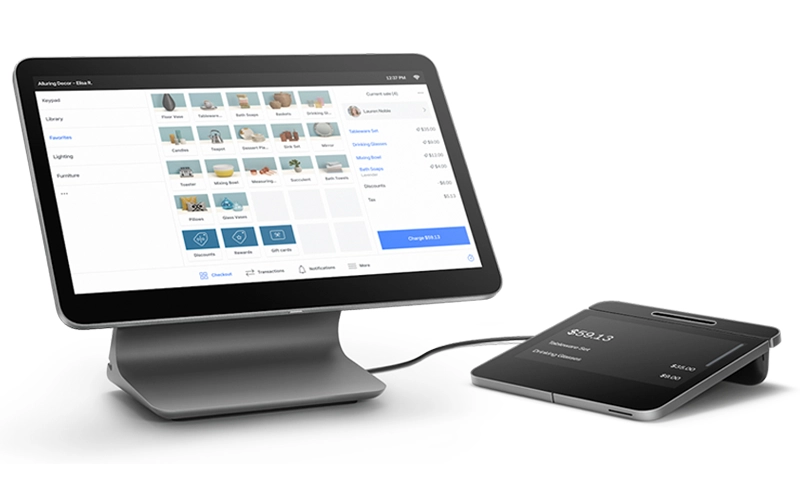
But Square isn’t just for beginners. The ecosystem has grown into something genuinely powerful — payroll, banking, marketing, invoicing, appointments, loyalty programs, online stores. It’s modular, so you add what you need and skip what you don’t. I’ve watched businesses grow from a single Square Reader at a farmers market to multi-location operations, all without switching platforms.
Why Choose Square for Your Small Business?
Square’s free plan includes real functionality — inventory tracking, sales reporting, customer directory, and basic analytics. Processing runs 2.6% + 15¢ per tap or swipe. The Plus plan at $60/month drops that to 2.5% + 15¢ and adds advanced features like team management and advanced inventory. Hardware ranges from $0 (use your phone) to $799 for the full Square Register with customer-facing display.
The tradeoffs are real though. Square’s flat-rate processing gets expensive at higher volumes — once you’re consistently above $15K/month in card sales, run the numbers against interchange-plus options. Some users report account holds or freezes without warning, which can be devastating for cash flow. And support on the free plan isn’t exactly white-glove service. But for most small businesses starting out, these concerns are outweighed by the zero-risk entry point.
→ Read our full Square review | Current Square promotions
SkyTab POS
If you need actual hardware — terminals, handhelds, kitchen displays — SkyTab’s value proposition is nearly impossible to beat. Free equipment, $29.99/month flat, and features that compete with systems costing three times as much. The total cost of ownership calculation isn’t even close for businesses that would otherwise spend $1,500+ on hardware upfront.
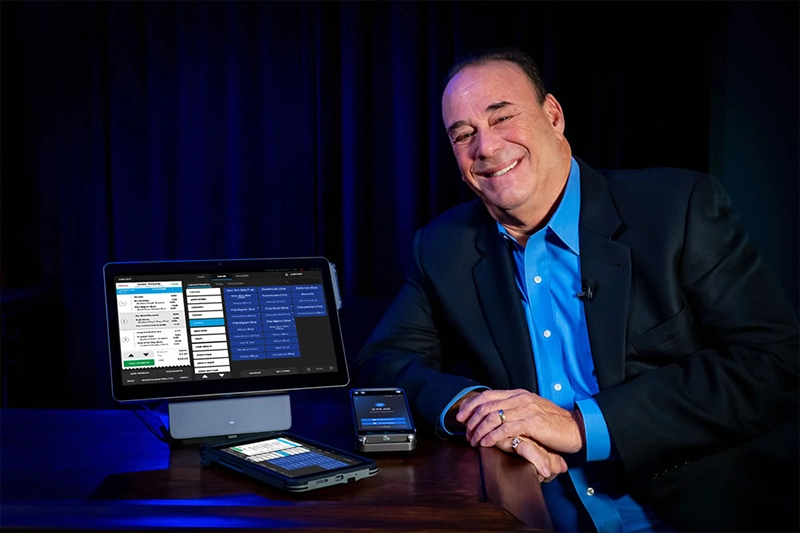
SkyTab is also endorsed by Jon Taffer of Bar Rescue and our Editor’s choice for the best restaurant POS system. I know, TV endorsements deserve skepticism. But Taffer has walked into hundreds of failing businesses and seen firsthand how bad POS decisions drain cash and create operational chaos. His stamp of approval carries more weight than the typical celebrity pitch.
Why Choose SkyTab for Your Small Business?
The math works like this: $29.99/month equals about $360/year in software costs. Free hardware saves you $1,000-$2,500 upfront depending on your setup. Processing rates through Shift4 are competitive, though not published — you’ll need to get your specific rate during the sales process. For businesses wanting to eliminate processing costs entirely, the Advantage Program passes a small service fee (typically 3-4%) to card-paying customers.
The catch is you’re locked into Shift4 for payment processing, and there’s a 36-month commitment. That sounds scary, but it’s standard for free hardware deals — someone has to pay for that equipment, and they recoup it through the processing relationship. If you have an existing processor with exceptional rates you want to keep, SkyTab won’t work. But for most small businesses, the overall package delivers genuine savings.
→ Read our full SkyTab review | Current SkyTab promotion: $5,000 bonus
POSUSA Free POS
Full disclosure: This is our product. We built POSUSA Free POS after 15 years of installing and reviewing other systems and watching small business owners struggle with costs that didn’t match their actual needs. We’re not trying to compete with Square or Toast on features — we built this for businesses that need something simpler and cheaper than anything else on the market.
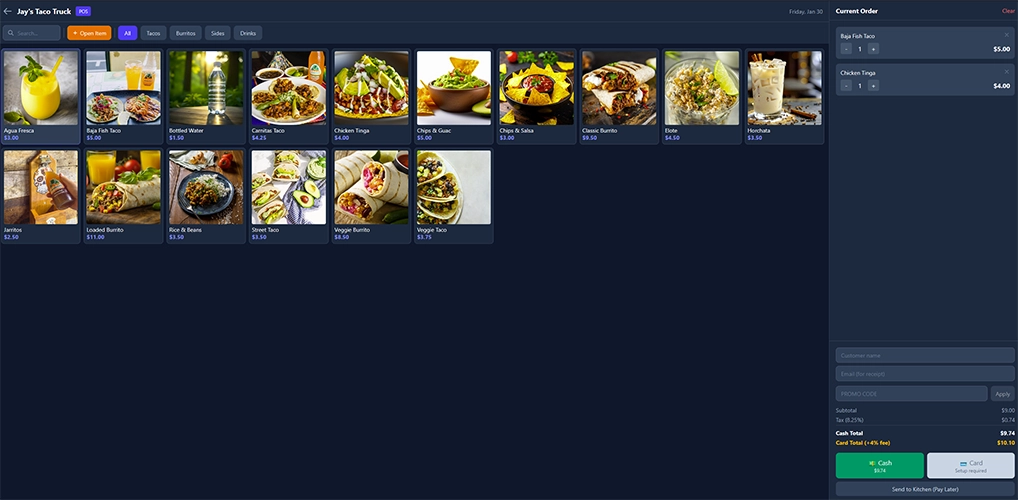
Here’s who it’s for: food trucks, pop-up shops, farmers market vendors, small cafés, service businesses with simple offerings. If you have a 20-item menu and just need to accept payments without bleeding money on processing fees, this gets you there in five minutes. No hardware to buy. No contracts to sign. No monthly fees. Ever.
Why Choose POSUSA Free POS?
The model works through our cash discount program. You display cash prices; card customers see a small service fee (4%) at checkout. This is the same approach gas stations have used for decades — completely legal in all 50 states. The result: you keep 100% of your listed prices. If you’d rather absorb the fee yourself, that option exists too at roughly 3.9% per transaction.
The system runs on any device with a browser — phone, tablet, laptop. Customers pay by scanning a QR code from their own phone, which means zero hardware investment. You also get a free online store, AI-powered menu builder (upload a photo of your existing menu, get a digital version instantly), and real-time sales dashboard. Payments process through Stripe, the same processor Amazon and Google use.
Now, the honest limitations. There’s a 50-product limit (not a hard limit) — this is built for simple operations, not complex retail. The system is designed around QR code payments, though you can add a Stripe card reader if needed. And we’re a smaller team than Square or Toast, so support isn’t 24/7.
If you need advanced inventory, multi-location management, or enterprise features, look elsewhere. But if you want the fastest, cheapest path from “I have a business idea” to “I’m accepting payments,” this is it.
→ Learn more about POSUSA Free POS
Toast POS

Toast is what you get when engineers obsess over the specific chaos of food service. The hardware survives grease, drops, and the occasional coffee spill. The software handles modifiers, coursing, kitchen routing, and the hundred small details that separate restaurant POS from generic retail systems. For cafés, bakeries, QSR spots, and small restaurants, it’s the safest mainstream choice.

The free Starter Kit changed the accessibility equation. You can now get into the Toast ecosystem with $0 upfront — they subsidize the hardware through higher processing rates on the Pay-as-You-Go plan. It’s not charity; it’s a calculated tradeoff. But for small food businesses that couldn’t previously justify the hardware investment, it opens the door.
Why Choose Toast for Your Small Business?
The free Starter Kit comes with Pay-as-You-Go pricing: $0/month but 3.09% + 15¢ per transaction. The Core plan at $69/month drops processing to 2.49% + 15¢. Run the math on your expected volume — at around $8K/month in card sales, the paid plan becomes cheaper despite the monthly fee. Toast Go handhelds ($609 or financed) let staff take orders and payments anywhere in your space.
The downsides are significant for some. Two-year contracts are standard. You’re locked into Toast Payments with no option to bring your own processor. The add-on modules — online ordering, loyalty, marketing, payroll — each carry separate fees that push total costs well beyond the base price. And the proprietary hardware has zero resale value if you ever leave. Toast makes sense for food-focused businesses willing to commit; it’s overkill (and overpriced) for general retail.
→ Read our full Toast review | Toast pricing breakdown | Current Toast promotions
Lightspeed POS
Lightspeed is overkill for a simple operation — and that’s precisely why certain retailers need it. If you’re running a boutique with 500 SKUs across multiple sizes and colors, a sporting goods store with seasonal inventory rotations, or a multi-location retail group, Lightspeed’s inventory management is genuinely superior to everything else on this list.
The platform handles complexity that breaks simpler systems. Matrix inventory (size x color x style), purchase ordering, vendor management, customer layaway, serialized inventory tracking. If you’ve ever cursed at a POS system for not understanding that “Blue / Medium / V-neck” is a different product than “Blue / Large / Crew neck,” Lightspeed solves that problem.
Why Choose Lightspeed for Your Small Business?
Pricing starts at $89/month for the Basic plan, $149/month for Standard, and $289/month for Advanced. The higher tiers unlock the features that actually differentiate Lightspeed — advanced reporting, multi-location tools, customer segmentation, and deeper inventory controls. Annual contracts are required. Processing starts at 2.6% + 10¢, though you have flexibility to use your own processor.
The learning curve is real. This isn’t plug-and-play software you’ll master in an afternoon. Plan for a week of setup and configuration to do it right. The platform runs on iPad, which some retailers consider a limitation. And the price point makes no sense for businesses with simple inventory — don’t pay $149/month for capabilities you’ll never use. But for the right fit, the depth of functionality justifies every dollar.
→ Read our full Lightspeed review | Current promotions
Clover POS

Clover’s hardware is undeniably attractive. The Station Duo with its customer-facing display looks premium on any counter. The compact Clover Mini fits tight spaces. The portable Clover Flex handles mobile payments. For businesses that want a polished, professional look out of the box, the aesthetic appeal is real.
Critical warning before we go further: Where you buy Clover matters more than the product itself. Clover is sold through Fiserv directly and through hundreds of independent sales organizations (ISOs), banks, and resellers. The experience varies wildly. I’ve seen business owners pay 50% more than direct pricing because they went through their bank. I’ve seen predatory equipment leases that cost $4,000 for hardware worth $1,200. Buy direct from Clover or Fiserv — not through a random sales rep or your bank’s “merchant services” department.
Why Choose Clover for Your Small Business?
Buying direct, Clover software runs $14.95–$160+/month depending on your plan. Hardware ranges from $49 (Clover Go card reader) to $1,799+ (Station Duo). Processing through Fiserv typically lands at 2.3% + 10¢, which is competitive with or better than Square’s rates. A 60-day return window gives you time to evaluate before committing.
The app marketplace is both strength and weakness. Need loyalty programs? There’s an app. Inventory management? App for that. Time tracking? Another app. This modularity means you only pay for what you need, but costs accumulate if you need multiple additions. The base platform is solid for simple operations — quick-service restaurants, retail shops, service businesses — but lacks the depth of specialized competitors.
→ Read our full Clover review | Current promotions
Shopify POS

Shopify built the dominant eCommerce platform for small business. Their POS exists to extend that dominance into physical retail. If your business started online and you’re adding a physical presence — a pop-up shop, a showroom, a brick-and-mortar location — Shopify POS is the path of least resistance. Inventory syncs automatically. Orders flow into the same dashboard. Customer data stays unified.
The reverse is also true. If you’re primarily a physical retailer who happens to sell some stuff online, Shopify POS is probably the wrong choice. The platform’s DNA is eCommerce; the in-store features are capable but secondary. You’d be paying for a lot of online selling infrastructure you don’t need.
Why Choose Shopify POS for Your Small Business?
Shopify pricing starts at $29/month (Basic), $79/month (Shopify), or $299/month (Advanced). That’s for the core Shopify platform — POS is included, but POS Pro features cost an additional $89/month per location. Processing runs 2.5-2.9% + 30¢ online and 2.4-2.7% in-person depending on your plan. If you don’t use Shopify Payments, expect additional transaction fees (0.5-2%).
The 14-day free trial lets you test before committing. Hardware is bring-your-own-iPad or purchase through Shopify. Month-to-month contracts mean you can walk away without penalty. The integration ecosystem is massive — thousands of apps for marketing, shipping, accounting, and more. Just remember: the value proposition hinges on eCommerce being central to your business. For retail-only operations, simpler and cheaper options exist.
→ Read our full Shopify POS review
SpotOn

SpotOn doesn’t have the brand recognition of Square or Toast, but it has something more valuable for the right business: lower processing rates. The math matters. On $40K/month in card sales, the difference between 2.89% and 1.99% is $360/month — over $4,300/year. That’s real money that stays in your pocket instead of going to a payment processor.
The company was founded by former hospitality operators, which shows in the product focus. They understand that small margins define success or failure, and their pricing reflects that understanding. The interface isn’t quite as polished as the big names, but the fundamentals are solid and the economics often make more sense.
Why Choose SpotOn for Your Small Business?
SpotOn offers tiered pricing. Quick Start is $0/month with processing at 2.89% + 25¢ (hardware included in the processing fee). POS Essentials runs $55/month with processing at 1.99% + 25¢. Counter-Service is $99/month, Full-Service is $135/month. Month-to-month options exist, though better rates come with longer commitments.
Run your numbers before choosing a plan. At lower volumes, the Quick Start’s $0 monthly fee wins. As volume increases, the math flips — the lower processing rate on paid plans saves more than you’re spending on software. The breakeven is roughly $6K-8K/month in card sales. Beyond that, every dollar of volume makes the paid plan more attractive.
The downsides: support quality reportedly varies by region since SpotOn uses local dealers for sales and service. The interface feels a generation behind Toast. And brand recognition is still building, which matters if you’re the type who wants the “safe” mainstream choice.
Best Small Business POS by Use Case
Different businesses have different needs. A food truck has almost nothing in common with a multi-location retail chain. Here’s how our top picks match specific situations:
| Business Type | Top Pick | Runner-Up | Why |
|---|---|---|---|
| General Small Business | Square | POSUSA Free | Flexibility and ecosystem vs. zero cost |
| Coffee Shop / Café | Square | Toast | Simplicity vs. restaurant-specific features |
| Food Truck / Pop-up | POSUSA Free | Square | Zero cost, no hardware vs. card reader option |
| Small Restaurant | Toast | SkyTab | Restaurant-specific vs. value pricing |
| Retail (Simple) | Square | Clover | Flexibility vs. all-in-one hardware |
| Retail (Inventory-Heavy) | Lightspeed | Shopify | Inventory management vs. eCommerce sync |
| eCommerce + Physical | Shopify | Square | Online-first vs. in-store-first |
| Farmers Market / Craft Fair | POSUSA Free | Square | Zero cost vs. physical card reader |
| Service Business | Square | POSUSA Free | Appointments + payments vs. simplicity |
| Tight Budget | POSUSA Free | Square | $0 everything vs. free with processing fees |
| Need Hardware Included | SkyTab | Toast | Best value vs. restaurant-specific |
For most small businesses, the decision often comes down to Square vs. SkyTab vs. POSUSA Free. Square wins on flexibility and ecosystem — you can start free and add features as needed, with no contracts binding you. SkyTab wins on value when you need real hardware — free terminals beat paying $1,500 upfront. POSUSA Free wins when every dollar matters — truly $0 with our cash discount program.
How We Chose the Best Small Business POS Systems
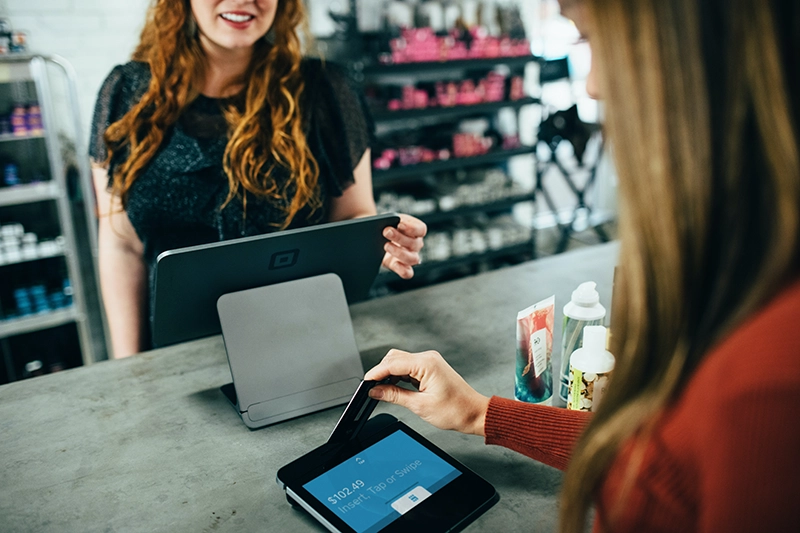
We didn’t compile this list by reading vendor websites and comparing feature counts. Since 2011, POSUSA has helped thousands of business owners navigate POS decisions — we’ve seen what works and what fails when the rubber meets the road. Our evaluation criteria reflect what actually matters when you’re running a small business:
Total Cost of Ownership
The advertised price is rarely the real price. We calculate true monthly cost: software fees + processing fees on realistic volume + hardware costs + required add-ons. A “$0/month” system with 3% processing often costs more than a $60/month system with 2.3% processing. We do the math so you don’t get surprised.
Ease of Setup and Use
Small business owners are busy. A system that takes two weeks to configure and a month to learn is a problem, regardless of how powerful it is. We favor platforms that get you selling quickly without requiring a dedicated IT person to manage.
Contract Flexibility
Businesses pivot, relocate, or close. Getting locked into a 3-year contract with a $5,000 early termination fee is a genuine risk. We note contract terms prominently and favor systems offering month-to-month options.
Support Quality
“24/7 support” means nothing if you’re on hold for an hour while customers wait. We evaluate actual support responsiveness, especially during business hours and weekends when problems actually happen.
Feature Fit
More features isn’t better if you don’t need them. A gift shop doesn’t need kitchen routing. A food truck doesn’t need multi-location inventory management. We match system capabilities to actual small business needs, not enterprise wish lists.
Frequently Asked Questions
How much does a small business POS system cost?
Real monthly costs range from $0 to $300+ depending on your setup. But software fees are often the smaller expense — processing fees (2-3%+ of every card transaction) typically cost more. A business doing $20K/month in card sales pays $400-600/month in processing alone. Add software, hardware amortization, and add-ons, and typical total monthly cost runs $400-$900 for a small business. Always calculate total cost, not just the advertised software price.
What's the difference between Square's free plan and POSUSA Free POS?
Both are genuinely free, but the models differ. Square’s free plan charges 2.6% + 10¢ per transaction — you pay processing on every sale. POSUSA Free POS uses a cash discount program where card customers pay a 4% fee and you pay $0. Square gives you a physical card reader; POSUSA uses QR code payments. Square has a massive feature ecosystem; POSUSA is intentionally simple (50 product limit). Choose Square for traditional card acceptance and room to grow. Choose POSUSA for truly zero costs if you’re comfortable with QR payments.
Do I really need a POS system or can I just use a card reader?
Depends on your business. A basic card reader (like Square Reader or PayPal Zettle) lets you accept payments and nothing else. A POS system adds inventory tracking, sales reporting, customer management, and more. If you’re selling one thing at a craft fair, a card reader works. If you’re running a retail shop with inventory to track and sales to analyze, you need a POS.
Can I switch POS systems later if I choose wrong?
Yes, but it’s harder than vendors claim. You’ll rebuild your menu or inventory from scratch, retrain staff, possibly buy new hardware, and may lose historical data. Gift card balances and loyalty points often don’t transfer. Budget 2-4 weeks for a transition and do it during a slow period. This is why contract flexibility matters — getting locked in for 3 years with an early termination fee makes switching expensive.
What's a cash discount program and is it legal?
Cash discount means you display cash prices, and card customers see a small fee (typically 3-4%) at checkout. It’s completely legal in all 50 states — gas stations have done this for decades. Customers see the fee clearly; there’s no deception. This model lets businesses eliminate processing costs entirely. Not every customer loves it, but most understand and accept it. POSUSA Free POS and some other systems offer this option.
Should I buy Clover from my bank or directly from Clover?
Buy direct from Clover or Fiserv. Banks and independent resellers often mark up pricing significantly, lock you into unfavorable contracts, and provide inconsistent support. We’ve seen businesses paying 50% more because they went through their bank. Clover’s direct pricing is transparent; reseller pricing often isn’t. This is one of the most common expensive mistakes we see small business owners make.
What processing rate should I expect?
Flat-rate pricing (Square, Toast) typically runs 2.4-3.1% + 10-30¢ per transaction. Interchange-plus pricing (Helcim, some SpotOn plans) varies by card type but often averages lower for established businesses. Cash discount programs (POSUSA Free) shift the cost to customers, giving you a 0% effective rate. The “best” rate depends on your volume, average ticket, and card mix. Always get your specific rate in writing before signing anything.
What questions should I ask during a POS demo?
The questions vendors hope you don’t ask: What’s the total monthly cost including processing on $X volume? What’s the contract length and early termination fee? What happens to my data if I cancel? Are there price increases after year one? What’s NOT included that most businesses need? Can I talk to a current customer in my industry? How quickly can I reach support on a Saturday evening? Do I own the hardware, or am I leasing it?
The Bottom Line
After helping small business owners navigate POS decisions since 2011, here’s my honest take:
Square is the right choice for most small businesses. The free plan removes risk. The ecosystem covers everything from payments to payroll. No contracts mean you can leave anytime. It’s not the cheapest at scale, and it’s not the most specialized — but it’s the safest starting point for businesses that aren’t sure exactly what they need yet.
SkyTab makes sense for restaurants when you need real hardware. Free terminals, $29.99/month, and features that compete with systems costing 3x as much. Yes, there’s a 36-month commitment, but the total cost of ownership is hard to beat for businesses that would otherwise spend thousands on equipment.
POSUSA Free POS is the right choice when every dollar matters. We built it for food trucks, pop-ups, and simple operations that don’t need (or can’t afford) the bells and whistles. It won’t replace Square or Toast for complex businesses, but for getting started with truly zero cost, nothing else comes close.
Whatever you choose, get total cost in writing before signing anything. Monthly fees are just the start — processing rates, hardware, add-ons, and contract terms determine what you’ll actually pay.
Our #1 Recommendation
No contracts — cancel anytime
Massive ecosystem (payroll, banking, marketing)
Same-day setup possible
Need Help Deciding?
Still not sure which system fits your situation? I’ve been helping small business owners navigate this decision since 2011. Use our free comparison tool to get personalized recommendations, or reach out directly if you have questions about a specific system.
Questions about something on this page? Drop a comment below — I read and respond to every one.
Ready to find your POS system?
Compare quotes from top providers in 30 seconds — free, no obligation.

Jason Feemster, President of POS USA, brings over 20 years of experience in the point of sale and information technology industries. He has helped thousands of businesses, from small startups to large enterprises, find tailored POS solutions that enhance efficiency and drive growth. Jason’s insights have been featured in leading industry publications such as Inc.com, Business.com, and Restaurant Business Online. Through POS USA, Jason continues to guide business owners toward making informed decisions that drive their success.
Related Guides
- Best POS Systems for Restaurants (2026)
- Best POS Systems for Bars (2026)
- Retail POS Systems (Complete Guide)
- Free POS Systems


