

eHopper POS
Free!
 Jason Feemster
eHopper POS Review 2026: Features, Pricing, Pros & Cons
Updated January 2026 • Verified Q1 2026
Table of Contents
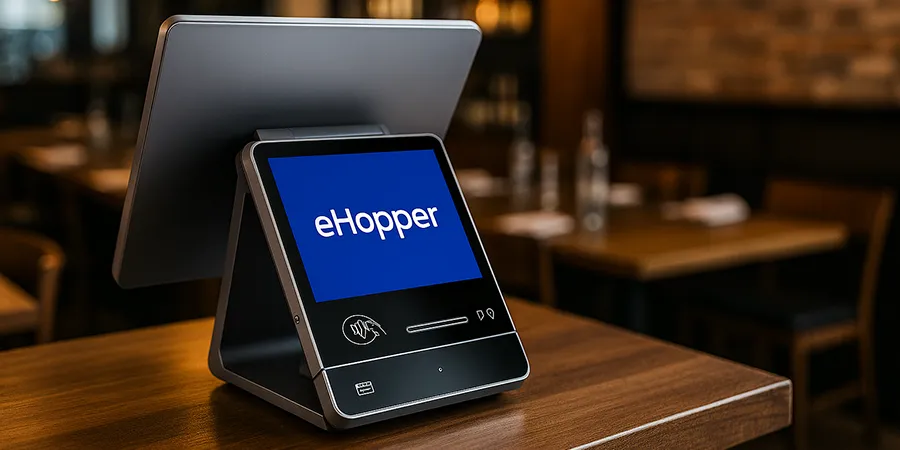
eHopper offers a full-featured POS for $0—software, hardware, and online ordering included—when you use their payment processing. Unlike most “free” plans with strict caps, eHopper’s free program includes full-featured software (Freedom tier or higher, depending on volume). The catch: you must use their processing (via cash discount or surcharge). If you want to use your own processor, paid plans start at $10/mo.
👉 Comparing free options? See our Free POS Systems guide.
If you’ve been searching for a low-cost way to run your business, you’ve probably come across eHopper POS. But is it really free, and does it give you enough to run your shop or food truck?
eHopper is a cloud POS built for small businesses that want a low-cost way to start taking payments and tracking sales. The draw is its free POS program—which includes full-featured software (Freedom tier or higher), a free smart terminal, and online ordering when you use eHopper’s payment processing. If you prefer your own processor, paid plans start at $10/mo.
In this review, we’ll break down eHopper’s free plan, paid upgrades, pros and cons, and how it compares to other free POS systems. By the end, you’ll know whether it’s a good fit for your business—or if you should look elsewhere.
Pros & Cons
- True $0 path: software + hardware + online ordering included
- No product or transaction caps on free program
- Clean, easy-to-train interface
- Works on Android/Windows; free terminal with processing
- Offline mode keeps you selling when Wi-Fi drops
- Must use eHopper payments for the $0 plan
- Surcharge/cash-discount not allowed in some states
- Locked to eHopper processing — can’t switch easily
- Less known brand vs Square or Toast
- Mixed reviews on support responsiveness
eHopper POS Pricing
Is it really free? Yes—if you use eHopper’s payment processing, you get full-featured software (Freedom tier or higher), a free smart terminal, and online ordering at no cost. Want to use your own processor? Paid plans start at $10/mo.
| Plan | Monthly Cost | What You Get | Best For |
|---|---|---|---|
| Free Program | $0 (with eHopper processing) | Freedom tier or higher (varies by volume), free smart terminal, online ordering, support | Any small business using eHopper processing |
| Essential Plus | $10/mo | 1,000 products, 1,000 tx/mo, 1 register | BYO processor, low-volume operations |
| Freedom | $20.99/mo | Unlimited products/transactions, loyalty, pre-authorization | BYO processor, retail & professional services |
| Restaurant | $24.49/mo | Unlimited products/transactions, table management, KDS, loyalty | BYO processor, full-service restaurants |
| OmniChannel | $35.99/mo | All features + online ordering website, multi-location | BYO processor, growing multi-location businesses |
Key Features
Quick Specs
| Feature | eHopper POS |
|---|---|
| Best For | Food trucks, kiosks, small retail, early-stage startups |
| Starting Price | $0 (with eHopper payments) or $10/mo (BYO processor) |
| Free Plan Limits | No caps — Freedom tier or higher with eHopper processing |
| Devices | Android tablets, Windows PCs, eHopper all-in-one terminals |
| Payments | EMV, contactless & mobile wallets; cash-discount/surcharge option |
| Offline Mode | Yes — sales sync when back online |
| Support | Knowledge base & standard help on free plan; priority on paid tiers |
Notable Features
- Free POS program with Freedom tier or higher (requires eHopper processing)
- Free smart terminal included with processing signup
- Online ordering website included at no extra cost
- Integrated EMV, contactless, and mobile wallet payments
- “Free processing” via cash discount/surcharge (check state rules)
- Table management, KDS, loyalty, and inventory included
- Offline mode to process sales without internet
Real User Feedback
✅ What Users Like
- Ease of use: Merchants consistently describe eHopper as simple to learn and quick for staff to pick up, especially in small retail or food truck settings.
- Onboarding experience: Many business owners note that setup support is helpful during the early stages, making it easier to get started without technical headaches.
- Value at $0: Users appreciate that the free program now includes full features, a free terminal, and online ordering—more generous than most competitors.
❌ What Users Don’t Like
- Support responsiveness: Some users mention long wait times or difficulty reaching customer service once they’re past onboarding.
- Reliability hiccups: Occasional login or licensing issues are reported, which can be frustrating for day-to-day use.
- Processor lock-in: Some users note that switching away from eHopper processing means paying for software, which can feel limiting.
eHopper vs Other Free POS Systems
Now that you know what each eHopper plan costs, you’re probably wondering how it stacks up against other “free” POS systems. After all, Square and SkyTab are often mentioned in the same conversation. Here’s a quick side-by-side look at how eHopper compares to these popular alternatives.
| Feature | eHopper | Square | SkyTab (Free Hardware) |
|---|---|---|---|
| Software Cost | $0 (with eHopper processing) | $0 (no software caps) | $29.95/mo (hardware $0 with Shift4) |
| Free Plan Limits | No caps — full features with processing | No item/transaction caps | No cap; requires Shift4 merchant account |
| Hardware | Free smart terminal with processing signup | iOS/Android + Square hardware | Proprietary SkyTab terminals included |
| Best For | Small businesses okay with surcharge model | Small retailers, cafes, services | Restaurants/bars wanting full hardware bundle |
| Biggest Catch | Must use eHopper processing (cash discount/surcharge) | Higher processing rates vs negotiated | Processor lock-in (Shift4) |
As you can see, eHopper’s free plan is a good fit for ultra-small businesses that want a no-cost starter system, while Square offers more flexibility without caps, and SkyTab appeals to restaurants with bundled hardware. Your best choice really depends on whether you value unlimited usage, free equipment, or the lowest possible software cost.
Who Should Use eHopper?
✅ Best fit for:
- Food trucks & pop-ups: Simple setup, offline mode
- Small retail shops: Basic inventory, low overhead
- Kiosks & cafés: Counter-service workflows
- Startups: Testing the waters with minimal risk
❌ Not ideal for:
- Businesses that want to use their own payment processor for free
- States where surcharging is prohibited (CO, CT, KS, ME, MA, OK)
- Large multi-location operations needing enterprise features
FAQ
Is eHopper POS really free, or will I pay later?
Yes — if you sign up with eHopper’s payment processing, you get full-featured software (Freedom tier or higher, depending on volume), a free smart terminal, and online ordering at no cost. There are no product or transaction caps. If you want to use your own processor, paid plans start at $10/mo.
Can I use it for a restaurant?
Yes — the free program includes table management, KDS, and other restaurant features when you use eHopper processing. If using your own processor, you’ll need the Restaurant tier ($24.49/mo) or higher.
Does the free plan include support?
Yes — eHopper’s free program includes onboarding support and training. Ongoing support is available via knowledge base, with priority support on paid tiers.
Does it work on my own hardware?
Yes—compatible with Android tablets and Windows PCs. However, the free program includes a free smart terminal, so you may not need to BYO.
Can it work offline?
Yes. You can keep ringing sales when the internet drops; transactions sync once you’re back online.
Is the free processing really free?
It’s done via cash discount/surcharge programs where fees are passed to customers. This is common but regulated—credit surcharge is not allowed in CO, CT, KS, ME, MA, and OK.
Verdict
If you’re comfortable using eHopper’s payment processing (via cash discount or surcharge), this is one of the most generous free POS deals available—full software, free terminal, and online ordering with no caps.
The trade-off is processor lock-in: you can’t easily switch to another processor without paying for software. If flexibility matters more than upfront cost, consider Square POS (no processor lock-in) or SkyTab POS (similar model with Shift4).
Expert Rating: ⭐ 8/10 — A genuinely free full-featured POS for businesses willing to use eHopper’s processing. The recent upgrade removing caps and adding free hardware makes this a strong contender in the free POS space.

Jason Feemster
POS systems expert and founder of POSUSA.com, a trusted industry resource since 2011. With over a decade of hands-on experience testing and reviewing point-of-sale systems, he helps business owners choose solutions that actually fit their needs.
Specification: eHopper POS
|
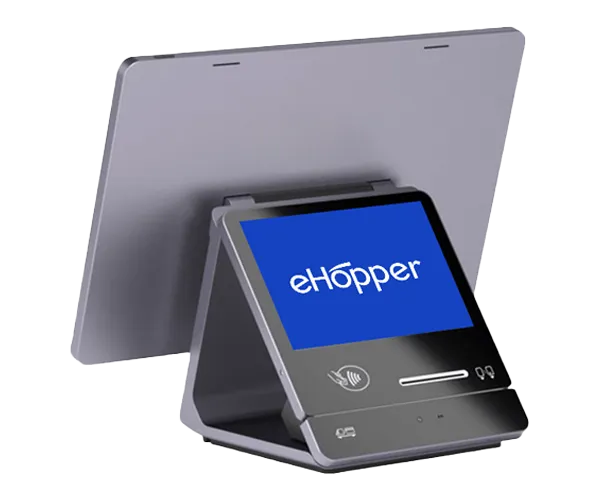
Photos: eHopper POS
User Reviews
Be the first to review “eHopper POS”














There are no reviews yet.