

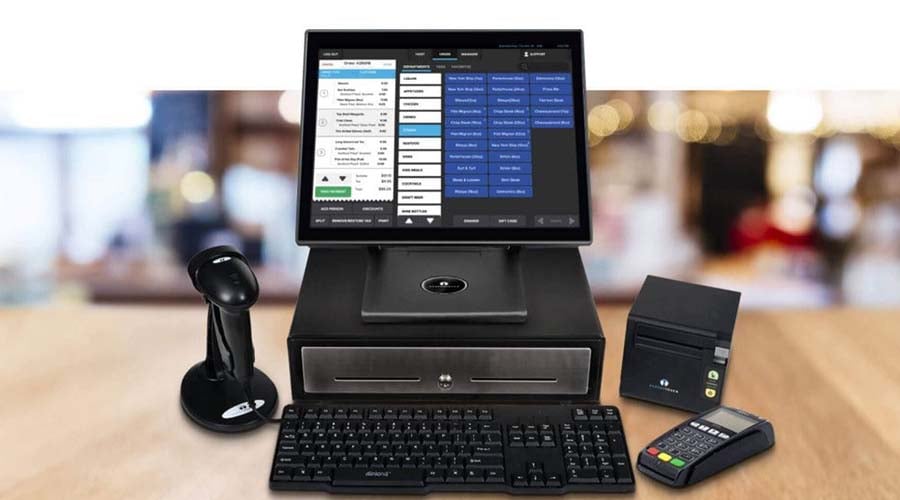
Fastest Way to Reach Harbortouch Support
Call Shift4 support at (888) 276-2108. Harbortouch is now part of Shift4 Dine (formerly SkyTab), and technical support is available 24/7/365.
Phone Support
Best for terminals that stop working, payment problems and account questions. Have your business name and account details ready.
Call (888) 276-2108Harbortouch Help Center
Step-by-step guides for Harbortouch Hospitality, Retail and Salon & Spa / Checkout, published by Shift4.
Open the Help Center- Is Shift4 down? status.shift4.com
- Contact Shift4 online: shift4.com/support
- Hospitality back office (Lighthouse): lh.harbortouch.com
- Sales or new equipment: (866) 475-9822 (Shift4 sales line listed in the Help Center)
Harbortouch is now part of Shift4 Dine (formerly SkyTab). Shift4 renamed SkyTab as Shift4 Dine on May 12. If you still use Harbortouch Hospitality, Retail or Salon & Spa, Shift4’s Legacy POS help docs are here. Each guide shows the same Shift4 support line.
Before You Contact Support: Get Help Faster
- Check the status page first. If status.shift4.com shows an incident, wait it out before you restart or reset equipment.
- Know which system you have. Harbortouch Hospitality (restaurants and bars), Harbortouch Retail, or Harbortouch Salon and Spa & Checkout. The right guide depends on it.
- Have your details ready: business name, the email on your account, the exact error text and when it started.
- Check the basics. Confirm the terminal has power and your internet connection is up.
Fix It Yourself: Common Harbortouch Fixes
Shift4’s Legacy POS help docs have how-to and troubleshooting guides for each Harbortouch system. Open the one that matches yours, then look under Errors and Troubleshooting or Use and Operation.
- Harbortouch Hospitality: menu and item changes, refunds, voids, tips, end-of-day tally and employee settings. Hospitality guides →
- Harbortouch Retail: printing queue problems, license errors, inventory, reports and end of day. Retail guides →
- Harbortouch Salon and Spa & Checkout: processing a transaction, back office, Pay Later and POS settings. Salon & Spa / Checkout guides →
- Need to edit your menu remotely? Customize Menu in Lighthouse for Hospitality →
Still stuck? Try our free POS support assistant. It takes you through the fix step by step.
Harbortouch Lighthouse Login and Email Support
Lighthouse is the online back office many Harbortouch Hospitality merchants use for menus, item groups and reports. Log in at lh.harbortouch.com with the email and password registered to your account, and to use Forgot Password if you can’t sign in. If the wrong email is on file, contact Shift4 support at (888) 276-2108.
Harbortouch and SkyTab Are Now Shift4 Dine
Harbortouch and SkyTab are now Shift4 Dine. Shift4 renamed SkyTab as Shift4 Dine on May 12, and support channels stayed the same. Whichever name is on your equipment, you can use the same Shift4 support line at (888) 276-2108, shift4.com/support and the Shift4 Dine Resource Center. If you still use Harbortouch Hospitality, Retail or Salon & Spa, Shift4’s Legacy POS help docs are here.
Need Help With Your POS?
If you’re sorting out paperwork, equipment or a question the support line couldn’t answer, POSUSA can point you in the right direction. POSUSA is a Shift4 dealer and isn’t Shift4’s support line, so for outages and device problems use the number above.
Need help with your POS? Get POS advice.
Tell us what you’re working through and we’ll point you in the right direction.