

Aloha Cloud
$175.00
 Jason Feemster
Loyverse POS Review: Features, Pricing, Pros & Cons
Updated January 2026 • Verified Q1 2026
Table of Contents

Loyverse is one of the strongest truly free POS platforms for small retailers and cafés. The core apps (POS, Dashboard, KDS, CDS) are free, and you can grow with low-cost add-ons. The catch? Advanced inventory and employee controls live behind paid add-ons, and support on the free tier is lighter. For many small shops, it’s a smart way to launch without monthly software fees.
👉 Comparing free options? See our Free POS Software guide.
If you’re sizing up free POS systems, Loyverse POS comes up for a reason: it’s actually usable without a monthly software bill. But how far can the free plan take you, and when do the add-ons start to matter? Below, we’ll walk through features, real-world fit, pricing, and how Loyverse stacks up against other free systems.
Quick Specs
| Feature | Loyverse POS |
|---|---|
| Best For | Small retail shops, cafés, pop-ups, boutiques |
| Software Cost | Free core apps (POS, Dashboard, KDS, CDS) |
| Add-ons | Employee Mgmt $25/mo/store • Advanced Inventory $25/mo/store • Unlimited Sales History $5/mo/store |
| Payments | Integrates with Worldpay, SumUp, PayPal Zettle, Tyro, Yoco, Smartpay |
| Offline Mode | Yes — POS app can sell offline and sync later |
| Devices | iOS/Android phones & tablets; works with common printers/cash drawers |
| Multi-Store | Supported under one account (add-ons priced per store) |
| Support | Email/chat & help center; priority support with paid add-ons |
What Is Loyverse POS?
Loyverse is a cloud POS for small businesses that want to ring sales, track inventory, and issue receipts without paying monthly software fees. The core apps are free and cover everyday retail and café workflows. When you need more—like employee permissions/timecards or deeper inventory tools—you add low-cost subscriptions per store. That modular approach keeps startup costs low while still giving you a path to grow.
Pros & Cons
- Truly free core POS with usable features
- Works offline; ideal for pop-ups and spots with shaky Wi-Fi
- Flexible payments (Worldpay, SumUp, Zettle, and more)
- KDS and Customer Display apps are free
- Clean interface; easy staff training
- Advanced inventory and employee controls cost extra
- Free-tier support is lighter than paid plans
- Integration marketplace is smaller than all-in-one giants
Loyverse Pricing
The free core apps cover everyday retail and café needs. To unlock deeper controls, add-ons are billed per store. Here’s the current snapshot:
| Plan / Add-on | What You Get | Price |
|---|---|---|
| Core Apps (Free) | POS, Dashboard (reports), KDS (kitchen display), CDS (customer display) | $0 |
| Employee Management | Roles/permissions, timecards, sales by employee | $25/mo per store |
| Advanced Inventory | Purchase orders, suppliers, inventory valuation & counts | $25/mo per store |
| Unlimited Sales History | Access full sales history (beyond rolling limits) | $5/mo per store |
Payments: Loyverse integrates with Worldpay, SumUp, PayPal Zettle, and others—no forced in-house processor. Hardware: Bring your own iOS/Android tablet or phone; supports common printers, cash drawers, and scanners.
Notable Features
- Free core apps: POS, Dashboard (analytics), KDS, and Customer Display are $0
- Offline selling: Keep taking payments without internet and sync later
- Payments flexibility: Integrates with major processors (no single-processor lock-in)
- Inventory: Basic stock counts free; advanced tools via add-on
- Loyalty/CRM: Customer tracking; deeper employee permissions via add-on
- Multi-store: Manage multiple stores in one account; add-ons priced per store
Loyverse vs Other Free POS Systems
| Feature | Loyverse | eHopper | Imonggo |
|---|---|---|---|
| Software Cost | Free core apps (POS, Dashboard, KDS, CDS) | Free plan (limits apply) | Free plan (1 user/branch; 30 products; 300 invoices/mo) |
| Inventory | Basic free; advanced via add-on | Basic free; advanced on paid tiers | Basic free; unlimited on Premium |
| Offline Mode | Yes (POS works offline) | Yes (syncs later) | Premium only |
| Payments | Worldpay, SumUp, Zettle, etc. | eHopper Payments; cash-discount option | Third-party (e.g., Stripe) |
| Best For | Growing small retailers & cafés | Food trucks, kiosks, tiny retail | Small retail startups |
Additional Details
Reporting, Integrations & Hardware Info
Loyverse POS includes reporting tools that let you view daily sales, popular items, and taxes in a clear dashboard. You can export this data for accounting or performance tracking. While not as advanced as paid competitors, the analytics are useful for small businesses getting started.
The system supports a hybrid setup — cloud-based storage with local app functionality — meaning your data is accessible anywhere and still works offline. Hardware compatibility is broad, including iOS and Android tablets, phones, and a range of printers and cash drawers.
Loyverse also integrates with essential third-party platforms like Xero, QuickBooks, and WooCommerce, helping you sync accounting and online orders. Payment processing is flexible: you can use WorldPay, SumUp, or an external processor via standalone terminals. Customer support is available through live chat and email, with 24/7 service included on paid add-ons.
Review Video
Who Should Use Loyverse?
✅ Best Fit For
- Boutiques & small retailers: Simple checkout, barcode scanning, discounts, basic inventory
- Cafés & counter-service: Fast ordering, KDS/CDS support, easy modifiers
- Pop-ups & markets: Phone/tablet friendly, works offline, quick to train
❌ Not Ideal For
- Complex restaurants needing table layouts, coursing, or deep kitchen routing
- Enterprises that require robust integrations and custom APIs across many systems
User Feedback
Loyverse scores well across major review platforms:
| Platform | Score |
|---|---|
| Capterra | 4.8/5 (450+ reviews) |
| G2 | 4.7/5 |
| Software Advice | 4.8/5 |
What users like: The free core features deliver real value — users consistently praise the $0 price tag, ease of use, and offline functionality. Many small business owners mention how quickly they got up and running (often under an hour). The flexible payment processor options and clean interface also get high marks.
What users complain about: Add-on costs can feel steep for very small operations, especially those outside the US where pricing is in dollars. Some users wish for more advanced reporting and deeper integrations without paying extra. A few Android users note that iOS gets feature updates first.
FAQ
Is Loyverse POS really free?
Yes. The core apps—POS, Dashboard, KDS, and Customer Display—are free. If you need advanced inventory, employee permissions/timecards, or expanded sales history, those are optional add-ons billed per store.
Does Loyverse work offline?
Yes. The POS app can keep selling when the internet drops and sync your transactions once you’re back online.
Which payment processors work with Loyverse?
Loyverse integrates with Worldpay, SumUp, PayPal Zettle, Tyro, Yoco, and Smartpay, so you’re not locked into a single processor.
Is there a loyalty program?
Basic customer tracking is built in; you can set up discounts and simple loyalty workflows. For deeper employee-level controls, use the Employee Management add-on.
Can I manage multiple stores?
Yes. You can manage multiple stores under a single account; keep in mind add-ons are priced per store.
How much are the add-ons?
Employee Management is $25/month per store; Advanced Inventory is $25/month per store; Unlimited Sales History is $5/month per store.
Our Verdict
If you want a free POS that can actually run a small retail shop or café, Loyverse is easy to recommend. The $0 core apps cover real daily operations, and you’re free to bring your own tablet and connect popular payment providers. As you grow, the add-ons are reasonably priced and unlock the controls most retailers need—without switching systems.
It’s not the most integrated platform on the market, and power users will want those add-ons quickly. But for small businesses trying to launch lean, it delivers a great balance of capability and cost.
Expert Rating: ⭐ 8.0/10 — A flexible, genuinely free POS that’s ideal for small retailers and cafés. Paid add-ons keep costs predictable as you scale, but the free tier’s lighter support and limited deep features are worth noting.
Related Resources

POS systems expert and founder of POSUSA.com, a trusted industry resource since 2011. With over a decade of hands-on experience testing and reviewing point-of-sale systems, he helps business owners choose solutions that actually fit their needs.
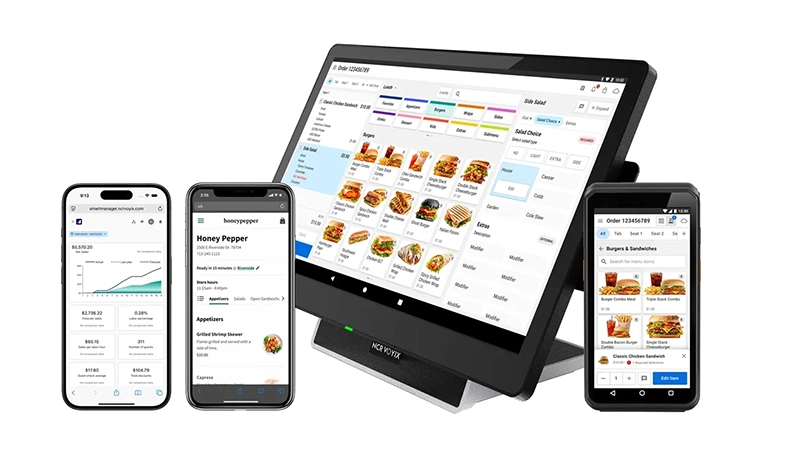
Specification: Aloha Cloud
|
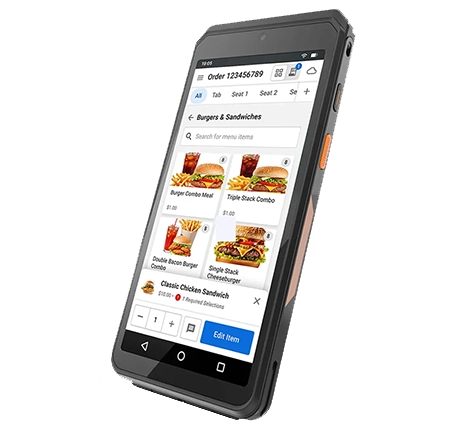
Photos: Aloha Cloud


User Reviews
Be the first to review “Aloha Cloud”


















There are no reviews yet.