
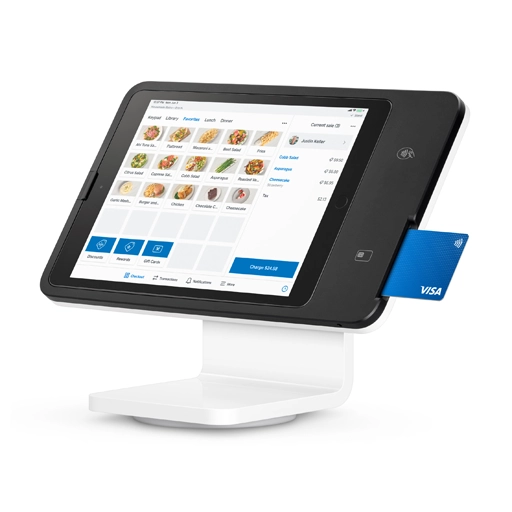
Square Stand
$149.00
 Jason Feemster
Square Stand for iPad Review: Pricing, Features & Pros vs Cons
Updated October 2026
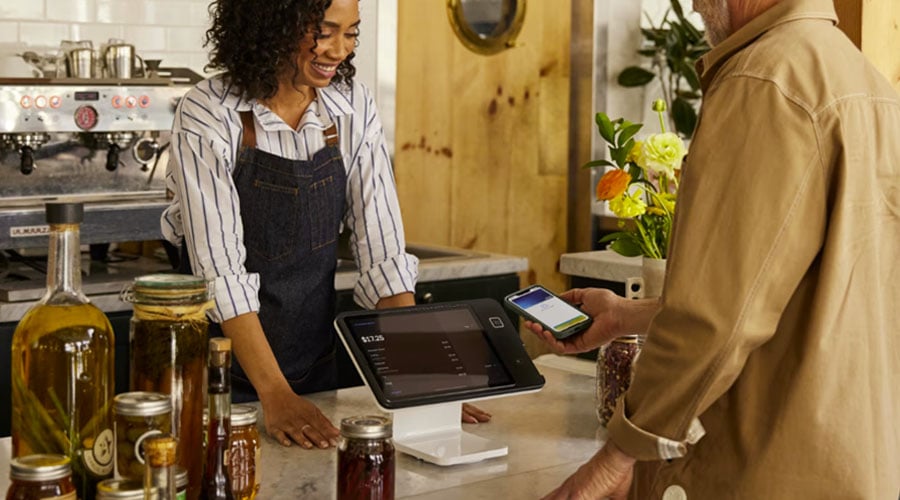
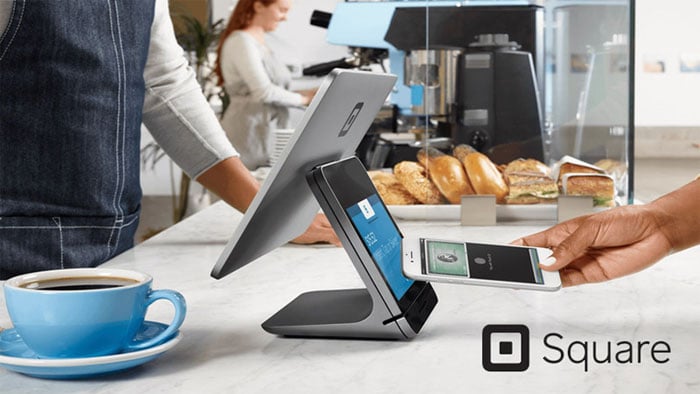
Square Stand (2nd Gen) turns your iPad into a countertop POS system with a built-in card reader. At $149, it’s one of the most affordable ways to set up a professional checkout, though the iPad isn’t included, and you’re locked into Square’s payment processing.
Square Stand now ships in a USB-C version that works with most 10.9-inch and 11-inch iPads, including the current base iPad. The older Lightning version is no longer sold on Square’s site.
This review covers pricing, features, real limitations, and how Square Stand compares to alternatives like Clover Mini and Toast.
Pros vs. Cons
- Affordable countertop hardware
- Free POS software included
- Built-in contactless + chip reader
- Swivels for customer-facing checkout
- No monthly fees or contracts
- Runs on iPad battery in power outages
- iPad not included
- Locked to Square processing
- Flat rate adds up at high volume
- Account holds reported by some users
- No built-in magstripe reader
- Check iPad compatibility first
Square Stand Pricing
Square Stand costs $149 for the stand alone, with no monthly fee on Square’s Free plan. Budget for an iPad on top of that.
| Item | Price | Notes |
|---|---|---|
| Square Stand (2nd Gen) | $149 | iPad stand with built-in contactless + chip reader |
| Square Stand (financed) | $14/mo | Over 12 months, subject to credit approval |
| iPad (not included) | $329+ | Must purchase separately |
| Receipt Printer | ~$299 | Optional USB printer kit |
| Cash Drawer | ~$109 | Optional |
| Square Reader (magstripe) | Free or $10 | For swipe-only cards |
Payment Processing Fees:
- In-person: 2.6% + 15¢ per tap, dip, or swipe
- Keyed-in: 3.5% + 15¢
- Online: 3.3% + 30¢ on the Free plan (2.9% + 30¢ on paid plans)
Total startup cost: the Stand plus an iPad and tax, roughly $500 if you’re buying the iPad new.
No monthly software fees. No contracts. No termination fees. The Stand includes a USB hub for accessories and a one-year limited warranty. For current hardware bundles and accessory costs, see our current Square hardware deals.
Key Features
Built-In Card Reader
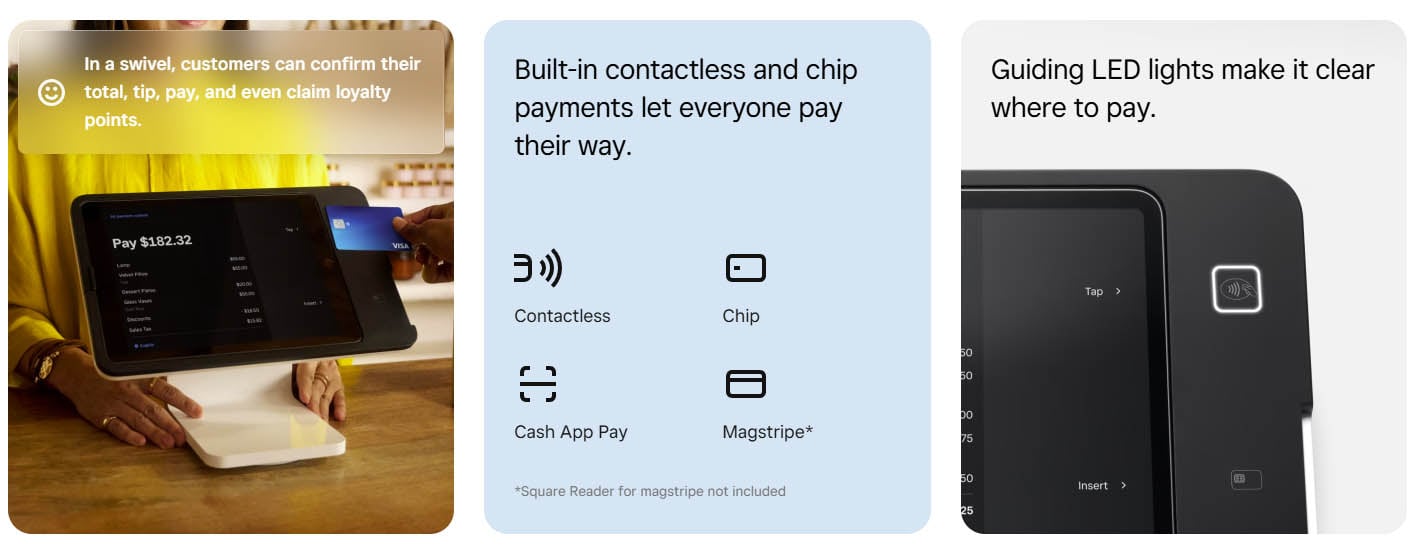
The Stand has a contactless and chip reader built into the base. Customers tap or insert their card directly, with no separate terminal needed. For swipe-only cards, you’ll need the separate Square Reader.
Swiveling Design
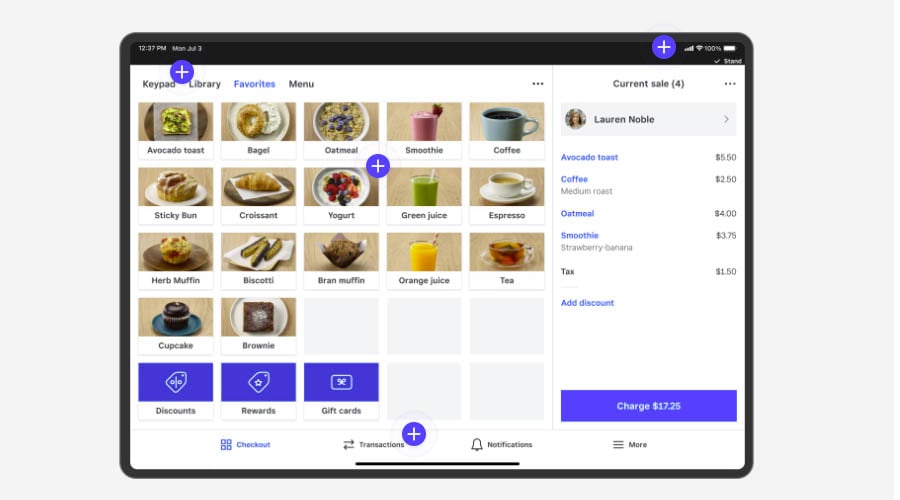
The Stand rotates 180° so you can face the screen toward yourself for order entry, then swivel it to the customer for payment and tipping. The customer-facing screen walks them through tip selection, payment method, and digital receipt options.
Free POS Software
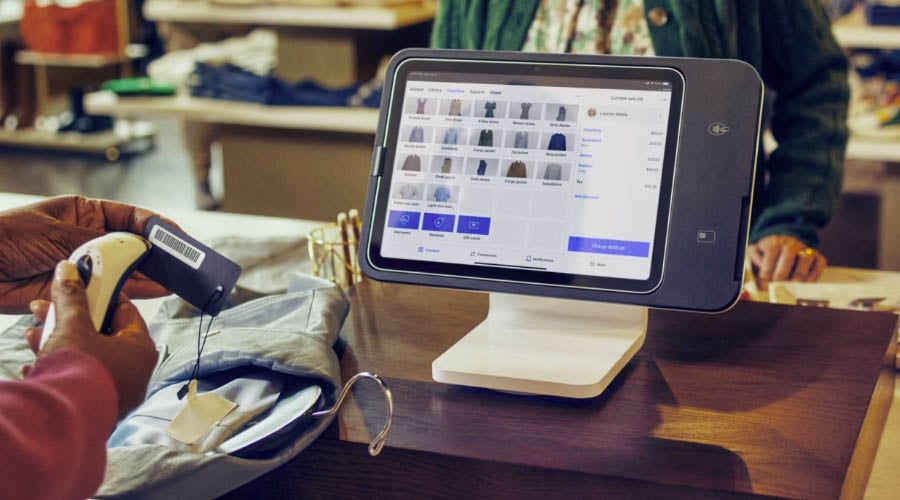
Square’s POS app is free and includes inventory tracking, sales reports, employee management, and customer profiles. Square’s built-in AI assistant also lets you build menus, add items, and troubleshoot problems in plain English, without calling support. Paid add-ons are available for advanced features like loyalty programs and payroll. See our full Square POS review for everything the software does.
Offline Mode
Square Stand keeps taking payments if your internet drops, and it can run on your iPad’s battery if the power goes out. Offline payments sync automatically when you’re back online; they need to process within 24 hours.
Compatible iPads
Square Stand (2nd Gen, USB-C) works with 10.9-inch and most 11-inch iPads:
- iPad (A16)
- iPad (10th generation)
- iPad Air (4th and 5th generation)
- iPad Air 11″ (M2, M3)
- iPad Pro 11″ (1st, 2nd, 3rd, 4th generation)
Note: Older Lightning iPads (like the 10.2″ iPad) aren’t supported by the current Stand. Check your model against Square’s compatibility list before buying. The Stand also supports “iPad powered mode,” which runs on your iPad’s battery without a wall outlet.
Add Square Handheld for the Floor
Square Stand works as the countertop station, and Square Handheld ($399) extends it to the floor for tableside ordering (Plus or Premium plan), line-busting, or inventory counts. Both run on the same Square account.

Limitations to Know
iPad Sold Separately
The $149 price is for the Stand only. You need to buy an iPad separately, which roughly triples your real startup cost. This catches some buyers off guard.
Locked to Square Processing
You cannot use Square Stand with third-party payment processors. You pay Square’s 2.6% + 15¢ in-person rate on the Free plan. For high-volume businesses, this adds up; Square’s paid plans lower the rate, and custom pricing is available above $250K a year.
Account Holds
Square has a reputation for holding funds or pausing accounts when its risk system flags unusual activity, especially on new accounts or sudden volume spikes. Most merchants never run into it, but it’s worth knowing. Consistent processing patterns and keeping documentation handy help.
Check iPad Compatibility
The current Stand only works with USB-C iPads in the 10.9-inch and 11-inch sizes. If you own an older Lightning iPad, budget for a new iPad or consider Square Terminal, which needs no iPad at all.
What Users Say
✅ What users like:
Best Buy verified purchaser
Tech.co
❌ Common complaints:
ConsumerAffairs reviewer
National Processing
Bottom line: The hardware itself gets excellent reviews. Most complaints are about Square’s payment processing and customer support, not the Stand.
Square Stand vs. Alternatives
| Feature | Square Stand | Clover Mini | Toast Starter Kit |
|---|---|---|---|
| Hardware Cost | $149 (+ iPad) | $849 | $0/mo (pay-as-you-go plan) |
| Monthly Software | Free, or from $49/mo | Varies by plan | $0/mo on pay-as-you-go |
| Processing Rate | 2.6% + 15¢ | 2.3%–2.6% + 10¢ | 3.09%–3.69% + 15¢ |
| Processor | Square only | Fiserv, through Clover or a reseller | Toast only |
| Contract | None | 36 months | 2-3 years |
| Best For | Small retail, cafes, restaurants | Retail, restaurants wanting dealer support | Full-service restaurants |
Choose Square Stand if: You want low upfront cost, no contracts, and already have a compatible iPad.
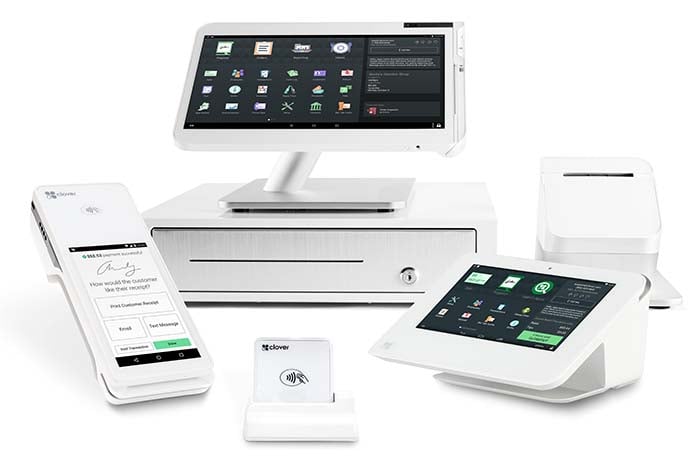
Choose Clover Mini if: You want purpose-built hardware and don’t mind a higher upfront cost and a longer contract.
Choose Toast if: You’re a restaurant willing to commit to a multi-year contract for low upfront hardware cost.
Who Square Stand Is For
✅ Good Fit
- Small retail stores and boutiques
- Coffee shops and cafes
- Quick-service restaurants
- Full-service restaurants (as the countertop station, paired with Square Handhelds for tableside on Plus/Premium; see our Square for Restaurants review)
- Pop-ups and farmers market vendors
- Service businesses (salons, repair shops)
❌ Not Ideal For
- High-volume businesses (processing fees add up)
- Businesses needing processor flexibility
- Very large or complex multi-location operations (Toast may go deeper)
Frequently Asked Questions
How much does Square Stand cost?
Square Stand costs $149, not including the iPad. There’s no monthly fee on Square’s Free plan; you pay 2.6% + 15¢ per in-person transaction.
Does Square Stand include an iPad?
No. The $149 price is for the Stand only. You must purchase an iPad separately, and it needs to be a compatible USB-C model.
Can I use Square Stand with other payment processors?
No. Square Stand only works with Square’s payment processing. You cannot use third-party processors like Stripe or a traditional merchant account.
What are Square's processing fees?
2.6% + 15¢ per in-person tap, dip, or swipe. Keyed-in transactions are 3.5% + 15¢. Online payments are 3.3% + 30¢ on the Free plan, dropping to 2.9% + 30¢ on paid plans.
Does Square Stand work offline?
Yes. Square Stand can take payments without internet, and it runs on your iPad’s battery during a power outage. Offline payments must process within 24 hours of being taken.
Square Stand or Square Terminal?
Square Stand ($149 plus an iPad) gives you a full countertop POS on a big screen. Square Terminal ($299) is a standalone card machine with a built-in printer and no iPad needed. Pick the Stand if you already own a compatible iPad and want a larger screen; pick the Terminal for a simpler, portable setup.
Which iPads work with Square Stand?
The current Square Stand works with 10.9-inch and most 11-inch USB-C iPads: iPad (A16), iPad (10th gen), iPad Air (4th, 5th gen), iPad Air 11″ (M2, M3), and iPad Pro 11″ (1st-4th gen). Older Lightning iPads aren’t supported. Check Square’s compatibility list before buying.
Our Verdict
Square Stand is one of the most affordable ways to set up a professional-looking countertop POS. The $149 price, free software, and no monthly fees make it attractive for small businesses and startups.
The main catches: you need to buy an iPad separately, you’re locked into Square’s processing rates, and Square’s risk system occasionally holds funds on new or fast-growing accounts.
If you’re a low-to-medium volume business that values simplicity over flexibility, Square Stand delivers excellent value. For high-volume businesses or those who want to negotiate processing rates, Clover or a traditional merchant account may be better long-term.
Expert Rating: ⭐ 9/10. With free software and no contracts, Square Stand is one of the best-value countertop POS setups available, especially if you already own a compatible iPad. The iPad-not-included cost and being locked to Square processing are the main caveats, but for small retail, cafes, and quick-service, it’s hard to beat.

Jason Feemster
POS systems expert and founder of POSUSA.com, a trusted industry resource since 2011. With over a decade of hands-on experience testing and reviewing point-of-sale systems, he helps business owners choose solutions that actually fit their needs.
Specification: Square Stand
|
Videos: Square Stand


User Reviews
Be the first to review “Square Stand”











There are no reviews yet.