

Clover POS
$135.00
 Jason Feemster
Clover POS Review: Pricing, Features & Pros vs Cons
Updated: September 2026 • Verified Q4 2026
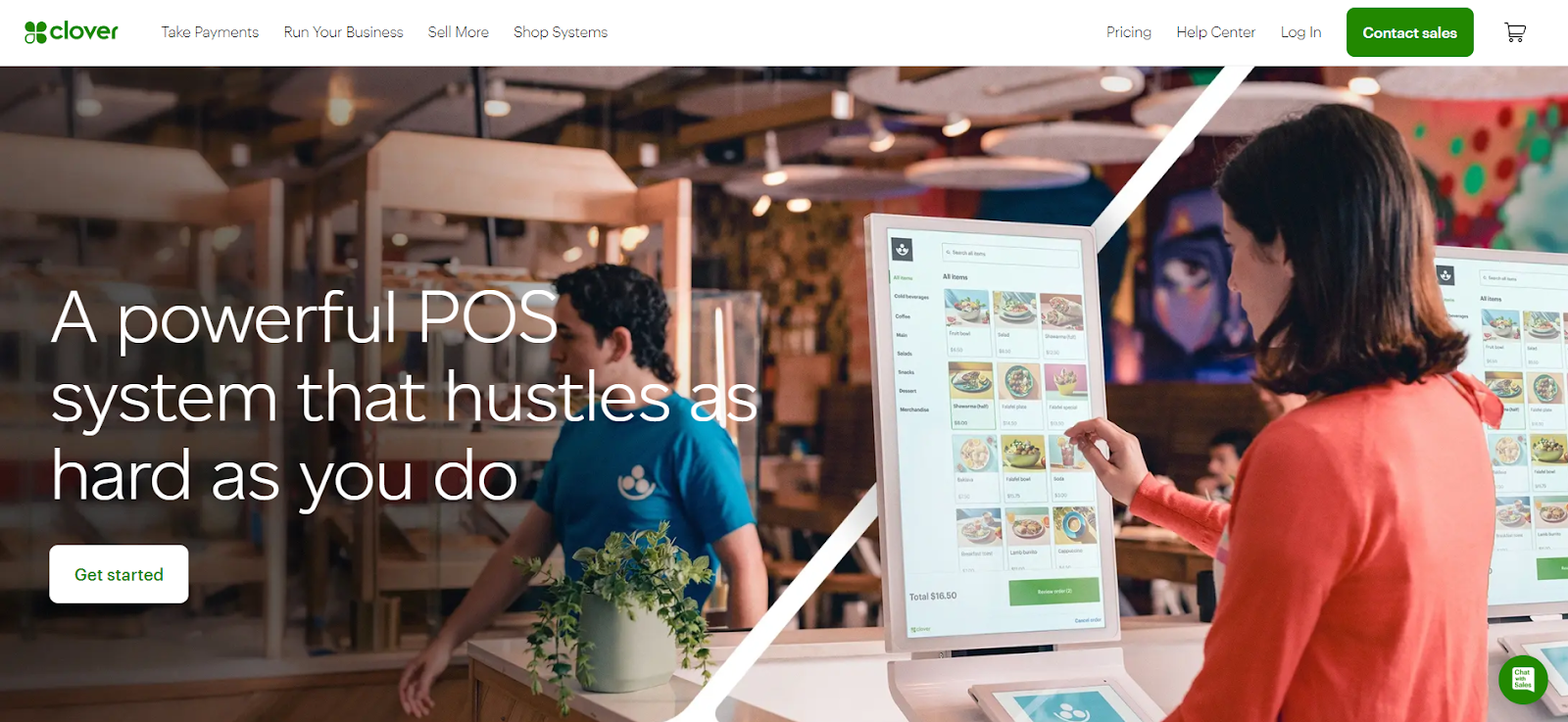
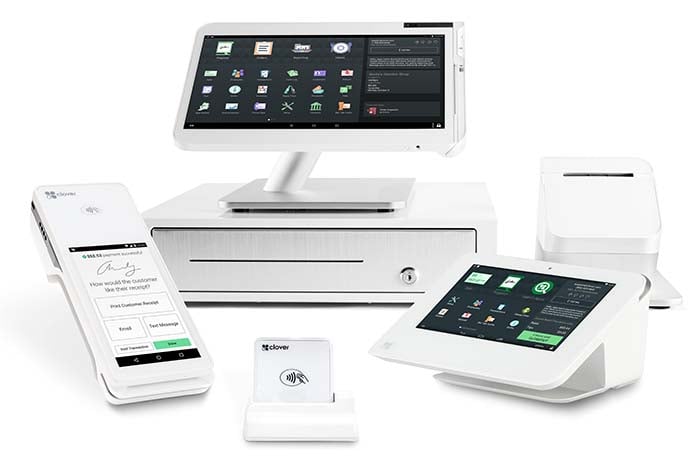
Clover POS is a cloud-based point of sale system owned by Fiserv (formerly First Data), one of the world’s largest payment processors. Launched in 2012, it has become one of the most recognizable POS brands, with distinctive white-and-silver hardware and Android-based software built for restaurants, retail, and service businesses.
Clover’s edge is its all-in-one approach. Hardware, software, and processing come bundled, so you skip stitching together separate providers, and the Clover App Market adds hundreds of integrations for accounting, loyalty, online ordering, and more. The same system runs a coffee shop, a boutique, or a full-service restaurant equally well.
Pros & Cons
- Purpose-built hardware
- Large app marketplace (300+ integrations)
- Works offline for card payments
- Covers retail, restaurants, and services
- Free online ordering included
- 24/7 phone support
- 36-month contract required
- Proprietary hardware only
- Apps add to monthly cost
- Reseller pricing varies widely
- Mixed support reviews
- No free tier (unlike Square)
How Much Does Clover Cost?
Clover prices by business type, and each type offers Starter, Standard, and Advanced tiers. Quick-service restaurant plans start at $135/mo, full-service restaurant plans at $179/mo, and retail plans at $16/mo, all on 36-month contracts with hardware bundled in. You can also buy hardware upfront to lower the monthly software fee. Processing runs 2.3% to 2.6% + $0.10 for card-present sales across all plans, with higher tiers getting the lower rates.
Retail Plans
| Plan | Monthly Cost | What’s Included |
|---|---|---|
| Basic | $16/mo or $349 | Compact countertop terminal, payment acceptance, basic register |
| Standard | $180/mo or $1,899 + $84.95/mo | 14″ touchscreen terminal with 8″ customer display, full retail software |
| Advanced | $240/mo or $2,648 + $104.90/mo | Countertop displays plus a handheld device for line-busting |
The retail Basic plan at $16/mo is a compact terminal for payments and basic register work, not a full Station setup. If you need inventory categories, variants, or a customer-facing screen, that’s the Standard plan.
Quick-Service Restaurant Plans
| Plan | Monthly Cost | What’s Included |
|---|---|---|
| Starter | $135/mo or $849 + $89.95/mo | Mini POS with receipt printer, order management, basic reporting |
| Standard | $185/mo or $1,899 + $89.95/mo | Counter-optimized device, customer database, promotions |
| Advanced | $245/mo or $2,648 + $109.90/mo | Station Duo plus Flex handheld, loyalty programs, advanced analytics |
Full-Service Restaurant Plans
| Plan | Monthly Cost | What’s Included |
|---|---|---|
| Starter | $179/mo or $1,799 + $89.95/mo | Station Solo, receipt printer, cash drawer, table management, floor plans |
| Standard | $239/mo or $2,548 + $109.90/mo | Station Solo plus Flex handheld, tableside ordering, bill splitting |
| Advanced | $354/mo or $4,447 + $129.85/mo | Station Duo plus Flex, customer loyalty, advanced reporting, marketing tools |
*All plans require a 36-month contract when hardware is bundled into the monthly price. Buying hardware upfront lowers the monthly fee, shown as the second figure in each row.
Clover also prices two narrower verticals. Personal services (salons, barbers, spas) start at $16/mo for a compact terminal, and home and field services start at $0 + $29.95/mo for a web-based setup, scaling to a $749 handheld on the Advanced tier. Both suit mobile-first businesses that don’t need a full countertop station.
Hardware Costs (If Purchased Separately)
| Hardware | One-Time Cost | Monthly Option |
|---|---|---|
| Clover Go (mobile reader) | $199 | – |
| Clover Flex (handheld POS) | $749 | $40/mo |
| Clover Flex Pocket | $699 | $35/mo |
| Clover Mini (compact countertop) | $849 | $45/mo |
| Clover Station Solo | $1,799 | $174/mo |
| Clover Station Duo (customer display) | $1,899 | $180/mo |
Key Features
POS & Order Management
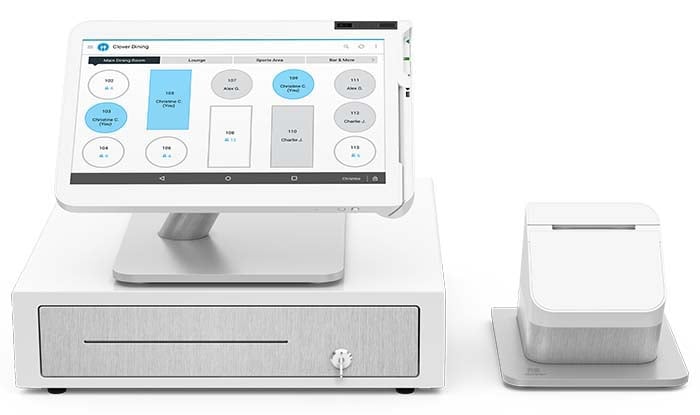
- Table Management: Visual floor plans with drag-and-drop table assignment and status tracking
- Tableside Ordering: Clover Flex handheld for taking orders and payments at the table
- Order Modes: Dine-in, takeout, delivery, curbside, and drive-thru supported
- Bill Splitting: Split by item, seat, percentage, or custom amounts
- Pre-authorized Tabs: Hold cards for bar tabs with automatic closure
Back-Office & Reporting
- Clover Dashboard: Remote access to sales, inventory, and employee data from any device
- Real-Time Reporting: Sales by item, time period, employee, and revenue center
- Cloud Backup: All data stored securely with automatic sync
- Offline Mode: Continue processing payments during internet outages
Inventory & Staff Management
- Inventory Tracking: Stock counts, low-stock alerts, and variance reporting
- Employee Management: Individual logins, permission levels, and shift tracking
- Time Clock: Built-in clock in/out with timecard reports for payroll
Integrations (Clover App Market)
Clover’s Android-based platform supports 300+ apps:
- Accounting: QuickBooks, Xero, FreshBooks
- Online Ordering: ChowNow, DoorDash, Grubhub, Uber Eats
- Loyalty: Fivestars, Loyalzoo, Perka
- Scheduling: Homebase, 7shifts, Deputy
- Marketing: Mailchimp, Constant Contact
- Reservations: Yelp, OpenTable integration available
What the Reviews Say
Clover’s review profile is split, and understanding why helps you make a smarter buying decision. On software-focused review platforms, where business owners rate the actual POS experience, Clover earns solid marks:
- G2: 3.9 / 5, praised for ease of use, multi-location dashboard, and app integrations
- Capterra: 3.9 / 5, strong scores for setup speed and hardware quality
- Software Advice: 3.8 / 5, consistent ratings for daily usability and reporting
On Trustpilot, the score drops to 2.3 / 5 across more than 2,000 reviews. The gap is worth understanding. Trustpilot complaints concentrate on the payment-processing and account side rather than the POS software itself: hidden fees showing up on later statements, held funds during risk review, support agents who struggle to explain charges, and aggressive sales tactics. A large share of these trace back to third-party resellers (banks and ISOs) rather than buying from Clover directly.
Clover vs. Competitors
| Feature | Clover | Square | Toast |
|---|---|---|---|
| Starting Price | $16/mo (retail) | $0/mo (Free plan) | $0/mo (Starter Kit) |
| Contract | 36 months typical | Month-to-month | 2 years typical |
| Processing Fees | 2.3%-2.6% + $0.10 | 2.6% + $0.15 | 2.49%-3.69% |
| Hardware | Clover only | Square or iPad | Toast only |
| Free Plan | No (Virtual Terminal $14.95/mo) | Yes (full POS features) | Yes (higher processing) |
| App Marketplace | 300+ apps | 200+ apps | 100+ integrations |
| Best For | Multi-industry flexibility | Budget-conscious, simplicity | Full-service restaurants |
For a deeper look at how these stack up, see our Toast review for full-service restaurant depth, Square review for month-to-month flexibility, and Lightspeed review for demanding retail inventory.
Who Should Use Clover?
✅ Best fit for:
- Small to mid-sized restaurants, full-service features without enterprise complexity
- Retail stores with food service, since Clover handles both restaurant and retail workflows
- Businesses wanting all-in-one bundles of hardware, software, and processing in one package
- Operators who value hardware aesthetics in customer-facing settings
- Multi-location operators needing a centralized dashboard
❌ Not ideal for:
- Budget-conscious startups, since Square’s free plan offers more at $0/mo
- Businesses wanting hardware flexibility, since Clover requires proprietary hardware
- Those avoiding long contracts, since 36-month commitments are standard
- Large full-service restaurants, where Toast offers deeper restaurant-specific features
- Anyone buying through resellers, where direct purchase from Clover is safer
FAQ
How much does Clover cost per month?
Clover retail plans start at $16/mo for a compact terminal. Quick-service restaurant plans run $135 to $245/mo, and full-service restaurant plans run $179 to $354/mo, all on 36-month contracts with hardware bundled. Processing fees add 2.3% to 2.6% + $0.10 per in-person transaction.
Does Clover require a contract?
Yes, most Clover plans require a 36-month contract when hardware is included in monthly pricing. You can avoid the long contract by purchasing hardware upfront, though you’ll still pay monthly software fees.
Can I use my own hardware with Clover?
No. Clover software only runs on Clover-branded hardware. You cannot use iPads, Android tablets, or third-party terminals with Clover’s POS software.
What are Clover's payment processing fees?
When purchasing directly from Clover: 2.3% to 2.6% + $0.10 for card-present transactions and 3.5% + $0.10 for keyed-in transactions. Rates vary by plan tier, with higher tiers getting the lower rates. Third-party resellers may charge different rates.
Is Clover better than Square?
It depends on your needs. Clover offers more hardware options and deeper customization through its app market. Square offers a free plan with full POS features and no contracts. For budget-conscious businesses, Square is often the better choice. For businesses wanting premium hardware bundles, Clover may be worth the investment. See our Square review for the full comparison.
Does Clover work offline?
Yes. Clover can process credit card payments offline and sync transactions when internet connectivity is restored, a feature many cloud-based competitors lack.
Which Clover device should I buy?
It depends on your setup. The Clover Go ($199) is a mobile reader, the Clover Flex ($749) is a handheld, the Clover Mini ($849) is a compact countertop unit, and the Station Duo ($1,899) is the flagship dual-screen station. Each of our device reviews breaks down which business type it fits.
Verdict
Clover delivers what it promises: reliable hardware, an intuitive interface, and deep customization through its app marketplace. For restaurants and retail that want one all-in-one system instead of separate hardware, software, and processing vendors, it simplifies the whole decision. Offline payments, the remote-access dashboard, and clean multi-location scaling are real advantages.
The two things to plan around are the 36-month contract and app costs that add up. The most important move is to buy direct rather than through a reseller (banks, ISOs), which is where higher rates and headaches originate. Buy direct and you get transparent pricing and the experience that matches Clover’s strong software ratings. Worth comparing against Square for Restaurants for month-to-month flexibility, Toast for deeper restaurant features, or Lightspeed for demanding retail inventory.
Expert Rating: ⭐ 8/10 – A polished all-in-one system with sleek hardware, a deep app marketplace, and reliable offline payments across restaurant, retail, and service. The 36-month contract, proprietary hardware, and reseller markups keep it from a higher score, but bought direct, Clover is one of the strongest all-in-one options available.

Jason Feemster
POS systems expert and founder of POSUSA.com, a trusted industry resource since 2011. With over a decade of hands-on experience testing and reviewing point-of-sale systems, he helps business owners choose solutions that actually fit their needs.
Videos: Clover POS

Photos: Clover POS



3 reviews for Clover POS
Add a review











We had the Clover system in our produce market, unfortunately we had to close. We now can’t use the Clover System but they want let us out of the lease for the equipment so we have to keep paying for it until 2025 at the rate of$40+ a month for something that we can’t use. So make sure you know what you’re getting in to before you get it.
Clover’s customer service is a complete disaster. We used their service for only THREE WEEKS and have been trying to cancel for over two months. No one answers the phone. No one calls back. We are being completely ignored.
After we finally got ahold of someone, Clover is now telling us the only way out of the contract is to pay $12,000. This feels predatory and borderline fraudulent. We barely used the service, yet they’re holding us hostage with an outrageous cancellation fee while refusing to communicate.
Signing up was a mistake, and getting out has been a nightmare. Do yourself a favor and stay far away from Clover.
Clover might be the worst POS company out there. It is always glitching and not responding.
You try to call customer service and it goes top another country! No help for hours.
I tried to get out of the lease but they charged me to get out!
basically the POS is a POS. DO NOT RUIN YOUR SMALL BUSINESS with a company that only cares about themselves!