

SkyTab POS
$29.99
 Jason Feemster
SkyTab POS Review: Pricing, Features & Pros vs Cons
Updated February 2026 • Verified Q1 2026
Table of Contents
- 1 SkyTab Overview
- 2 Pros & Cons
- 3 SkyTab Pricing
- 4 Payment Processing
- 5 Total Cost of Ownership
- 6 Agreement Terms
- 7 Jon Taffer Partnership: The Official Bar Rescue POS
- 8 Who SkyTab Works Best For
- 9 SkyTab Hardware
- 10 Features
- 11 Customer Reviews
- 12 FAQ
- 12.1 Is SkyTab POS changing its name?
- 12.2 Is SkyTab the same as Harbortouch?
- 12.3 How much does SkyTab actually cost?
- 12.4 Can I use my own payment processor?
- 12.5 What's the contract length?
- 12.6 Does SkyTab work if the internet goes down?
- 12.7 Does it integrate with QuickBooks?
- 12.8 What is the Advantage Program?
- 12.9 Is SkyTab the official POS of Bar Rescue?
- 13 Final Verdict

SkyTab is Shift4’s restaurant POS — and at $29.99/month with free hardware, it’s honestly one of the best deals out there for restaurants that don’t want to drop thousands upfront. I’ve been working with SkyTab since the Harbortouch days and have helped hundreds of restaurants get set up on the platform.
It’s also the POS system officially endorsed by Jon Taffer of Bar Rescue — more on that partnership below.
So. Is it right for your restaurant? Let’s get into it.
SkyTab Overview
Here’s a quick walkthrough of what you’re getting with SkyTab:
Pros & Cons
- Free hardware, no upfront cost
- $29.99/mo – hard to beat
- Eliminate processing fees
- Online ordering included
- Loyalty & reservations built in
- 24/7 U.S.-based support
- Lifetime hardware warranty
- Professional install & training
- Shift4 processing required
- 36-month commitment
- Annual fees apply
- Processing rates not posted publicly
- Modifier setup is clunky
SkyTab Pricing
$29.99 per terminal per month. No upfront hardware cost. That’s the headline.
But how does that actually stack up? Here’s what you’d pay elsewhere:
| System | Monthly Cost | Hardware |
|---|---|---|
| SkyTab | $29.99/mo | Included free |
| Toast | $69+/mo | $0 (Pay-as-you-go) or $799+ |
| TouchBistro | $69+/mo | $500–$2,000+ |
| Square for Restaurants | $0–$60/mo | $149–$799 |

What’s Included
The $29.99/month gets you more than most competitors include at twice the price:
- POS hardware (workstation, cash drawer, receipt printer)
- Software and cloud back office
- Online ordering — no extra fee
- Marketing & loyalty tools
- Reservations & waitlist
- Professional installation and training
- 24/7 support
- Lifetime hardware warranty
That last one matters more than people realize. Hardware breaks. It just does. And when your terminal dies during a Saturday dinner rush, you don’t want to be arguing with someone about whether it’s covered.
Payment Processing
Here’s the tradeoff: SkyTab requires Shift4 for payment processing. You can’t bring your own processor.
Standard rate is 2.75% + $0.15 per transaction. But here’s the thing — that’s negotiable. I’ve seen restaurants doing $30K+/month in volume get rates closer to 2.3% + $0.10. Don’t just accept the first offer. Ask for interchange-plus pricing. Worst they can say is no.
The Advantage Program (Cash Discount / Dual Pricing)
This is a big one. SkyTab’s Advantage Program lets you offset — or completely eliminate — your credit card processing fees.
Here’s how it works. You choose one of three options:
- Dual Pricing: Display two prices on your menu — a cash price and a card price. Customers see both and choose.
- Cash Discount: List your card price, then apply a discount at checkout when someone pays cash.
- Supplemental Fee: Add a small fee to all transactions to cover processing costs.
The result? Your effective processing cost drops to near zero. The customer covers the fee (or gets a discount for paying cash), and you keep more of your revenue.
It’s fully compliant with Visa and Mastercard rules when set up correctly. SkyTab sends you all the required signage, and the POS handles the calculations automatically.
Not every restaurant wants to do this — some worry about customer perception. But for those who do, it’s a game-changer. I’ve seen owners save thousands per year.
Total Cost of Ownership
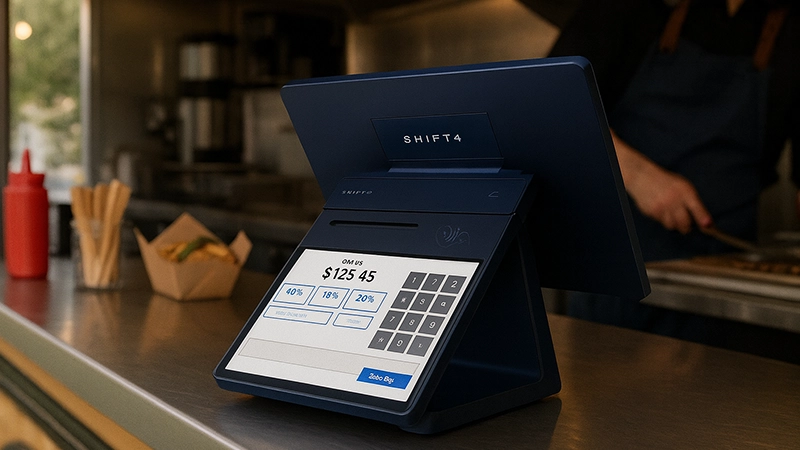
The $29.99/month isn’t the whole picture. There are annual fees you should budget for:
- Annual Program Fee: $250 per device
- Regulatory Assurance Fee: $189.99–$325 per device (charged each January)
So for a single-terminal setup, you’re realistically looking at $800–$900/year all-in, before processing fees. Still competitive — Toast’s Essentials plan runs $828/year ($69/mo) and that’s before hardware.
The contract also includes an annual price adjustment clause. CPI + 1% or 4%, whichever is greater. Sounds scary, but this is pretty standard language in commercial POS agreements. You’ll find similar clauses in Toast, Aloha, and most traditional systems.
Agreement Terms
SkyTab gives you a 30-day trial period. Plenty of time to run it through some busy shifts and make sure it actually works for your operation.
After that, the Merchant Processing Agreement is 36 months (three years).
Now — before you panic — this is standard for restaurant POS systems that include free hardware. Toast has similar terms. Aloha’s contracts are often longer. The reason SkyTab can give you $2,000+ worth of hardware for free is because they’re betting you’ll stick around.
If you’re confident this is your long-term solution, the 36-month term isn’t a big deal. But if you’re the type who likes to switch systems every year or two? SkyTab probably isn’t built for you. And that’s okay.
My advice: Read the full MPA before you sign. Know what you’re agreeing to. Ask questions if something’s unclear.
Jon Taffer Partnership: The Official Bar Rescue POS
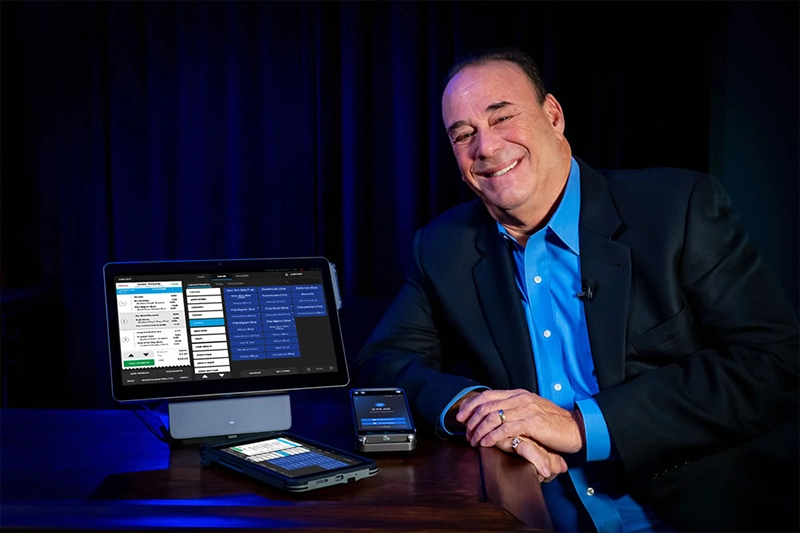
If you’ve watched Bar Rescue, you’ve probably seen SkyTab in action. Jon Taffer has officially endorsed the system and has been a long-time partner with Shift4.
This isn’t just a celebrity endorsement deal. Taffer and SkyTab have collaborated on developing what they call “smart POS” features — revenue-generating tools built directly into the system based on Taffer’s decades of bar and restaurant consulting experience. The partnership dates back to when SkyTab was still called Harbortouch.
More recently, Shift4 and Taffer have run the SkyTab Rescue Mission contest, awarding struggling restaurants with $20,000 grants, one-on-one consulting sessions with Taffer, and complete SkyTab POS systems. In 2024, they expanded the program to five winners and $100,000 in total prize money.
Why does this matter for you? A few reasons:
- Industry credibility. Taffer has consulted for major brands like TGI Fridays, Buffalo Wild Wings, and Ritz-Carlton. If he’s putting his name behind SkyTab, that carries weight.
- Bar-focused features. The system has strong tab management, pre-authorization, and inventory tools — partly because of this partnership.
- Ongoing development. The collaboration isn’t a one-time deal. SkyTab continues to add features informed by real-world hospitality expertise.
If you’re running a bar or nightclub specifically, the Taffer connection is worth considering. The system was built with that environment in mind.
Who SkyTab Works Best For
I’ve set up SkyTab in everything from taco trucks to fine dining spots. But there’s definitely a sweet spot.
✅ Works great for:
- Full-service restaurants — tableside ordering, coursing, split checks all work well
- Quick-service & fast casual — fast, simple, gets out of the way
- Bars & nightclubs — tab management and pre-auth are solid
- Pizzerias — delivery management and online ordering built in
- Multi-location operators — centralized reporting across all your spots
✅ Good fit if you:
- Want predictable monthly costs without a huge upfront investment
- Don’t need to use a specific payment processor
- Plan to stick with your POS for a few years
- Want someone to call at 2am when something breaks
❌ Maybe look elsewhere if you:
- Absolutely need to use your current processor (SkyTab won’t work for you)
- Want month-to-month with no commitment — check out Square
- Run retail, you need a retail pos system
SkyTab Hardware

The hardware is commercial-grade. Built for grease, spills, and the general chaos of a restaurant. Your kit includes:
- SkyTab Workstation — 15″ touchscreen terminal
- Card reader — EMV chip, contactless (Apple Pay, Google Pay), magstripe
- Thermal receipt printer
- Cash drawer
- Router
All covered by a lifetime replacement warranty. Something dies, they replace it. Simple as that.
You can add SkyTab Mobile (handheld for tableside) and Kitchen Display Systems if you need them. Extra monthly cost for those.
In my experience, most restaurants go live within about 3 weeks from signing. That includes Shift4 approval, scheduling, installation, menu programming, and training. Not instant, but not bad either.
Features
✅ What actually works well:
- The interface. Clean. Intuitive. Most staff pick it up in one training session. I’ve seen servers who’ve never used a POS before get comfortable within a shift or two.
- Tableside ordering. SkyTab Mobile speeds things up and cuts down on order mistakes. Servers love it once they get used to it.
- Online ordering. Built in. Free. No DoorDash fees eating your margins. Orders flow right to the kitchen.
- Reporting. Lighthouse (the back office) gives you sales, labor, inventory — the works. And the InCharge app lets you check in from your phone when you’re not there.
- Reservations. Built-in reservation and waitlist management. No OpenTable fees.
- Integrations. QuickBooks, Xero, DoorDash, 7shifts, and a bunch more.
❌ What could be better:
- Modifier setup. If you’ve got a complex menu with tons of modifications, this can get tedious. It works, but it’s not the smoothest part of the system.
- Occasional glitches. Software updates sometimes introduce small bugs. They fix them pretty quick, but it happens.
- Support response times. Varies. Simple stuff gets resolved fast. Complex issues can take longer than you’d like. Not a dealbreaker, but worth knowing.
Customer Reviews
SkyTab has a 4.8/5 rating on Trustpilot. That’s genuinely impressive for a POS company — this industry isn’t exactly known for happy customers.
See for yourself: SkyTab on Trustpilot
What people like: ease of use, the value, responsive support, free hardware.
What people complain about: processing fees going up over time, occasional billing confusion. Pretty typical stuff for merchant services.
FAQ
Is SkyTab POS changing its name?
Yes. Shift4 has announced that SkyTab POS will rebrand as Shift4 Dine in May 2026. The product, pricing, and hardware remain unchanged — it’s a brand consolidation under the Shift4 name. This review will be updated at launch.
Is SkyTab the same as Harbortouch?
Yeah, same system. SkyTab used to be Harbortouch — they rebranded a few years back when Shift4 took over. Updated hardware, updated software, same company.
How much does SkyTab actually cost?
$29.99 per terminal per month. Hardware’s included. Processing fees (2.75% + 15¢ standard, but negotiable) are separate. There are also annual fees — around $400–$500/device/year depending on when you sign up.
Can I use my own payment processor?
No. SkyTab requires Shift4 processing. That’s the tradeoff for getting free hardware.
What's the contract length?
30-day trial where you can cancel without penalty. After that, it’s a 36-month agreement. That’s pretty standard for restaurant POS systems that include free hardware. Read the full terms before signing.
Does SkyTab work if the internet goes down?
Yes. Core POS functions work offline. Transactions queue up and process when you’re back online.
Does it integrate with QuickBooks?
Yep. QuickBooks Online, QuickBooks Desktop, Xero, and Oracle NetSuite.
What is the Advantage Program?
It’s SkyTab’s cash discount / dual pricing program. It lets you offset or eliminate credit card processing fees by either showing two prices (cash and card) or giving a discount for cash payments. The customer covers the processing cost, not you. It’s optional and fully compliant with card brand rules.
Is SkyTab the official POS of Bar Rescue?
Yes. Jon Taffer has officially endorsed SkyTab and partnered with Shift4 on multiple initiatives, including the SkyTab Rescue Mission contest. The partnership has been ongoing since the Harbortouch days, and Taffer has collaborated on developing features specifically for bars and restaurants.
Final Verdict
Look — SkyTab isn’t perfect. No POS is. But for restaurants that want solid features without dropping thousands upfront, it’s really hard to beat.
The $29.99/month price is real. The free hardware is real. The 24/7 support is real. And the feature set holds its own against systems that cost twice as much.
The tradeoff? Commitment. You’re signing up with Shift4 for processing, and you’re agreeing to a 36-month term. For a lot of restaurants, that’s totally fine. You’re not planning to switch POS systems every year anyway. But if flexibility is your top priority, this isn’t the system for you.
My recommendation: Take the 30-day trial seriously. Get it installed. Train your people. Run it through a few Friday nights. If it works, great — you’ve got a system that’ll serve you well for years. If it doesn’t click, you can walk away before you’re committed.
One more thing worth noting: Shift4 has announced SkyTab POS will rebrand as Shift4 Dine in May 2026. Same system, same pricing, same hardware — just unified under the Shift4 master brand. If you’re evaluating now, you’re buying into the same platform either way.

Jason Feemster
POS systems expert and founder of POSUSA.com, a trusted industry resource since 2011. With over a decade of hands-on experience testing and reviewing point-of-sale systems, he helps business owners choose solutions that actually fit their needs.
Specification: SkyTab POS
|
Videos: SkyTab POS

User Reviews
Be the first to review “SkyTab POS”















There are no reviews yet.