
Square Stand
$149.00
 Jason Feemster
Square Stand for iPad Review
Updated January 2026 • Verified Q1 2026
Table of Contents
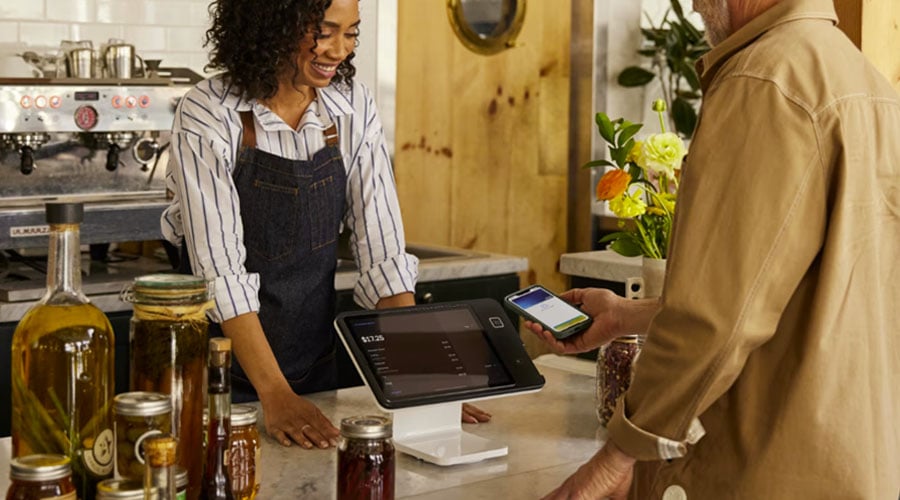
Square Stand (2nd Gen) turns your iPad into a countertop POS system with a built-in card reader. At $149, it’s one of the most affordable ways to set up a professional checkout — but the iPad isn’t included, and you’re locked into Square’s payment processing.
Square now offers two versions: USB-C (for newer iPads like 10th gen and iPad Air) and Lightning (for older models). Both cost $149.
This review covers pricing, features, real limitations, and how Square Stand compares to alternatives like Clover Mini and Toast.
Pros vs. Cons
- Affordable hardware ($149)
- Free POS software included
- Built-in contactless + chip reader
- Swivels for customer-facing checkout
- No monthly fees or contracts
- Works offline using iPad battery
- iPad not included ($329+ extra)
- Locked to Square processing only
- 2.6% + 15¢ adds up at high volume
- Account freezes reported by some users
- No magstripe reader built-in
- Two versions (USB-C/Lightning) — buy the right one
Square Stand Pricing
| Item | Price | Notes |
|---|---|---|
| Square Stand (2nd Gen) | $149 | iPad stand with built-in contactless + chip reader |
| iPad (not included) | $329+ | Must purchase separately |
| Receipt Printer | ~$299 | Optional USB printer kit |
| Cash Drawer | ~$109 | Optional |
| Square Reader (magstripe) | Free–$49 | For swipe-only cards |
Payment Processing Fees:
- In-person: 2.6% + 15¢ per tap, dip, or swipe
- Keyed-in: 3.5% + 15¢
- Online: 2.9% + 30¢
Total startup cost: ~$478+ (Stand + iPad + tax)
No monthly software fees. No contracts. No termination fees.
Key Features
Built-In Card Reader
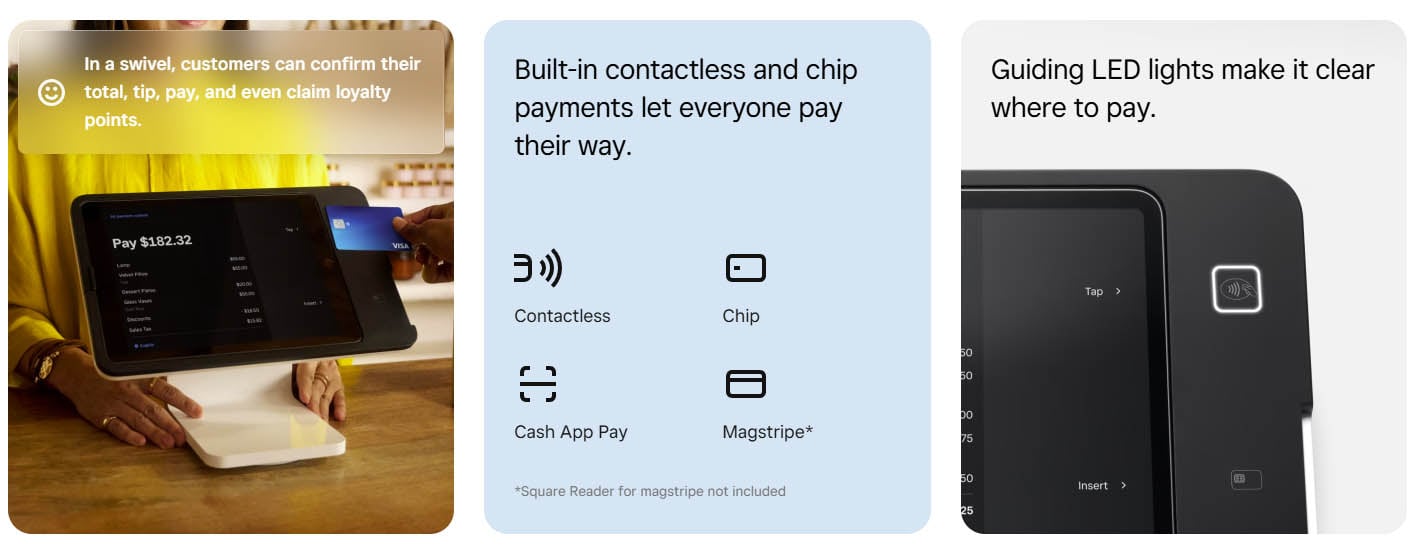
The Stand has a contactless and chip reader built into the base. Customers tap or insert their card directly — no separate terminal needed. For swipe-only cards, you’ll need the separate Square Reader (free with signup or $49).
Swiveling Design
The Stand rotates 180° so you can face the screen toward yourself for order entry, then swivel it to the customer for payment and tipping. The customer-facing screen walks them through tip selection, payment method, and digital receipt options.
Free POS Software
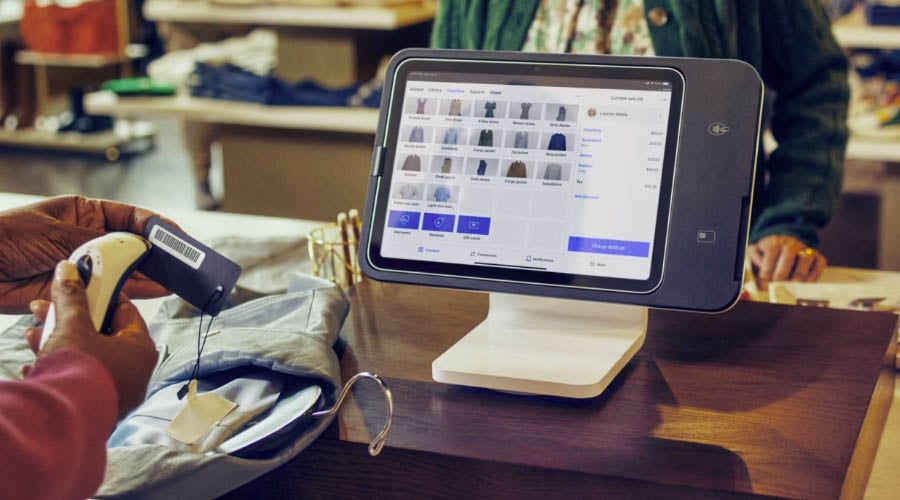
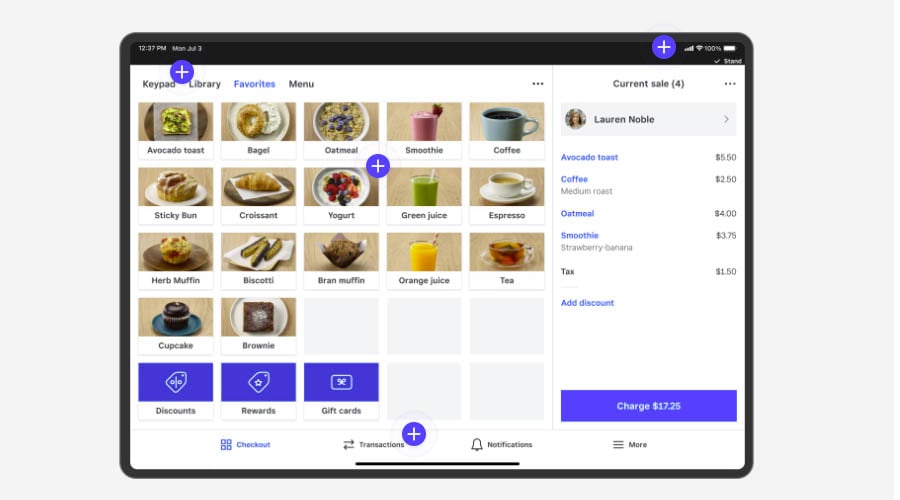
Square’s POS app is free and includes inventory tracking, sales reports, employee management, and customer profiles. Paid add-ons available for advanced features like loyalty programs and payroll.
Offline Mode
Unlike some competitors, Square Stand works offline using your iPad’s battery. Transactions sync automatically when you’re back online.
Compatible iPads
Square Stand (2nd Gen) comes in two versions — make sure you buy the right one for your iPad:
USB-C Version (for newer iPads):
- iPad (10th generation)
- iPad Air (4th and 5th generation)
- iPad Air 11″ (M2, M3)
- iPad Pro 11″ (1st, 2nd, 3rd, 4th generation)
Lightning Version (for older iPads):
- 10.2″ iPad (2019, 2020, 2021)
- 10.5″ iPad Air (2019)
- iPad Pro 10.5″
Note: Check your iPad’s connector type before purchasing. The USB-C version also supports “iPad powered mode” which runs on your iPad’s battery without a wall outlet.

Limitations to Know
iPad Sold Separately
The $149 price is for the Stand only. You need to buy an iPad separately ($329+), which brings your real startup cost to $478+. This catches some buyers off guard.
Locked to Square Processing
You cannot use Square Stand with third-party payment processors. You’re locked into Square’s 2.6% + 15¢ rate. For high-volume businesses, this adds up — and you can’t negotiate lower rates unless you upgrade to Square Plus or Premium plans.
Account Stability Concerns
Square has a reputation for freezing accounts or holding funds with little warning. The BBB has logged thousands of complaints about this. Most users have no issues, but it’s a known risk — especially for new accounts or unusual transaction patterns.
Two Versions Available
Square sells USB-C and Lightning versions of the Stand. Make sure you buy the correct version for your iPad — they’re not interchangeable.
What Users Say
✅ What users like:
— Best Buy verified purchaser
— Tech.co
❌ Common complaints:
— ConsumerAffairs reviewer, Dec 2025
— National Processing
Bottom line: The hardware itself gets excellent reviews. Most complaints are about Square’s payment processing and customer support — not the Stand.
Square Stand vs. Alternatives
| Feature | Square Stand | Clover Mini | Toast Starter Kit |
|---|---|---|---|
| Hardware Cost | $149 (+ iPad $329+) | $849 | $0 (with 2-yr contract) |
| Monthly Fee | $0 | $14.95+ | $0 |
| Processing Rate | 2.6% + 15¢ | 2.3% + 10¢ | 2.99% + 15¢ |
| Choose Your Processor? | No (Square only) | Yes | No (Toast only) |
| Best For | Small retail, cafes, mobile | Retail, restaurants wanting flexibility | Full-service restaurants |
| Contract | None | Yes (varies by reseller) | 2 years (for free hardware) |
Choose Square Stand if: You want low upfront cost, no contracts, and already have a compatible iPad.
Choose Clover Mini if: You want processor flexibility and don’t mind higher upfront cost.
Choose Toast if: You’re a restaurant willing to commit to a 2-year contract for free hardware.
Who Square Stand Is For
✅ Good Fit
- Small retail stores and boutiques
- Coffee shops and cafes
- Quick-service restaurants
- Pop-ups and farmers market vendors
- Service businesses (salons, repair shops)
❌ Not Ideal For
- High-volume businesses (processing fees add up)
- Businesses needing processor flexibility
- Full-service restaurants (consider Toast instead)
Frequently Asked Questions
Does Square Stand include an iPad?
No. The $149 price is for the Stand only. You must purchase an iPad separately ($329+). Square offers USB-C and Lightning versions — make sure you buy the right one for your iPad model.
Can I use Square Stand with other payment processors?
No. Square Stand only works with Square’s payment processing. You cannot use third-party processors like Stripe or a traditional merchant account.
What are Square's processing fees?
2.6% + 15¢ per in-person tap, dip, or swipe. Keyed-in transactions are 3.5% + 15¢. Online payments are 2.9% + 30¢.
Does Square Stand work offline?
Yes. Square Stand can process payments offline using your iPad’s battery. Transactions sync automatically when you reconnect to the internet.
Which iPads work with Square Stand?
Square Stand (2nd Gen) comes in two versions. The USB-C version works with: iPad (10th gen), iPad Air (4th, 5th gen), iPad Air 11″ (M2, M3), and iPad Pro 11″ (1st-4th gen). The Lightning version works with: iPad 10.2″ (2019-2021), iPad Air 10.5″ (2019), and iPad Pro 10.5″. Make sure you buy the correct version for your iPad.
Our Verdict
Square Stand is one of the most affordable ways to set up a professional-looking countertop POS. The $149 price, free software, and no monthly fees make it attractive for small businesses and startups.
The main catches: you need to buy an iPad separately ($329+), you’re locked into Square’s processing rates, and Square has a history of account freezes that can disrupt your business.
If you’re a low-to-medium volume business that values simplicity over flexibility, Square Stand delivers excellent value. For high-volume businesses or those who want to negotiate processing rates, Clover or a traditional merchant account may be better long-term.

Jason Feemster
POS systems expert and founder of POSUSA.com, a trusted industry resource since 2011. With over a decade of hands-on experience testing and reviewing point-of-sale systems, he helps business owners choose solutions that actually fit their needs.
Specification: Square Stand
|
Videos: Square Stand


User Reviews
Be the first to review “Square Stand”



















There are no reviews yet.