
Squareup.com
$0.00
 Jason Feemster
Squareup.com Explained: Fees, Features & Plans (2026)
Updated January 2026 • Verified Q1 2026
Table of Contents

What You Can Do with Squareup.com?
Squareup.com is the official website for Square — a financial technology company that helps small businesses accept payments, run point-of-sale transactions, send invoices, and manage day-to-day operations. Square is owned by Block, Inc. (formerly Square, Inc.).
If you’re here wondering, “What exactly does Square do?” — you’re not alone. Whether you’re a new entrepreneur, freelancer, or brick-and-mortar shop owner, Square offers a wide range of free and low-cost tools to help run your business.
On Squareup.com, you can:
- Sign up for a free account
- Accept payments in-person or online
- Use virtual terminals and send professional invoices
- Track sales, inventory, and customer data
- Explore Square’s hardware (like card readers and POS systems)
👉 Looking specifically for a POS system? Check out our in-depth Square POS review for pricing, pros & cons, and how it compares to alternatives.
Who is Square Best For?
Square is best for small businesses and individuals who need a simple, affordable, and flexible payment processing solution. The company’s transparent pricing model, user-friendly interface, and range of features make it a popular choice for businesses of all sizes and types, including retail stores, restaurants, food trucks, service providers, and online sellers.
Square is ideal for businesses that need to manage both in-person sales and online transactions.
Square is also a good option for businesses that need to process payments on-the-go, as it offers a mobile card reader and a mobile app that allows businesses to accept payments using their smartphone or tablet.
Squareup.com Pros vs. Cons
- Free to start, no monthly fees on basic plan
- Simple flat-rate pricing
- Easy setup and user-friendly interface
- Accepts cards, Apple Pay, Google Pay, Afterpay
- Free POS app with inventory and reporting
- Mobile card reader for on-the-go payments
- Square Online for free ecommerce
- Higher fees for keyed-in transactions (3.5% + 15¢)
- Online rate increased to 3.3% + 30¢ on Free plan
- Limited customization options
- Customer support can be slow
- Locked to Square payment processing
Square Pricing Overview

Square restructured its pricing in October 2025. The company now offers three subscription tiers — Free, Plus, and Premium — each with different monthly fees and processing rates.
Square Subscription Plans
| Plan | Monthly Fee | In-Person Rate | Online Rate | Best For |
|---|---|---|---|---|
| Free | $0 | 2.6% + 15¢ | 3.3% + 30¢ | New or low-volume sellers |
| Plus | $49/mo | 2.5% + 15¢ | 2.9% + 30¢ | Growing businesses |
| Premium | $149/mo | 2.4% + 15¢ | 2.9% + 30¢ | High-volume sellers |
Square Processing Fees by Payment Type
| Payment Type | Rate | Details |
|---|---|---|
| In-Person (tap, dip, swipe) | 2.6% + 15¢ | Free plan rate. Plus: 2.5% + 15¢. Premium: 2.4% + 15¢. |
| Online | 3.3% + 30¢ | Free plan rate. Plus/Premium: 2.9% + 30¢. |
| Manually Entered / Card on File | 3.5% + 15¢ | Keyed-in payments, phone orders, or saved cards. |
| Invoices (card) | 3.3% + 30¢ | Free plan rate. Plus/Premium: 2.9% + 30¢. |
| ACH Bank Transfer | 1% ($1 min) | $10 fee cap on Plus/Premium plans. |
| Afterpay | 6% + 30¢ | Buy now, pay later option. |
| Cash or Check | Free | No processing fees. |
Businesses processing over $250K/year may qualify for custom rates. Prices subject to change at any time
Square Key Features
- Payment Processing: Accepts credit and debit cards, Apple Pay, Google Pay, and contactless payments.
- Virtual Terminal: Accept payments over the phone or manually through a web browser.
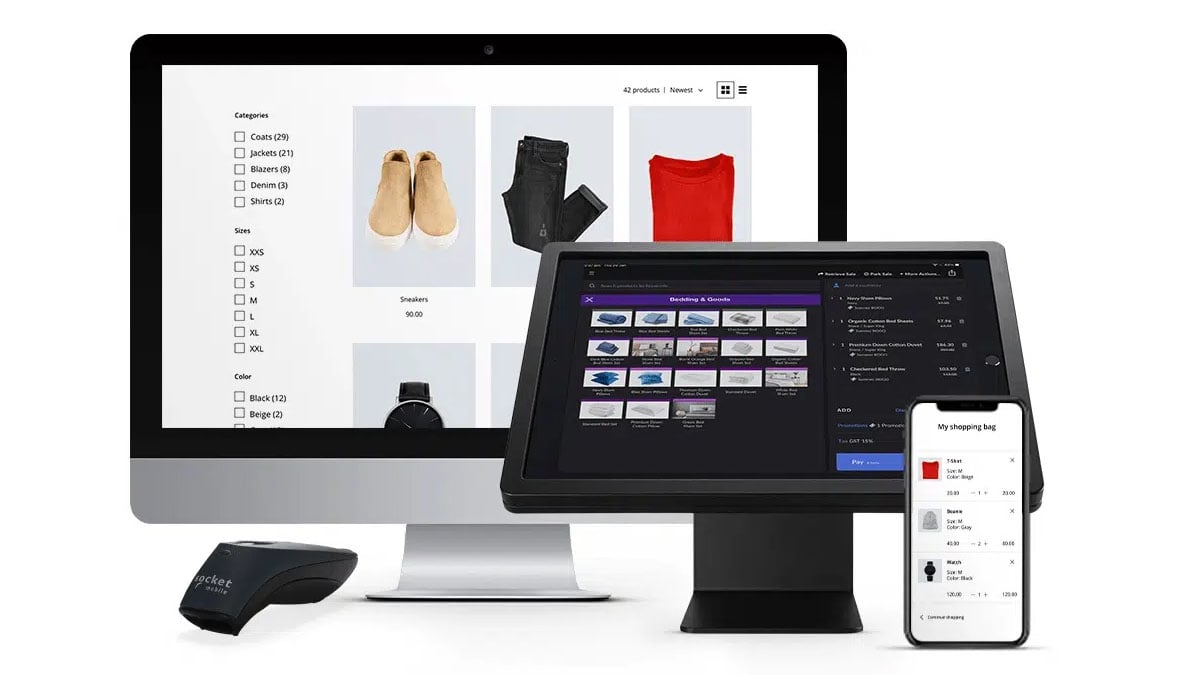
- Point-of-Sale Software: Square’s POS system tracks sales, manages inventory, and prints custom receipts.
- Square Online: Free ecommerce tools to build an online store.
- Invoicing: Send professional invoices with flexible payment options.
- Hardware Options: Card readers, terminals, and receipt printers.
- Employee Management: Manage staff logins, track hours, and set permissions.
- Reporting & Analytics: View performance metrics by product, employee, or timeframe.
- Inventory Management: Track stock levels and set low-inventory alerts.
- App Integrations: Connect Square to QuickBooks, Xero, Shopify, and more.
- Gift Cards: Sell and redeem digital or physical gift cards.
- Customer Directory: Store customer profiles and purchase history.
- Square Appointments: Built-in scheduling software.
Square Business Services
Square Capital and Funding
Square Capital offers funding options for small businesses with loans up to $350,000. Repayment is automatic via a percentage of daily sales — no fixed monthly payments. Eligibility is based on your Square sales history.
Square Payroll
Square Payroll is a full-service payroll solution starting at $35/month plus $6 per employee. It handles pay calculations, tax filings, benefits administration, and workers’ comp insurance.
Square Banking
Square Checking is a free business checking account with instant access to Square sales — no waiting for next-day deposits. Square Savings offers 1.00% APY with no fees or minimums.
Square Hardware

| Hardware | Price | Best For |
|---|---|---|
| Square Reader (2nd Gen) | $59 | Mobile sellers, markets, pop-ups |
| Square Terminal | $299 | Countertop or portable use |
| Square Register Kit | $1339 | Full countertop POS |
| Square Stand | $149 | iPad-based checkout |
| Reader for Magstripe | Free (first one) | Basic swipe payments |
Top Alternatives to Square
Clover POS
Toast POS
TouchBistro POS
SumUp
PayPal Zettle
FAQs about Squareup.com
What is Square used for?
Square is a financial technology company that offers payment processing, point of sale software, and financial tools like invoicing, inventory management, payroll, and business banking to small businesses and individuals.
Is Square legit?
Yes. Square was founded in 2009 and is now part of Block, Inc., a publicly traded company on the NYSE. Square is PCI-DSS compliant and holds SOC 2 and SOC 3 certifications for security and data privacy.
How much does Square cost?
Square offers a Free plan with no monthly fees — you only pay processing fees per transaction (2.6% + 15¢ in-person, 3.3% + 30¢ online). Plus ($49/mo) and Premium ($149/mo) plans offer lower processing rates.
No hidden fees. Processing fees are flat-rate and transparent. Additional costs may apply for add-ons like KDS ($20–$30/mo per device), Kiosk ($30–$50/mo per device), or payroll ($35/mo + $6/employee).
Can Square be used for online stores?
Yes. Square Online lets you create a free online store to sell products, accept payments, manage orders, and sync inventory with your POS — all from one dashboard.
Our Verdict
Square is a strong choice for small businesses and solo operators looking for a flexible, affordable payment system. The free plan makes it easy to start, and the flat-rate pricing is simple to understand.
That said, Square’s fees have increased. The in-person rate went from 2.6% + 10¢ to 2.6% + 15¢ in February 2025, and online transactions on the Free plan now cost 3.3% + 30¢. For businesses with higher volume, the Plus ($49/mo) or Premium ($149/mo) plans offer lower processing rates.
Square isn’t ideal for businesses that need heavy customization or negotiated processing rates. But for most small businesses, the ease of use, free POS app, and integrated tools make it worth considering.

Jason Feemster
POS systems expert and founder of POSUSA.com, a trusted industry resource since 2011. With over a decade of hands-on experience testing and reviewing point-of-sale systems, he helps business owners choose solutions that actually fit their needs.
Specification: Squareup.com
|
Videos: Squareup.com

2 reviews for Squareup.com
Add a review













We are a small ecommerce store. Squareup does not provide a secure payment method for online payment. As soon as I connected square payment method to our ecommerce store, we started getting lot more transactions than before. After 1 month, all of them reported payment dispute as those are done by scam people through Square online payment. We fulfilled , delivered all orders to customers and provided proof of delivery with tracking number. Still ,Square did not provide any help on solving payment dispute. Their customer service did not respond at all and ignore our cases. Totally unprofessional people work on the customer service team. We ended up losing a lot of money from those disputes. We immediately disconnected their payment method. We will never use it again nor will recommend it to anyone. Square is a very illegitimate and unprofessional business.
Square is a giant scam check there BBB. They will steal your money!