
Squareup.com
$0.00
 Jason Feemster
Squareup.com Explained: Fees, Features & Plans
Updated October 2026

What You Can Do with Squareup.com?
Squareup.com is the official website for Square, a financial technology company that helps small businesses accept payments, run point-of-sale transactions, send invoices, and manage day-to-day operations. Square is owned by Block, Inc. (formerly Square, Inc.).
If you’re here wondering “What exactly does Square do?”, you’re not alone. Whether you’re a new entrepreneur, freelancer, or brick-and-mortar shop owner, Square offers a wide range of free and low-cost tools to help run your business.
On Squareup.com, you can:
- Sign up for a free account
- Accept payments in-person or online
- Use virtual terminals and send professional invoices
- Track sales, inventory, and customer data
- Explore Square’s hardware (like card readers and POS systems)
👉 Looking specifically for a POS system? Check out our in-depth Square POS review for pricing, pros & cons, and how it compares to alternatives.
Who is Square Best For?
Square is best for small businesses and individuals who need a simple, affordable, and flexible payment processing solution. The company’s transparent pricing model, user-friendly interface, and range of features make it a popular choice for businesses of all sizes and types, including retail stores, restaurants, food trucks, service providers, and online sellers.
Square is ideal for businesses that need to manage both in-person sales and online transactions.
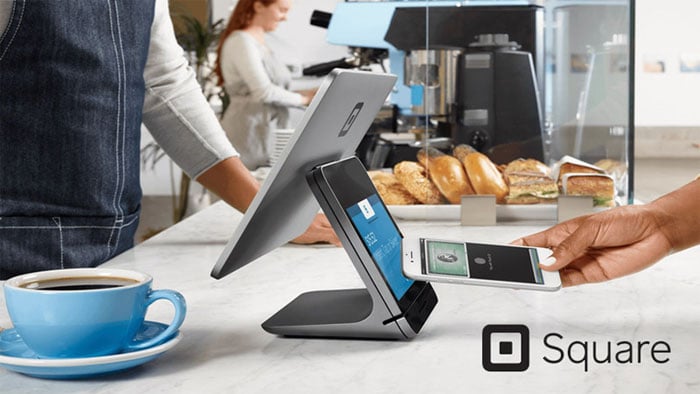
Square is also a good option for businesses that need to process payments on the go, as it offers mobile card readers, Tap to Pay on iPhone and Android, and a mobile app that lets businesses accept payments using their smartphone or tablet.
Squareup.com Pros vs. Cons
- Free to start, no monthly fees
- Simple flat-rate pricing
- Easy, user-friendly setup
- Accepts cards, Apple Pay, Google Pay
- Free POS app with reporting
- Built-in AI assistant
- Free Square Online ecommerce
- Higher fees on keyed-in payments
- Higher online rate on Free plan
- Limited customization options
- Support can be slow
- Locked to Square processing
Square Pricing Overview

Square pricing starts at $0/mo on the Free plan, with paid plans from $49/mo. Square offers three subscription tiers, Free, Plus, and Premium, each with different monthly fees and processing rates. Plus and Premium also include Square’s loyalty program and email and text marketing, which Square used to sell as separate add-ons, and Premium adds 24/7 phone support.
Square Subscription Plans
| Plan | Monthly Fee | In-Person Rate | Online Rate | Best For |
|---|---|---|---|---|
| Free | $0/mo | 2.6% + 15¢ | 3.3% + 30¢ | New or low-volume sellers |
| Plus | $49/mo | 2.5% + 15¢ | 2.9% + 30¢ | Growing businesses (includes loyalty and marketing) |
| Premium | $149/mo | 2.4% + 15¢ | 2.9% + 30¢ | High-volume sellers (adds 24/7 support) |
Square Processing Fees by Payment Type
| Payment Type | Rate | Details |
|---|---|---|
| In-Person (tap, dip, swipe) | 2.6% + 15¢ | Free plan rate. Plus: 2.5% + 15¢. Premium: 2.4% + 15¢. |
| Online | 3.3% + 30¢ | Free plan rate. Plus/Premium: 2.9% + 30¢. |
| Manually Entered / Card on File | 3.5% + 15¢ | Keyed-in payments, phone orders, or saved cards. |
| Invoices (card) | 3.3% + 30¢ | Free plan rate. Plus/Premium: 2.9% + 30¢. |
| ACH Bank Transfer | 1% ($1 min) | $10 fee cap on Plus/Premium plans. |
| Afterpay | 6% + 30¢ | Buy now, pay later option. |
| Cash or Check | Free | No processing fees. |
Businesses processing over $250K/year may qualify for custom rates. Prices subject to change at any time.
Square Key Features
- Payment Processing: Accepts credit and debit cards, Apple Pay, Google Pay, and contactless payments.
- Tap to Pay: Accept contactless payments on an iPhone or Android phone with no extra hardware.
- Virtual Terminal: Accept payments over the phone or manually through a web browser.
- Point-of-Sale Software: Square’s POS system tracks sales, manages inventory, and prints custom receipts.
- AI Assistant: Build menus, edit items, and troubleshoot problems in plain English, right inside the app.
- Square Online: Free ecommerce tools to build an online store.
- Invoicing: Send professional invoices with flexible payment options.
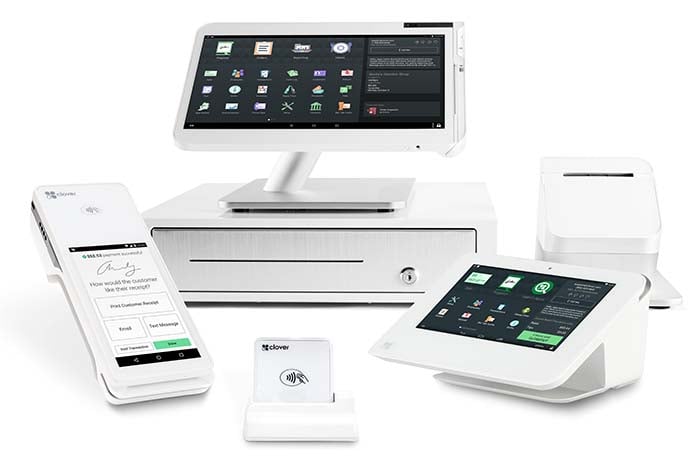
- Hardware Options: Card readers, terminals, handhelds, and receipt printers.
- Employee Management: Manage staff logins, track hours, and set permissions.
- Reporting & Analytics: View performance metrics by product, employee, or timeframe.
- Inventory Management: Track stock levels and set low-inventory alerts.
- App Integrations: Connect Square to QuickBooks, Xero, Shopify, and more.
- Gift Cards: Sell and redeem digital or physical gift cards.
- Customer Directory: Store customer profiles and purchase history.
- Square Appointments: Built-in scheduling software.
- Square Payroll: Full-service payroll starting at $35/month plus $6 per person paid, handling pay calculations, tax filings, and benefits administration.
Square Hardware

Square sells a full hardware lineup, far more than we can list here. These are some of its most popular options for new and growing businesses:
| Hardware | Price | Best For |
|---|---|---|
| Square Reader (2nd Gen) | $59 | Mobile sellers, markets, pop-ups |
| Square Stand | $149 | iPad-based checkout |
| Square Terminal | $299 | Countertop or portable use |
| Square Handheld | $399 | Tableside, line-busting, inventory counts |
| Square Register Kit | $1,189 | Full countertop POS |
| Reader for Magstripe | Free (first one), then $10 | Basic swipe payments |
*Prices subject to change at any time. See our current Square hardware deals and promos for the latest costs and kit options.
For a full breakdown of Square’s plans and processing rates, see our Square POS pricing guide.
Top Alternatives to Square
FAQs about Squareup.com
What is Square used for?
Square is a financial technology company that offers payment processing, point of sale software, and business tools like invoicing, inventory management, online stores, and payroll to small businesses and individuals.
Is Square legit?
Yes. Square was founded in 2009 and is now part of Block, Inc., a publicly traded company on the NYSE. Square is PCI-DSS compliant and holds SOC 2 and SOC 3 certifications for security and data privacy.
How much does Square cost?
Square offers a Free plan with no monthly fees, you only pay processing fees per transaction (2.6% + 15¢ in-person, 3.3% + 30¢ online). Plus ($49/mo) and Premium ($149/mo) plans offer lower processing rates.
No hidden fees. Processing fees are flat-rate and transparent. Loyalty and email and text marketing are included in Plus and Premium. Additional costs may apply for add-ons like KDS ($20-$30/mo per device), Kiosk ($30-$50/mo per device), or payroll ($35/mo + $6/person).
Can Square be used for online stores?
Yes. Square Online lets you create a free online store to sell products, accept payments, manage orders, and sync inventory with your POS, all from one dashboard.
Do I need hardware to use Square?
No. You can take contactless payments with Tap to Pay on your iPhone or Android phone, or send invoices and payment links, with no hardware at all. When you’re ready, card readers start at $59, and the first magstripe reader is free.
Our Verdict
Square is a strong choice for small businesses and solo operators looking for a flexible, affordable payment system. The free plan makes it easy to start, and the flat-rate pricing is simple to understand.
On the Free plan, in-person payments run 2.6% + 15¢ and online payments run 3.3% + 30¢. For businesses with higher volume, the Plus ($49/mo) or Premium ($149/mo) plans bring those rates down. What stands out is how much Square keeps adding, with payments, an expanding POS, a built-in AI assistant, online stores, and payroll in one place, so it’s a platform that grows with your business rather than one you outgrow.
Square isn’t ideal for businesses that need heavy customization or negotiated processing rates. But for most small businesses, the ease of use, free POS app, and integrated tools make it well worth considering.
Expert Rating: ⭐ 9/10. A genuinely free, no-contract platform that keeps expanding, with payments, POS, online selling, and payroll in one ecosystem. Higher flat-rate fees at volume are the main caveat, but for value, simplicity, and room to grow, Square is one of the easiest first choices for a small business.

Jason Feemster
POS systems expert and founder of POSUSA.com, a trusted industry resource since 2011. With over a decade of hands-on experience testing and reviewing point-of-sale systems, he helps business owners choose solutions that actually fit their needs.
Specification: Squareup.com
|
Videos: Squareup.com

2 reviews for Squareup.com
Add a review









We are a small ecommerce store. Squareup does not provide a secure payment method for online payment. As soon as I connected square payment method to our ecommerce store, we started getting lot more transactions than before. After 1 month, all of them reported payment dispute as those are done by scam people through Square online payment. We fulfilled , delivered all orders to customers and provided proof of delivery with tracking number. Still ,Square did not provide any help on solving payment dispute. Their customer service did not respond at all and ignore our cases. Totally unprofessional people work on the customer service team. We ended up losing a lot of money from those disputes. We immediately disconnected their payment method. We will never use it again nor will recommend it to anyone. Square is a very illegitimate and unprofessional business.
Square is a giant scam check there BBB. They will steal your money!