

Wondering what a POS system actually costs? Short answer: most small businesses spend somewhere between $0 and $200 a month on software, $0 to $2,000 up front on hardware, and roughly 2.4% to 3.5% plus a few cents per card transaction. That last number is the one most owners underestimate, and it’s usually the biggest line item over time. This guide breaks down all three pieces so you can budget for the real cost, not the sticker price.
Quick Facts
- A POS system has three cost buckets: software (usually $0 to $165+/month), hardware ($0 to roughly $2,000 up front), and payment processing (about 2.4% to 3.5% plus 10 to 15 cents per transaction).
- Processing fees, not software, are almost always the largest ongoing cost. On $30,000/month in card sales, a half-point rate difference is about $150 a month.
- The cheapest entry point is a free plan like Square at $0/month, where you only pay 2.6% + 10¢ per tap or swipe. You trade a higher processing rate for no monthly fee.
- Watch the add-ons. Loyalty, online ordering, payroll, and extra terminals each carry their own monthly fee and can quietly add $100 to $300/month.
- Compare POS Systems to get real quotes side by side.
POS System Costs

Every POS quote you’ll ever get comes down to three things: the software, the hardware, and the payment processing. The software is the brains of the operation. It rings up sales, tracks inventory, runs reports, and handles whatever your industry needs on top of that.
POS software typically runs from $0 to $165+ per month, depending on the feature set and the size of your business.
Hardware is the physical gear. That could be a tablet-based setup, a full countertop station with a cash drawer and printer, or just a mobile card reader you plug into your phone. Depending on how much you need, hardware runs from about $50 for a basic reader to $2,000 or more for a complete station.
Then there’s payment processing, and this is where most owners get surprised. Processing fees come out of every single sale, every day, forever. From what I’ve seen over the years, a business will obsess over saving $20 on a monthly software plan and completely ignore the processing rate that’s costing them ten times that.
So when you’re pricing out a system, don’t just look at the upfront number. Add up the software, the hardware, and a realistic estimate of what processing will cost you at your actual sales volume. That total is your real POS cost.
What a Real POS Bill Actually Looks Like
Ranges and averages are fine, but they hide the thing owners care about most: the number at the bottom of the invoice. So let’s build one out. Here’s a realistic monthly bill for a single-location, full-service restaurant running three terminals and doing about $50,000 a month in card sales on a mid-tier restaurant plan.
| Line Item | Monthly Cost |
|---|---|
| POS software (base plan) | $69 |
| Additional terminals (2 × ~$50) | $100 |
| Online ordering module | $75 |
| Loyalty program add-on | $50 |
| Kitchen display system | $35 |
| Payment processing (~2.49% + 15¢ on $50K) | ~$1,300 |
| Total monthly | ~$1,729 |
Look at where the money goes. The software and add-ons add up to $329. Processing is $1,300. That’s the whole point of this guide in one table: the line everyone shops on (the monthly software fee) is a rounding error next to the line nobody asks about (processing).
And this doesn’t include hardware, which on a three-terminal restaurant setup is usually a few thousand dollars up front or rolled into a financing plan. From what I’ve seen, the owners who get burned are the ones who budgeted for the $69 and never modeled the $1,300.
POS System Cost Examples (Verified 2026 Pricing)
Ranges are useful, but real numbers are better. Here’s what a few of the most common systems actually charge as of 2026, pulled straight from each vendor. Hardware is separate from these monthly fees, and processing rates apply on top.
| POS System | Starting Software Cost | In-Person Processing | Best For |
|---|---|---|---|
| Square | $0/mo (Plus $49, Premium $149) | 2.6% + 10¢ (free plan) | Small business, retail, getting started |
| Clover | $14.95 to $160+/mo | 2.3% to 2.6% + 10¢ | Retail and quick-service, buy direct |
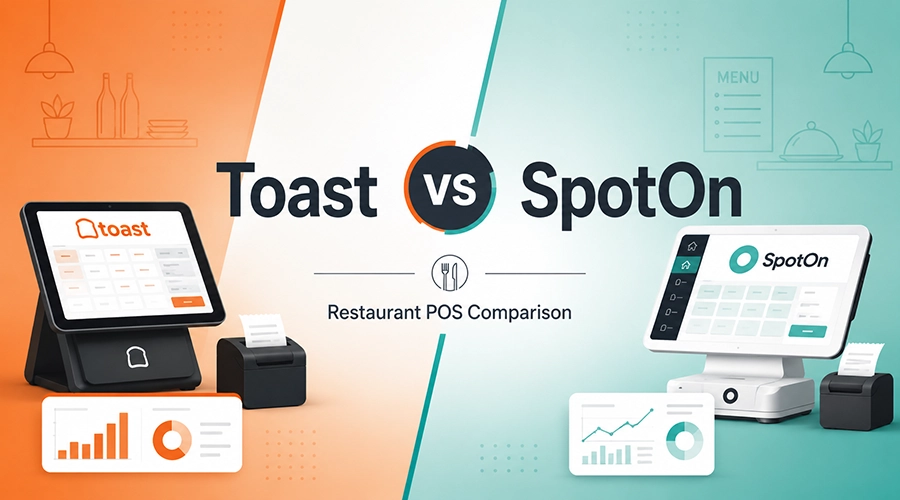
| Toast | $0 or $69/mo | 2.49% to 2.99% + 15¢ | Full-service restaurants |
| SkyTab | $29.99/mo | Quote-based | Bars and restaurants, free hardware |
| Lightspeed Retail | $89+/mo | 2.6% + 10¢ | Retail with deep inventory needs |
Notice the trade-off in that table. The systems with a $0 monthly fee charge a higher processing rate, and the ones with a monthly fee tend to offer lower rates. Which one wins depends entirely on your sales volume. More on that math below.
POS Software Options

There are a lot of options out there, and the price spread is wide. Software runs from free all the way up to a few hundred dollars a month for high-end, multi-location setups. Most of these systems use tiers, so you pay more as you add features.
Small business POS software usually starts around $15 per month and climbs to $100 or so, with extra fees if you add terminals. For most independent shops, that range covers everything they actually need.
Cloud-based POS systems tend to win on cost here. Lower upfront investment, less IT to babysit, and you’re not paying someone to maintain an on-premise server in the back office.
One thing people forget to check: licensing and user account rules. Some systems charge per user or per terminal, and that detail quietly changes your monthly bill. Ask about it before you sign.
Free POS Software
Free POS software is a real thing, and for the right business it’s a smart move. An independent retailer can run a basic operation on a free plan and never pay a software fee.
Options like Square and PayPal Zettle hand you a free mobile card reader or sell you one cheap, and suddenly anyone can take payments. That accessibility is exactly why these systems took off with small businesses.
Here’s the catch though. Free software almost always comes with a higher processing rate, and that rate applies to every sale you make. If you’re doing real volume, the money you save on the monthly fee gets eaten by processing. Run the numbers at your actual sales level before you assume free is cheapest.
Paid POS Software
Move up the scale and you hit paid plans. What you’re buying at this level is depth:
- Detailed inventory management
- Advanced reporting
- Built-in marketing tools
- Loyalty programs
- E-commerce integration
- The essentials for restaurant operations
Paid plans generally run from around $29 to $300+ per month per terminal, scaling with your size and the features you turn on. Some still charge an upfront licensing fee, so ask.
The upside is these features pay for themselves when you use them. Solid sales reporting alone can show you which menu items or products are actually making money, which is the kind of insight that changes how you order and what you promote.
One nice perk on most paid systems: no user limits. Your whole staff can ring up sales on the point-of-sale system across every licensed terminal without you paying per head.
Hardware and Expenses
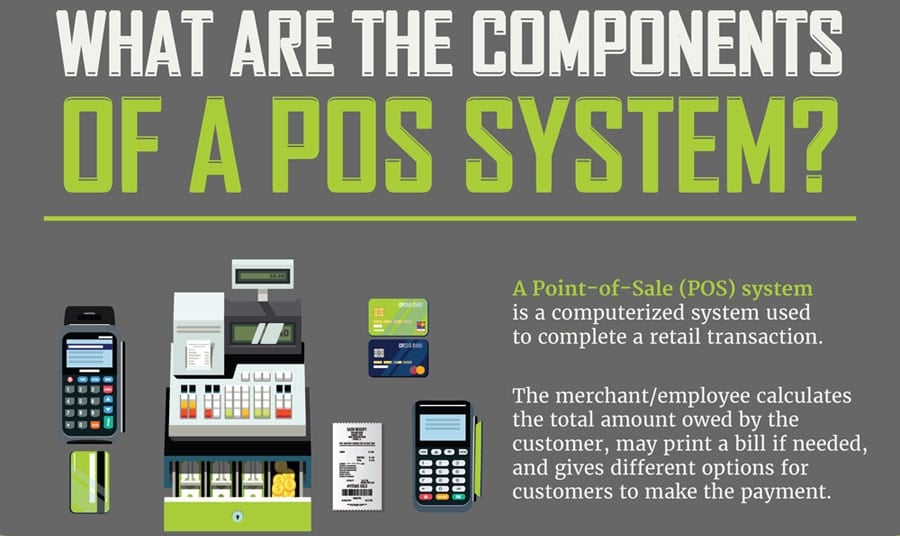
After software comes the gear. What you need depends on how you sell, but the usual lineup looks like this:
- Mobile card readers
- Cash registers and terminals
- Barcode scanners
- Receipt printers
Across the board, hardware runs from under $50 to over $2,000 depending on how much you’re building.
Cash registers are a good example of the spread. A basic one runs under $200, while a full touchscreen terminal with a built-in card reader can push past $2,000.
For the smaller pieces: barcode scanners for retail run about $50 to $300 each, card readers land around $39 to $49, and receipt printers fall in the $289 to $399 range. The more complex your setup, the more accessories you’ll need, and those add up.
Worth knowing: a lot of providers will give you hardware free or heavily discounted if you sign on for their payment processing. SkyTab does this with free hardware, for instance. It’s a fair trade for some businesses, but make sure you understand the processing commitment you’re agreeing to in exchange.
Buy vs Lease Hardware
When you’re getting hardware, you’ve usually got two paths: buy it outright or lease it. Leasing keeps your upfront cost low, which makes it tempting for a new business that’s watching every dollar of startup capital.
Leased POS hardware usually bundles in ongoing support and troubleshooting, which helps if you don’t have anyone technical on staff.
Leasing also makes it easier to swap in newer equipment down the road without eating the loss on gear you already bought. The downside is the long game. Those monthly lease payments, service charges, and interest add up, and over a few years you’ll often pay well more than the hardware was worth.
Buying outright is the better deal long-term. No recurring payments, no lease terms to renegotiate, and the gear is yours to set up however you want.
Owned hardware usually comes with a manufacturer warranty too, so a hardware failure isn’t automatically an out-of-pocket emergency. The only real catch is the higher upfront cost. Honestly, for most businesses that can swing it, buying wins.
POS Hardware Financing
If buying outright isn’t realistic, financing splits the difference. You spread the hardware cost over a year or more instead of taking the full hit on day one.
Some providers sweeten it further with free or discounted readers at signup, plus payment plans on the pricier equipment. Just read the terms so you know what the financing actually costs you over its life.
Credit Card Processing Fees

Now for the part that matters most. Processing fees are set by your merchant services provider, and they come in two flavors: flat-rate (one simple percentage on everything) or variable, where the rate shifts based on the card and how it’s run. Most in-person rates land somewhere between 2.4% and 3.5% plus a small per-transaction fee.
The more card volume you run, the more room you have to negotiate a lower per-transaction rate, especially once you clear certain monthly thresholds.
How the card gets processed matters too. A swiped or tapped card costs less than a manually keyed one, because keyed entry carries more fraud risk. That’s why a keyed transaction can jump to 3.5% or higher on some systems.
To get the best rate, do three things:
- Know your real numbers. Pull your average ticket size and monthly card volume before you shop.
- Understand your mix. Mostly in-person? Mostly online? It changes which pricing model fits.
- Match the pricing structure to your volume. Flat-rate is simplest for lower volume; interchange-plus often wins once you’re processing serious money.
When a Free Plan Stops Being the Cheapest
“Free” is the most misunderstood word in POS pricing. A free plan like Square charges $0 a month but a higher processing rate, usually around 2.6% + 10¢. A paid plan charges a monthly fee but drops your rate. At some sales volume, the lower rate saves you more than the monthly fee costs. That’s your breakeven point, and it’s the calculation almost nobody runs.
Here’s the simple version. Say a paid plan costs $49 a month and lowers your rate by 0.1% versus the free plan. To save that $49 in processing, you’d need to run about $49,000 a month in card volume. Below that, the free plan is cheaper. Above it, the paid plan starts winning, and the gap grows as you sell more.
The math shifts with every plan, so the real answer is: run your own numbers. Take the monthly fee of the paid plan, divide it by the rate savings as a decimal, and that’s roughly the monthly volume where it pays off.
Monthly fee ÷ rate savings (as a decimal) = the monthly card volume where the paid plan becomes cheaper. Example: $49 ÷ 0.001 = $49,000.
That formula works for any business, so you can run it in about ten seconds. If you’re a restaurant and want the exact answer pulled straight from your real numbers, our free processing fee analyzer reads your current statement and shows you what you’re actually paying. Either way, the point stands: run the math at your own volume before you assume free is cheapest, because for plenty of businesses it isn’t.
Additional Costs and Fees to Watch Out For
The quote you get rarely tells the whole story. Here’s where the extra costs tend to hide:
- Integrations with your accounting, scheduling, or other business tools
- Add-on features like email marketing, loyalty, or online ordering
- Extra services like SMS notifications that get billed separately
Then there’s the per-terminal charge. A lot of providers bill a monthly fee for each additional register, usually in the $9.95 to $40 range. If you’re running three or four stations, that alone can add real money to your monthly bill.
Support and training is the one people forget entirely. Some vendors fold it in, others charge for it, and most systems need the occasional upgrade or replacement down the line. Ask what’s included before you sign, not after something breaks.
Contract Traps That Cost Owners Real Money
The monthly price is the part vendors put on the website. The contract is where the expensive surprises live. Over the years these are the ones I’ve watched cost businesses the most, and every one of them is avoidable if you ask before you sign.
- Multi-year terms. A lot of restaurant systems lock you into two or three years. That’s fine if the system works out. It’s a problem if it doesn’t, because now you’re paying for something you’ve stopped using.
- Early termination fees. Cancel before the term is up and you can owe the remaining balance on hardware plus a chunk of the remaining software fees. These can run anywhere from a few hundred dollars to several thousand. Get the exact number in writing before you sign.
- Auto-renewal. Many contracts roll over automatically unless you cancel inside a specific window, sometimes 30 to 90 days before the term ends. Miss it and you’re locked in for another full term. Put the cancellation window on your calendar the day you sign.
- Rate increases mid-contract. Some processing agreements let the provider raise your rate with 30 days’ notice. Your “locked-in” deal isn’t always locked. Ask whether your rate is fixed for the term.
- Long hardware leases. A four-year lease on a terminal that costs $600 to buy can run you well over $2,000 by the end. Leasing has its place, but read the total-cost-over-the-term number, not the monthly one.
- Proprietary hardware lock-in. Some systems only run on their own hardware, so leaving means replacing all of it. That’s not a fee on the contract, but it’s a real cost of switching later. Worth knowing before you commit.
None of this means avoid contracts. Plenty of good systems use them. It means read the term length, the termination fee, the renewal window, and the rate-change clause before you put your name on it. Those four lines decide what the system really costs you.
POS System Costs by Industry
POS pricing isn’t one-size-fits-all. What a coffee shop pays looks nothing like what a full-service restaurant or a salon pays, because the feature needs are completely different. Here’s roughly what to expect by industry.
Retail. A small shop with a single register usually runs $15 to $100 a month for software. Add more registers and deeper inventory needs and you’re looking at $100 to $300 a month. Check our retail POS systems guide for specific picks.
Restaurants. Full-service restaurants need the most: kitchen display systems, tableside handhelds, online ordering. That depth is why restaurant systems like Toast start around $0 to $69/month for software but climb fast once you add modules. See our restaurant POS systems breakdown for the full picture.
Food trucks. You want mobile and compact. Usually one terminal, a card reader, and maybe a handheld. The footprint is small, so the hardware cost stays low.
Spas, salons, and wellness. These businesses need a different toolkit:
- Appointment scheduling
- Invoicing
- Retail product sales
- Recurring memberships
- Booth rental management
They also lean on customer-facing tablets for intake forms and client notes. On processing, salons and wellness businesses typically see 2.5% to 4% depending on volume and business type.
Cafes and coffee shops. Expect in-person processing around 2% to 3%, with online orders running higher, closer to 3.5% to 5%. Our coffee shop POS systems guide digs into the best fits.
Ways to Reduce POS Costs

A POS is an investment, but there are real ways to keep the cost down. The biggest lever is processing. A lot of businesses now run a dual-pricing or cash-discount program, where the card-paying customer covers the processing fee. Done right, that can wipe out most of your processing cost. Just check your local rules and make sure your signage is compliant.
The other easy win: pay annually instead of monthly. Plenty of providers knock a chunk off the price for an annual commitment, and over a year that adds up. And don’t pay for modules you won’t use. If you’re not running a loyalty program, don’t buy the loyalty add-on.
Conclusion
The real cost of a POS system is software plus hardware plus processing, and that third piece is the one to watch. You’ve got options at every budget, from a free plan with a card reader to a full multi-terminal restaurant setup.
The smart move is to total up all three costs at your actual sales volume before you sign anything. Look at the features you’ll really use, make sure the system can grow with you, and account for the fees that don’t show up in the headline price. Do that, and you’ll pick a system that fits both your business and your budget.
Frequently Asked Questions
How much does a POS system cost?
A POS system costs $0 to $165+ per month for software, $0 to $2,000 up front for hardware, and 2.4% to 3.5% plus 10 to 15 cents per transaction for payment processing. A typical small business spends between $0 and $2,000 in the first year once hardware is included, then roughly $500 to $1,000 a year ongoing, not counting processing fees.
What is the cheapest POS system?
The cheapest POS system for most small businesses is Square, which offers a genuinely free software plan at $0 per month. You only pay processing fees of 2.6% + 10¢ per in-person transaction. The trade-off is that free plans carry higher processing rates than paid systems, so for higher-volume businesses a paid plan with a lower rate can actually cost less overall.
How much does a POS system charge per transaction?
Most POS systems charge 2.4% to 3.5% of the sale plus a flat fee of 10 to 15 cents per transaction for in-person card payments. Online and manually keyed transactions cost more, often 2.9% to 3.5% plus 30 cents, because they carry higher fraud risk. Higher sales volume can earn you a lower negotiated rate.
Is the monthly fee or the processing rate more important?
For most businesses the processing rate matters more, because it applies to every sale. On $30,000 a month in card volume, a 0.5% rate difference is about $150 a month, which dwarfs the difference between most software plans. Only at very low volume does a higher monthly fee outweigh the processing savings.
How much does a POS system cost for a small business?
A small business typically pays $15 to $100 per month for POS software with a single register, plus hardware. Many start on a free plan like Square to avoid monthly fees entirely and only pay per-transaction processing. As you add registers, expect roughly $100 to $300 a month at the higher end.
How much does restaurant POS software cost?
Restaurant POS software ranges from $0 to $165+ per month depending on the plan and add-ons. Toast, for example, starts at $0 per month (with higher processing) or $69 per month (with lower processing). Once you add kitchen display systems, online ordering, and loyalty, a full-service restaurant’s software bill commonly reaches $150 to $500 a month.
Should I buy or lease POS hardware?
Buying POS hardware outright is cheaper long-term because you avoid recurring lease payments, service charges, and interest. Leasing makes sense if you’re short on startup capital or want bundled support and easy upgrades, but you’ll usually pay more over a few years. For most established businesses, buying wins.
The most common hidden POS costs are per-terminal fees ($9.95 to $40 per register monthly), add-on modules for loyalty, online ordering and payroll, integration fees, support and training charges, and contract early-termination fees. These can add $100 to $300 a month beyond the advertised price, so total them before you sign.